// exit guide · written while leaving Pressable myself
How to cancel Pressable without losing a single site (or paying another month)
I'm moving my small sites off Pressable after 9 years, so I wrote down every step. The one thing to know before anything else: when a Pressable account is cancelled, its sites and backups are deleted, and Pressable says they can't be recovered. Do the steps in this order and you lose nothing.
KEY TAKEAWAYS
- Download a filesystem and a database backup of every site before you touch billing.
- Move DNS to the new host and test it while Pressable is still running.
- Cancel at least 24 hours before your renewal date and pick Cancel Later, not Cancel Now.
- Within 30 days of signup you can ask [email protected] for a refund; after that, payments are final.
- Cancelling Pressable doesn't close the WordPress.com account it created.
What happens when you cancel Pressable
Pressable's own cancellation guide and Terms of Service are short and clear, which is exactly why people get caught out:
- Cancel Now deletes your sites immediately.
- Cancel Later keeps them online until the end of the period you've paid for, then deletes them.
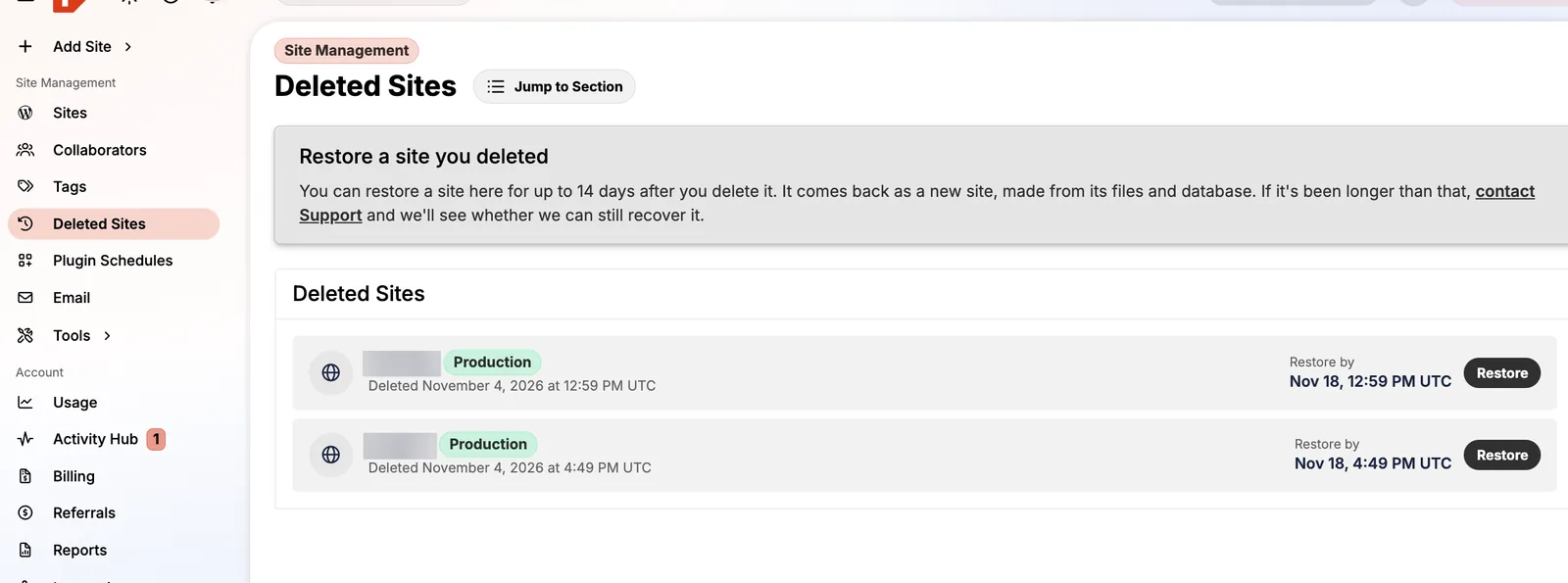
- Deleted sites and their backups are not recoverable once the account is closed. The 14-day "Deleted Sites" safety net only exists while you have an account.
- An account with an overdue invoice is cancelled automatically, and its sites are removed.
- Only the account owner can cancel. Collaborators can't.
None of this is unusual for hosting, but most hosts let you download backups for a while after you leave. Pressable doesn't, so the backup step is not optional.
Step 1: Make a list of everything in the account
Open Sites and note every production site. Then check three places people forget:
- Staging, sandbox and DupliKit sites. They have their own allowance, so they're easy to overlook, and a staging copy is sometimes newer than live.
- Deleted Sites. Anything still in the 14-day window disappears with the account.
- Email. If you bought Professional Email inboxes, export mail and set up a new provider first, or messages to your domain will bounce.
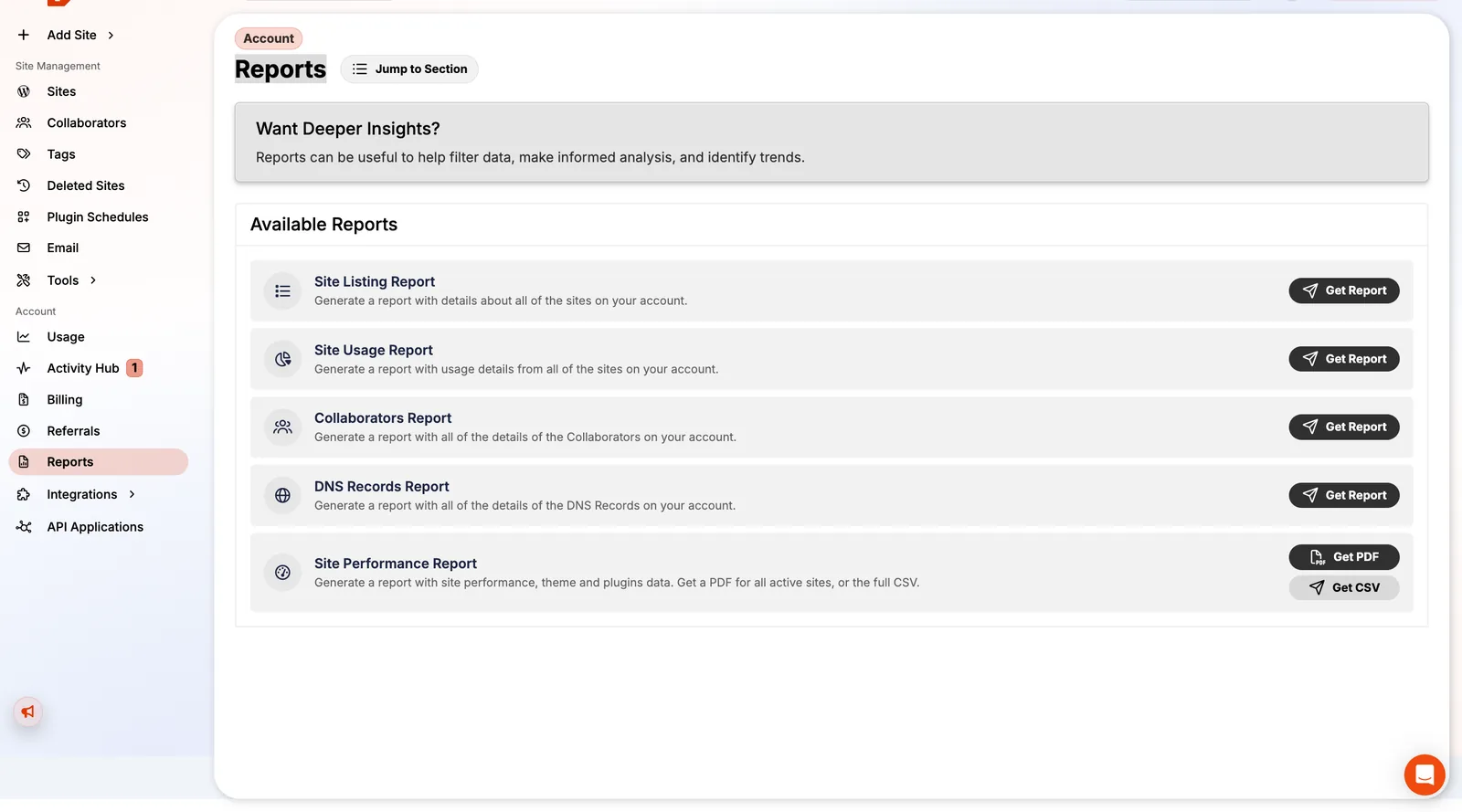
The Reports → Site Listing Report emails you a full list of sites if you have many.
Step 2: Download a full backup of every site
Go to each site's Backups & Restores page:
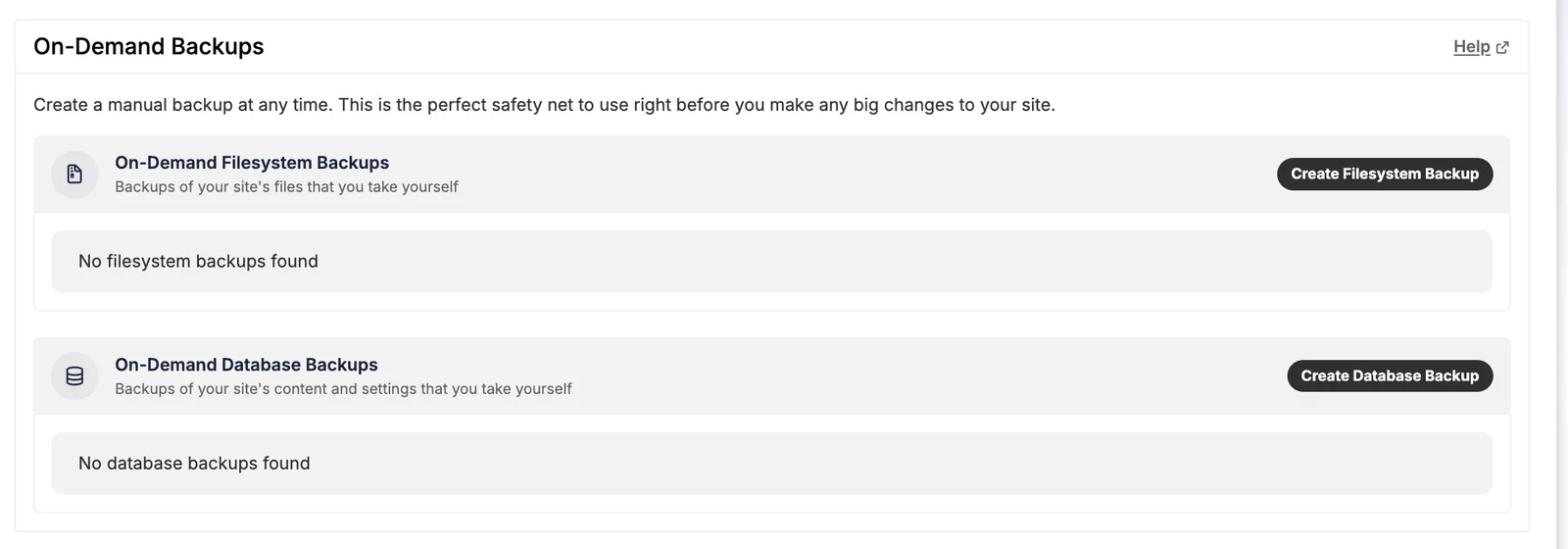
- Click Create Filesystem Backup (themes, plugins, uploads) and Create Database Backup (posts, pages, users, settings).
- When each one finishes, click Download and keep both files together, named by site.
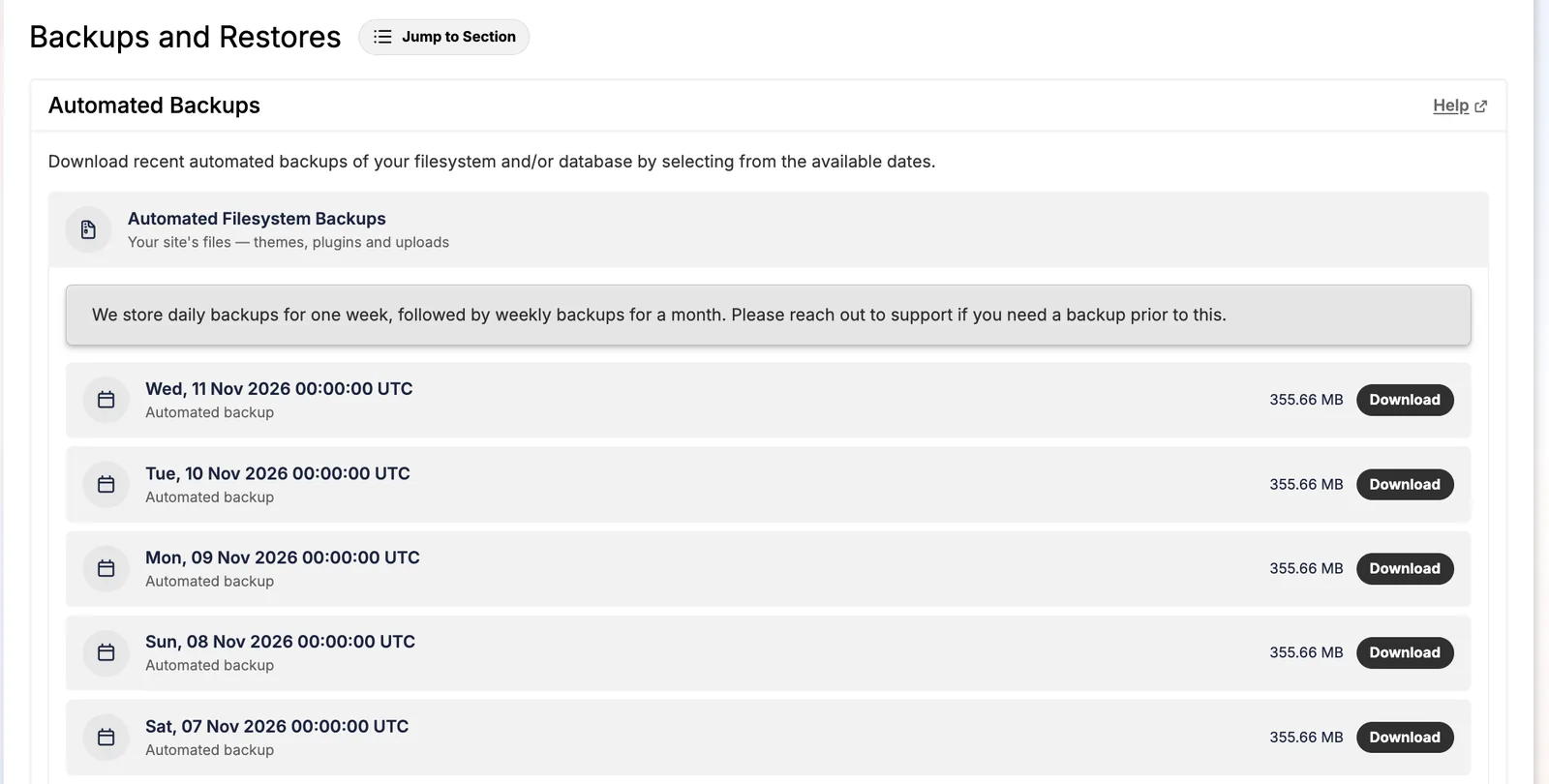
- Check the file sizes look right. One of my sites' daily file backups was about 356MB; a database backup is usually a few MB.
You can also download the most recent automated backups instead: Pressable keeps daily file backups for a week and hourly database backups. For a migration, a fresh on-demand backup taken the day you switch is safer.
Store backups in two places, for example your computer and Google Drive. A single corrupt download is the only way this goes wrong.
Step 3: Move DNS before you cancel, not after
Set up the new host and test each site on its temporary address first. Then change DNS:
- If your domain uses your registrar's DNS or Cloudflare, update the A record (and
www) to the new host. - If you used Pressable's DNS, recreate every record at the new DNS provider before changing nameservers. Don't forget MX and TXT records for email.
- Lower the TTL a day ahead if you can, so the switch propagates in minutes.
Use our hosting checker to confirm a domain now resolves to the new host. When it no longer says Pressable, that site is moved.
Step 4: Cancel at the right moment
- Pay any open invoice first.
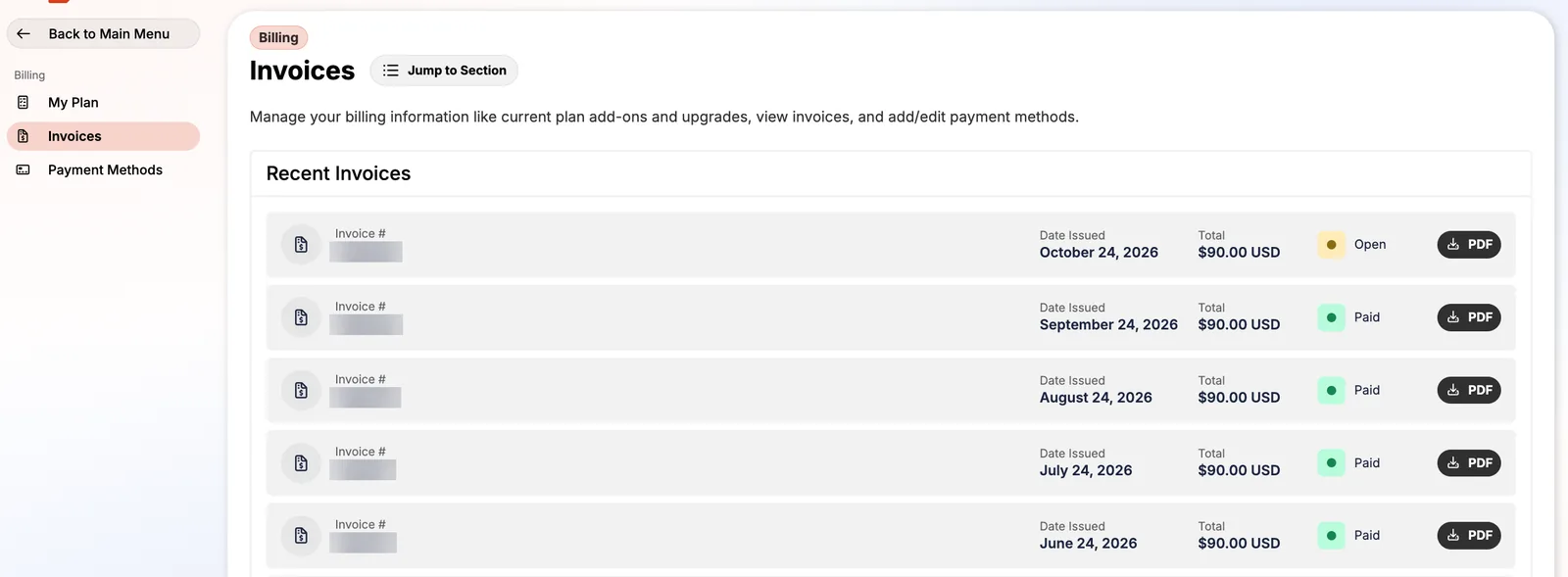
- Log in as the account owner and open Billing → My Plan → Cancel Plan.
- Confirm, then choose Cancel Later. Your sites keep running until the period ends, which is your safety margin if a migration needs fixing.
- Do it at least 24 hours before your renewal date, which the Terms of Service require to avoid the next charge.
On monthly billing that means you can leave any month. On yearly billing, there's no refund for the unused months after the first 30 days, so time your move near the renewal date.
Can you get a refund?
Only within 30 days of signup, by emailing [email protected], and not if you started on a free trial that was later billed. After 30 days, Pressable's terms say payments are final. Full details in our Pressable refund policy breakdown.
After you cancel
- Close the WordPress.com account Pressable created, if you don't use it. Cancelling Pressable doesn't.
- Remove Pressable's IP addresses from any firewall allow lists and update uptime monitors.
- Keep your downloaded backups for at least a few months.
FAQ
Does Pressable delete my sites when I cancel?
Yes. Cancel Now deletes them immediately; Cancel Later deletes them at the end of the paid period. Pressable says deleted sites and backups can't be recovered after the account is closed.
How long before renewal do I have to cancel Pressable?
At least 24 hours before your renewal date, according to Pressable's Terms of Service.
Can a collaborator cancel a Pressable account?
No. Only the account owner can cancel.
Will Pressable refund unused months on a yearly plan?
Only within 30 days of signup. After that, payments are final, so cancel yearly plans close to the renewal date.
SOURCES
Prices and limits change. We note the date we checked each one; confirm on the provider's site before you buy.