// hands-on review · customer since 2017 · tested November 2026
Pressable review: 9 years as a customer, 57 dashboard screenshots and the real cost
I've paid for Pressable since April 2017, back when few people had heard of it, and have hosted 40-50 WordPress sites on it since then: on a 20-site plan for years, and today on the $90/month Signature 4 plan for 10 sites. This review uses my own account: every screenshot below is mine, every price is from Pressable's checkout, and I explain why, after 9 years, I'm moving my smallest sites off it anyway.
MY VERDICT · 8.4/10
I've been a paying Pressable customer since April 2017, and it's the managed WordPress host I'd recommend for e-commerce stores and larger sites that earn money: hourly database backups, a 28-location edge cache, serious security controls and the most complete dashboard I've used, now built and run by Automattic itself. What it lacks is a cheaper plan for simple, low-traffic sites, which is exactly why I'm moving my small sites to static hosting.
BEST FOR
Agencies, freelancers and businesses running several revenue-earning WordPress or WooCommerce sites that want hands-off updates, hourly backups, staging and real developer tools, without managing servers.
NOT IDEAL FOR
A single small blog, a brochure site that rarely changes, or anyone on a tight budget. A $3-10/mo shared host or free static hosting does those jobs.
My Pressable scores
Average of 8 equally weighted categories
Edge cache at 28 locations, 5 PHP workers per site, object cache, Cache Preload, APM.
Edge Rules, Defensive Mode, breached-password login blocking, vulnerability alerts, read-only filesystem, egress firewall, SSO.
Hourly database backups, daily files, on-demand backups, one-click restore, 14-day undelete.
Staging/sandbox/DupliKit, WP-CLI, GitHub, DDEV, API, webhooks, MCP, collaborators.
Clear, explained settings everywhere; the sheer number of tools takes time to learn.
24/7 chat and tickets inside the dashboard; no phone line for technical help.
Fair for 5+ sites, expensive for one; price-locked renewals; overages billed automatically.
WordPress only, 4 origin data centers, email costs extra.
Pressable pros and cons
WHAT I LIKE
- Owned and run by Automattic, on its own WP Cloud: the same company that makes WordPress.com, WooCommerce and Jetpack.
- Hourly database backups plus daily file backups, on-demand backups and one-click restores on every plan.
- Edge cache at 28 locations, Defensive Mode for attacks, and Edge Rules to block countries, bad bots or AI crawlers in a few clicks.
- Price-locked: renewals cost the same as your first bill, on monthly or yearly billing.
- Real monthly billing with no contract, and yearly billing gives 2 months free.
- Staging, sandbox and template (DupliKit) sites don't count against your WordPress install limit.
- Developer and agency tools most hosts don't have: WP-CLI from the dashboard, GitHub deploys, DDEV local sync, SAML SSO, webhooks, API and an MCP server for AI assistants.
- Security I saw working on my own sites: logins with breached passwords blocked, rate-limited xmlrpc.php attacks, and vulnerability alerts for plugins.
WHAT I DON'T
- No small, cheap plan for simple low-traffic sites: the entry plan is $25/mo monthly, which is hard to justify for a hobby blog or brochure site.
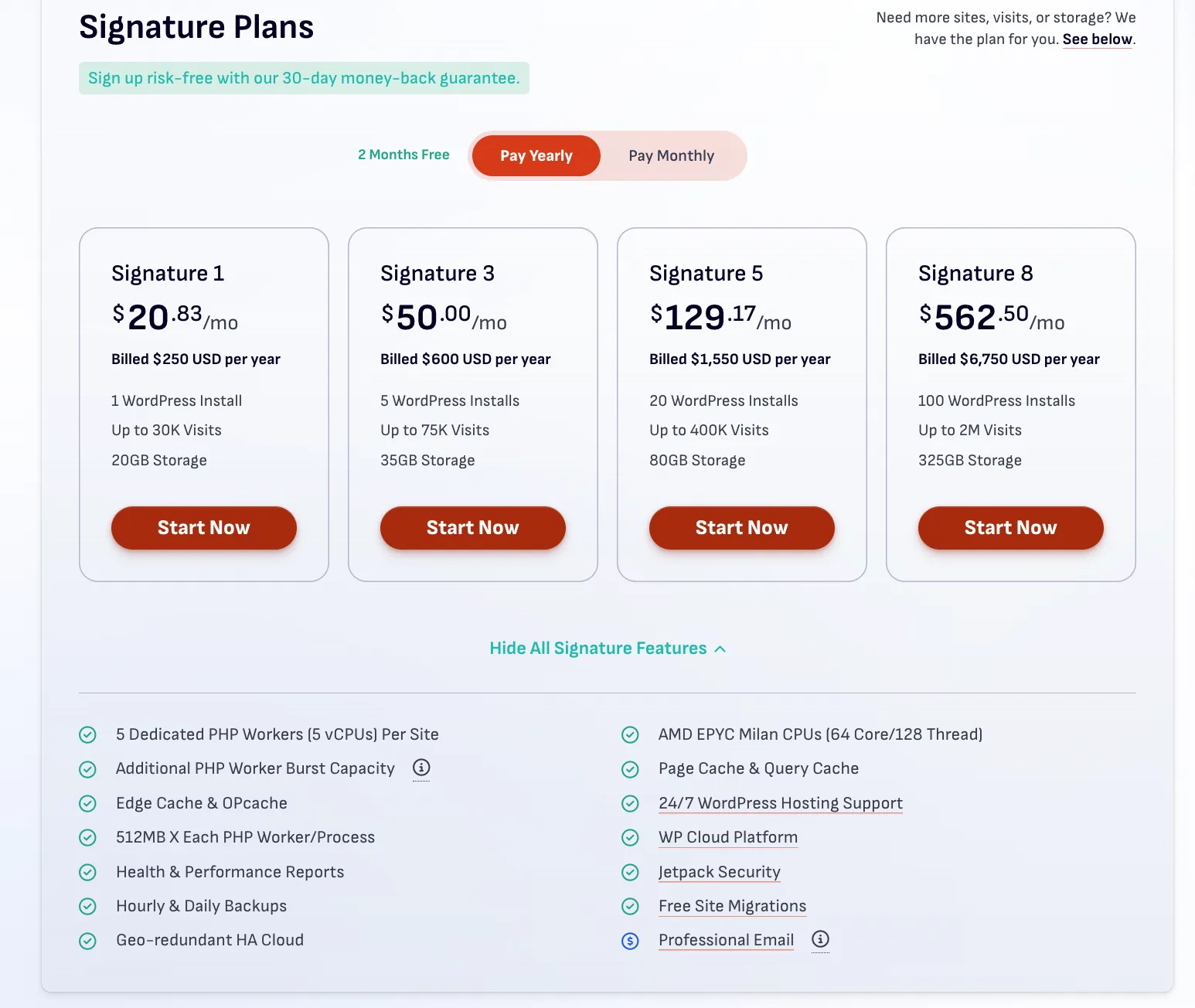
- Expensive for one small site: $25/mo monthly or $20.83/mo yearly for a single WordPress install.
- Visits over your plan are billed automatically ($1.20 per 1,000), so a viral month can cost extra.
- Email hosting isn't included: $3.50-5 per inbox per month.
- WordPress only. No Node.js, Python or static-site hosting.
- Only 4 origin data centers (3 US, 1 Amsterdam); no Asia-Pacific origin.
- No phone support for technical issues (chat and tickets only).
- Cancelling deletes your sites and backups, so you must export everything first.
- Some extras cost more: Plugin Schedules is $3/site/month after a 30-day trial.
Pressable pricing: what you actually pay
Pressable sells one product line for most people, Signature plans, priced by the number of WordPress installs, monthly visits and storage. Three things make it different from typical hosting pricing:
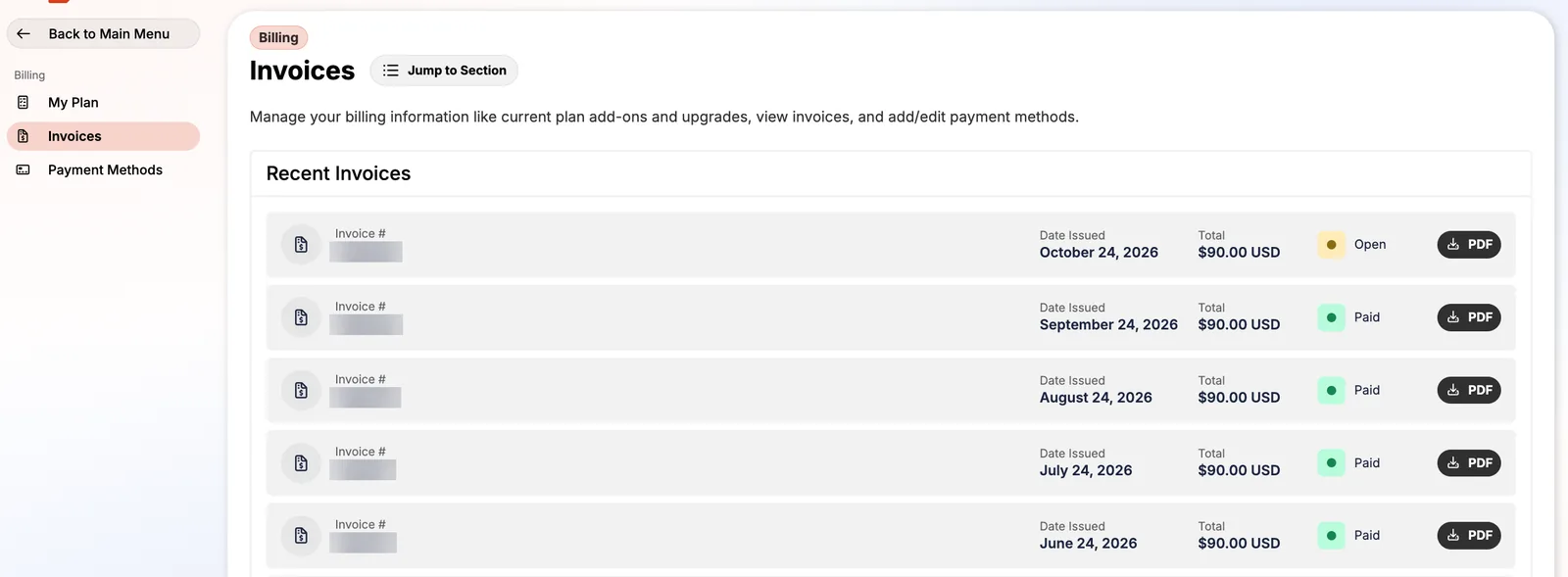
- No intro discount and no renewal jump. The price on your first invoice is the price forever. My receipts show $90 a month in April 2025 and still $90 in October 2026.
- Monthly or yearly, nothing longer. Yearly billing costs 10× the monthly price, so you get 2 months free. Switching from monthly to yearly is painless: when I did it in 2023, Pressable credited the unused part of my monthly plan automatically.
- Visits are metered. Go over and you pay $1.20 per extra 1,000 visits. Nothing gets throttled or switched off.
| Plan | WP installs | Visits/mo | Storage | Monthly billing | Yearly billing | You save yearly | Per install | Per 1k visits |
|---|---|---|---|---|---|---|---|---|
| Signature 1 | 1 | 30k | 20 GB | $25.00/mo | $20.83/mo $250/yr | $50 | $20.83 | $0.69 |
| Signature 2 | 3 | 50k | 30 GB | $45.00/mo | $37.50/mo $450/yr | $90 | $12.50 | $0.75 |
| Signature 3 | 5 | 75k | 35 GB | $60.00/mo | $50.00/mo $600/yr | $120 | $10.00 | $0.67 |
| Signature 4 my plan | 10 | 150k | 50 GB | $90.00/mo | $75.00/mo $900/yr | $180 | $7.50 | $0.50 |
| Signature 5 | 20 | 400k | 80 GB | $155.00/mo | $129.17/mo $1,550/yr | $310 | $6.46 | $0.32 |
| Signature 6 | 50 | 1M | 200 GB | $350.00/mo | $291.67/mo $3,500/yr | $700 | $5.83 | $0.29 |
| Signature 7 | 80 | 1.6M | 275 GB | $545.00/mo | $454.17/mo $5,450/yr | $1,090 | $5.68 | $0.28 |
| Signature 8 | 100 | 2M | 325 GB | $675.00/mo | $562.50/mo $6,750/yr | $1,350 | $5.63 | $0.28 |
Prices in USD from Pressable's pricing page and checkout, checked November 2026. "Per install" and "per 1k visits" use yearly billing. Every plan includes a staging and a sandbox site per install, which don't count toward the install limit. Renewals cost the same as your first bill.
Bigger plans get much cheaper per site: from $20.83 for one install to $5.63 at 100. My plan (Sig 4) works out to $7.50 per site on yearly billing, $9 on monthly.
Over 3 years, yearly billing saves 2 months per year: $540 on Signature 4 alone. I paid yearly for years, then switched to monthly when a full year upfront was harder to fund. Monthly costs more, but it also means I can leave without losing a prepaid year.
WHAT MY PLAN REALLY COSTS
Signature 4 on monthly billing: $90 × 12 = $1,080 a year for 10 installs. On yearly billing it would be $900. That's easy to justify for sites that earn money, and hard to justify for small ones. More in why I'm leaving.
Full pricing guide, overages and cost calculator →
Inside the Pressable dashboard
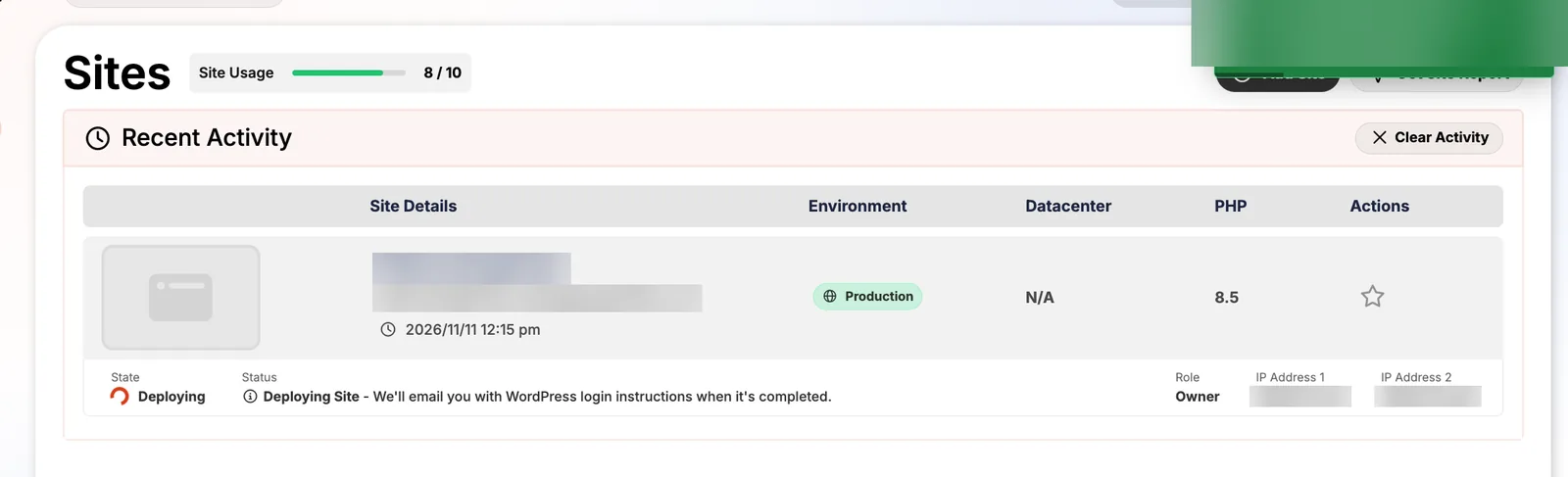
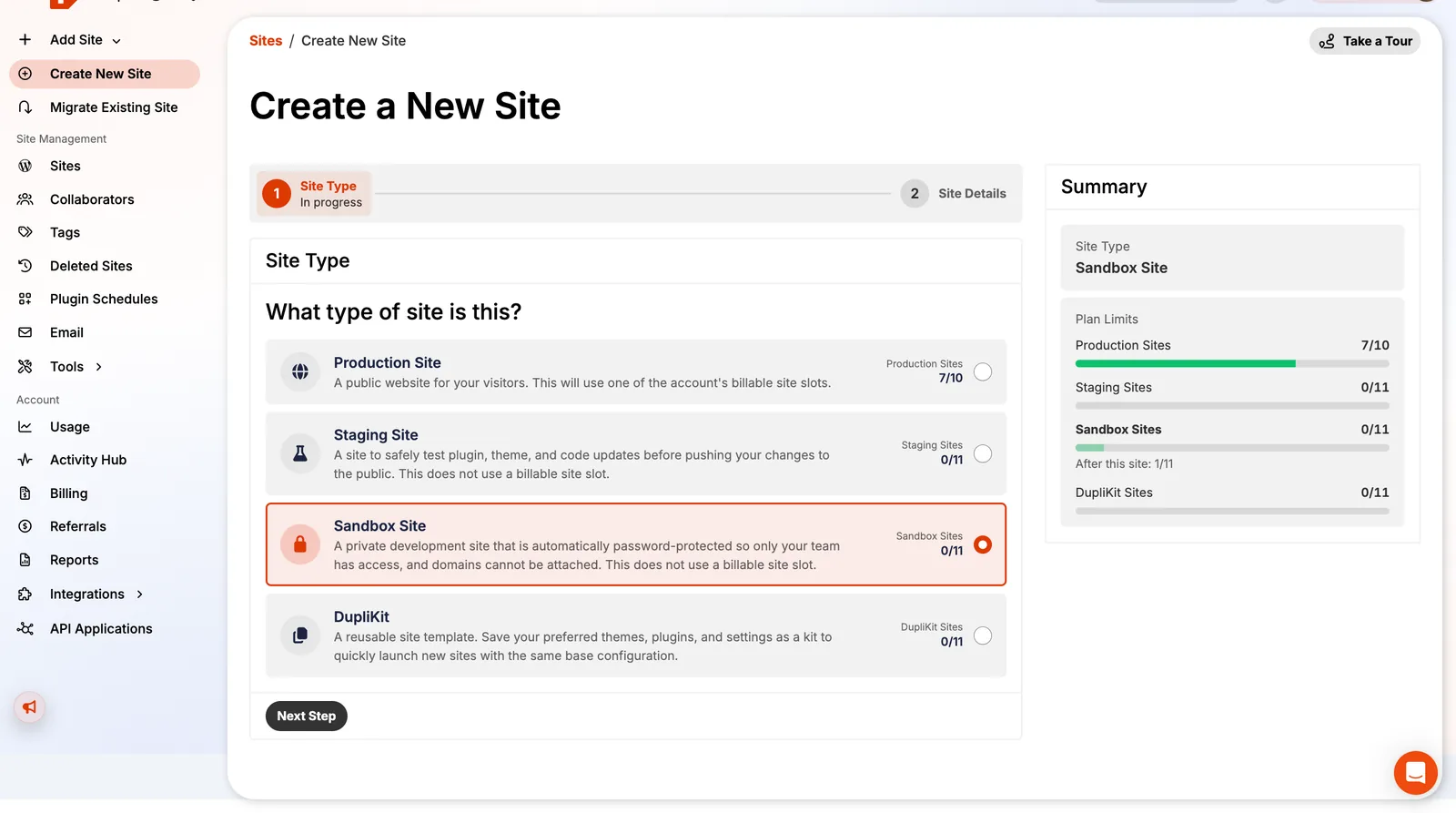
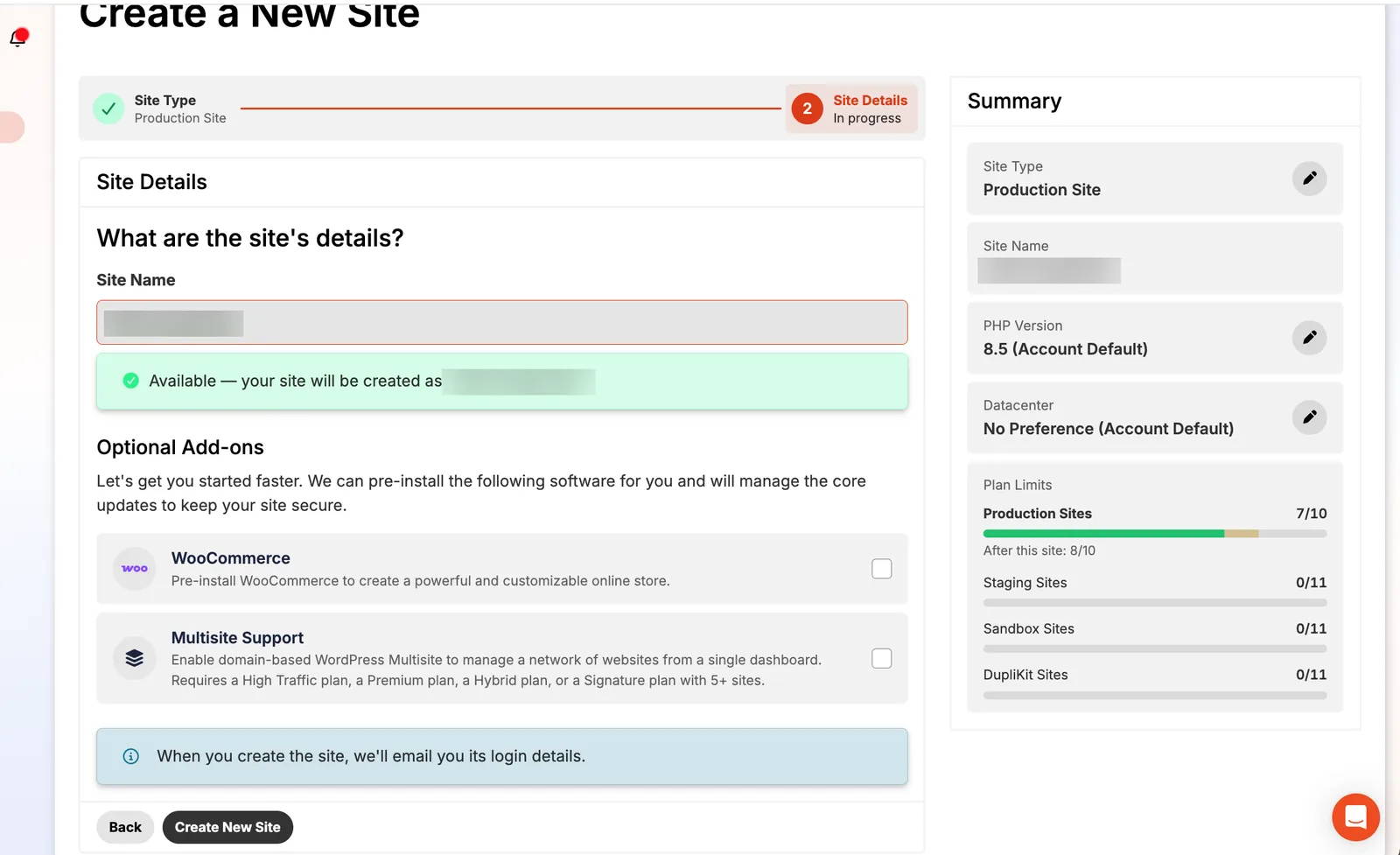
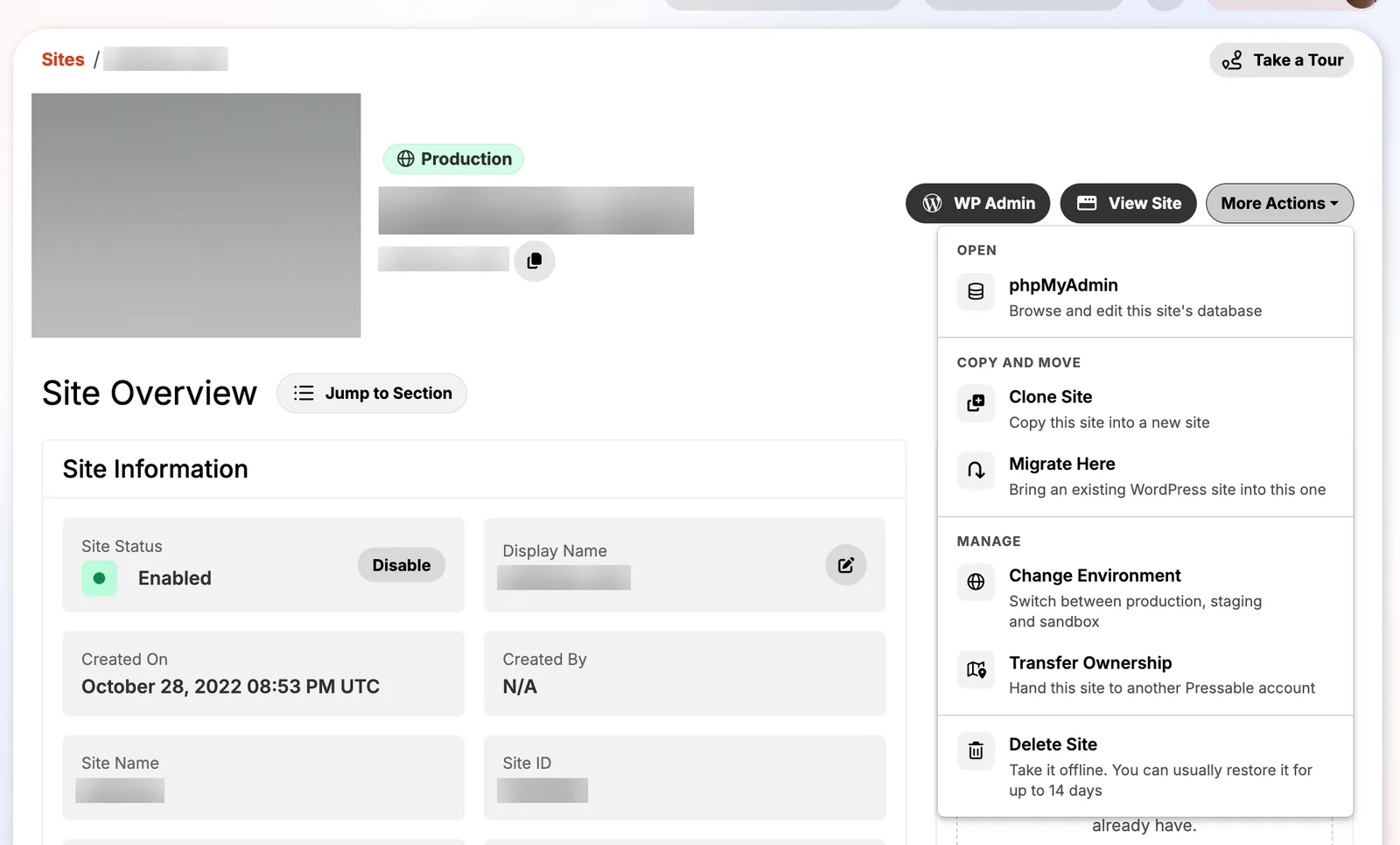
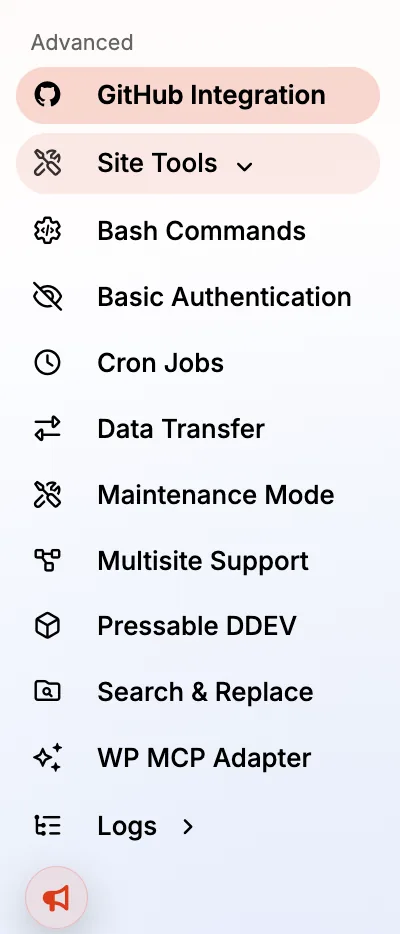
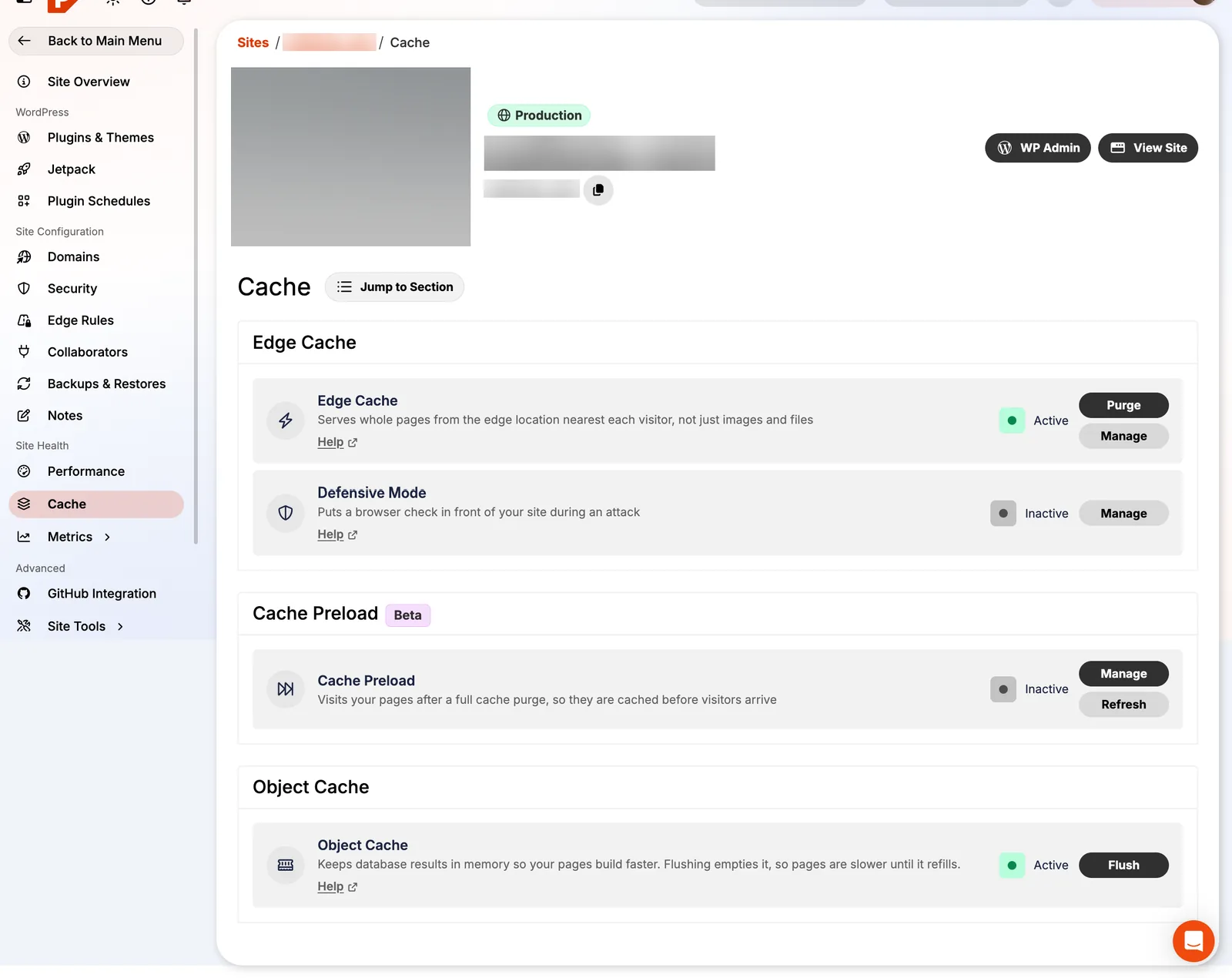
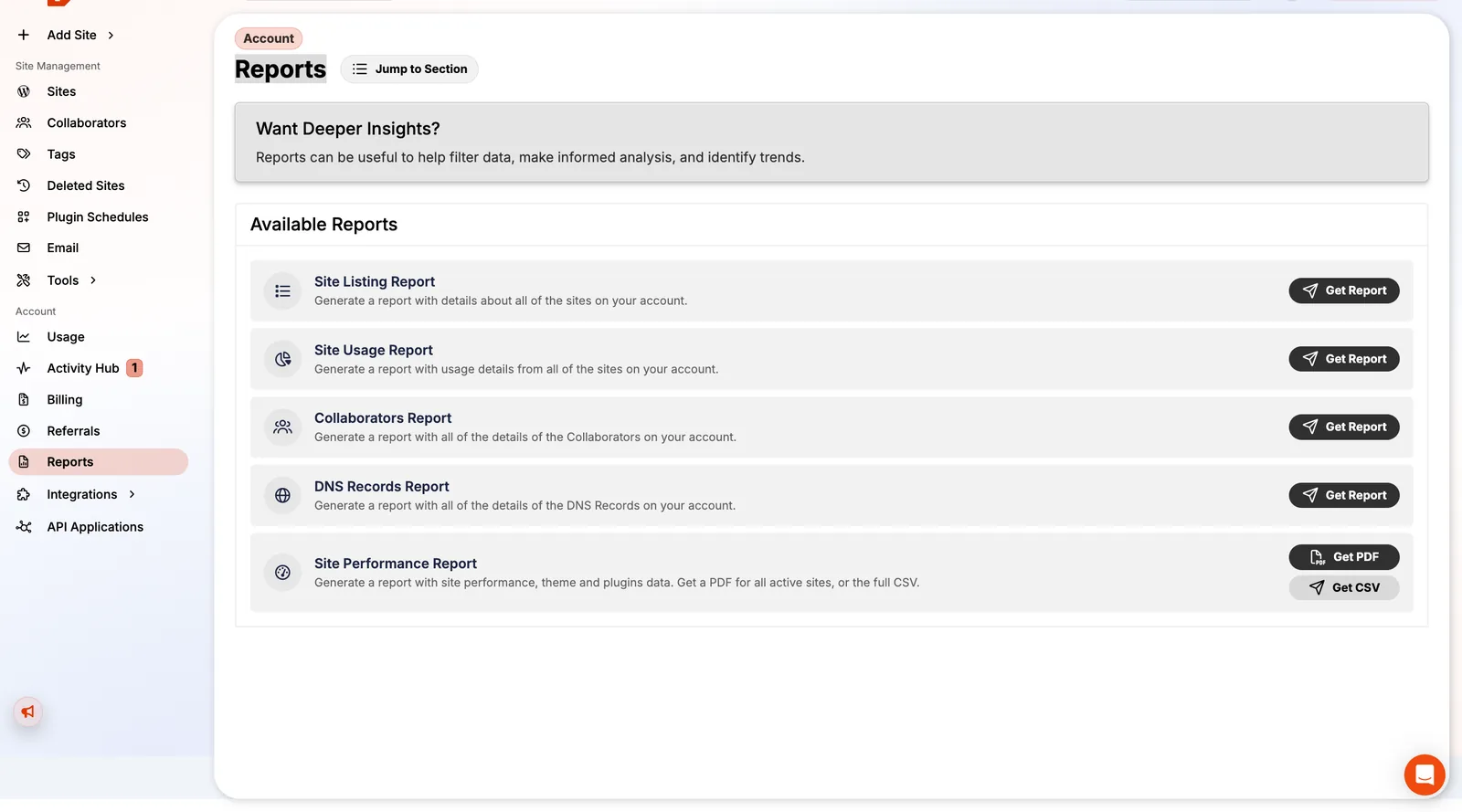
Most reviews show the marketing site. Here's the actual control panel, called MyPressable. The left menu splits into account-level tools (sites, collaborators, tags, plugin schedules, email, usage, billing, reports) and per-site tools (plugins, Jetpack, domains, security, edge rules, backups, performance, cache, logs). Every risky setting explains itself in a modal before you switch it on, which is better than most hosts' documentation.
Speed: edge cache, PHP workers and caching tools
Pressable doesn't sell you a server size. Every Signature site gets 5 dedicated PHP workers (5 vCPUs) with burst capacity, 512MB per worker, on AMD EPYC Milan 64-core machines. In practice that means one slow plugin request can't block the whole site, and uncached WooCommerce checkouts have room to breathe.
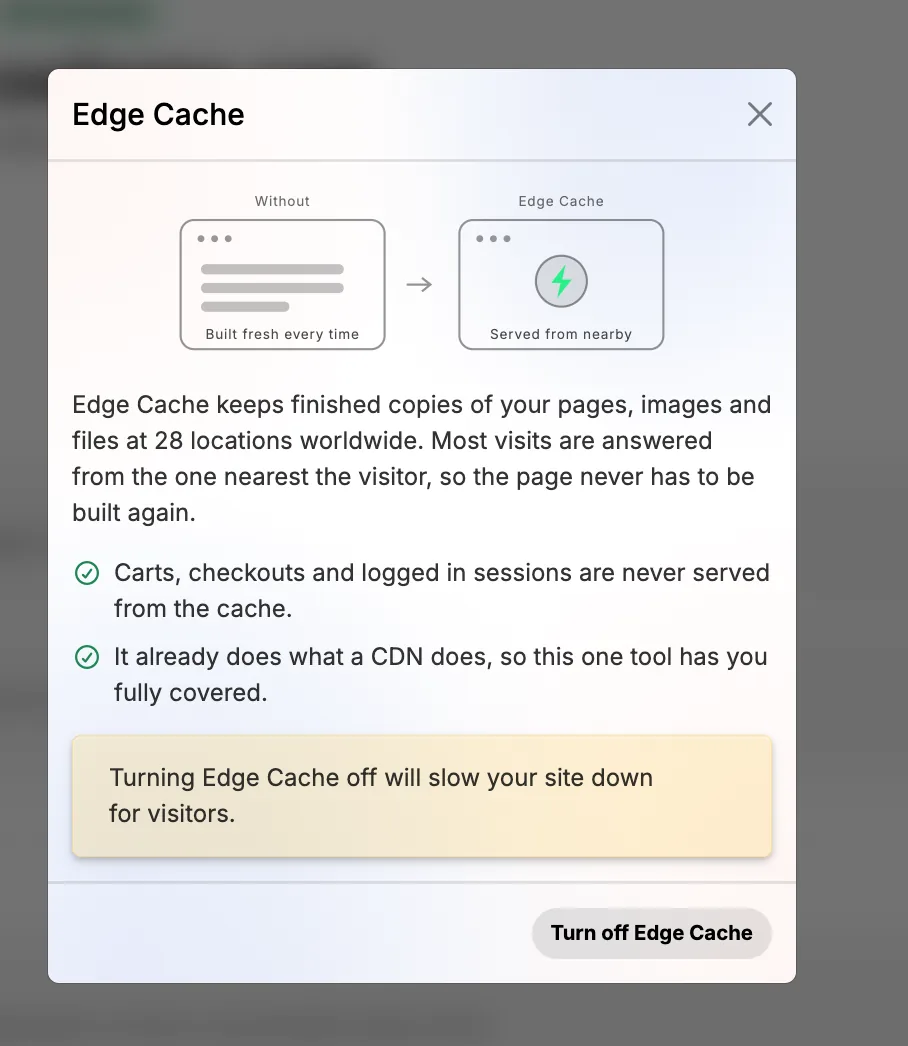
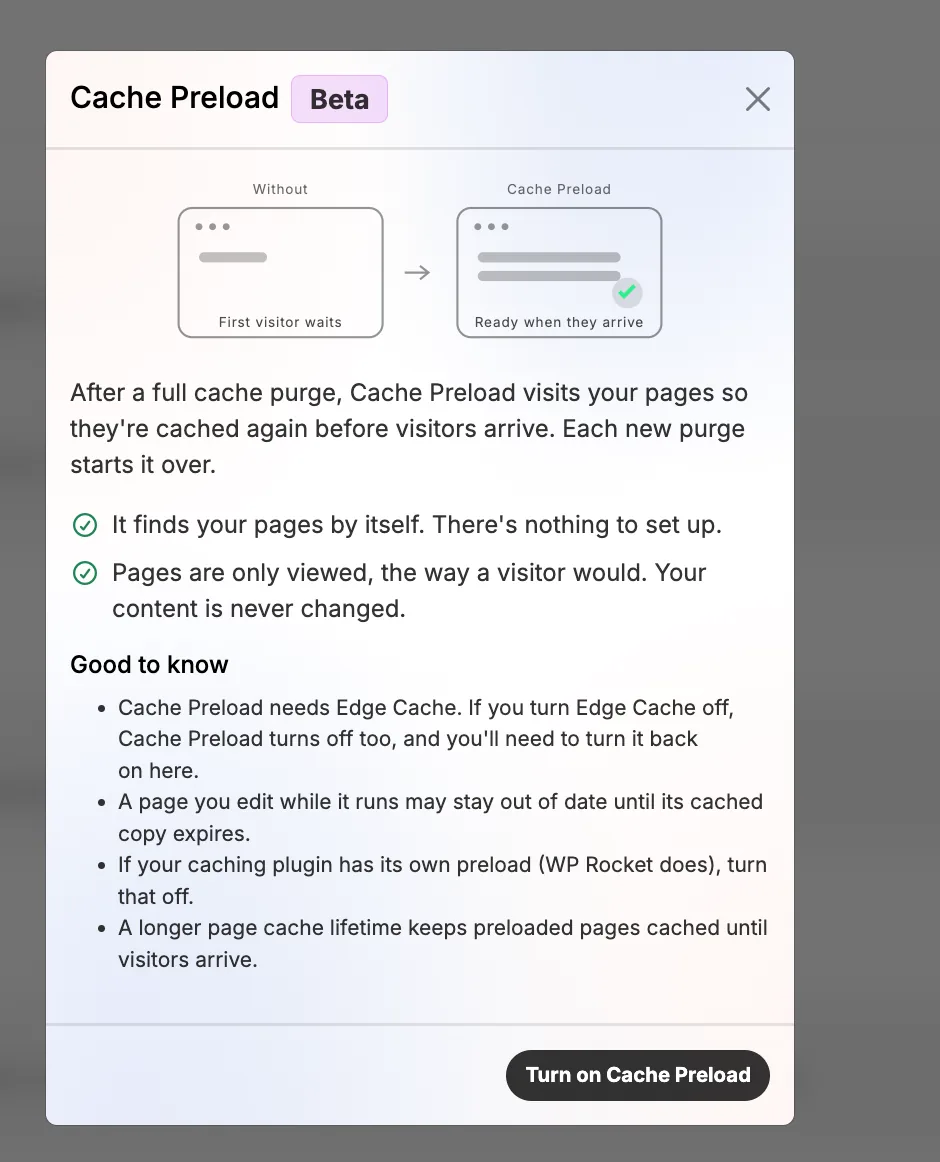
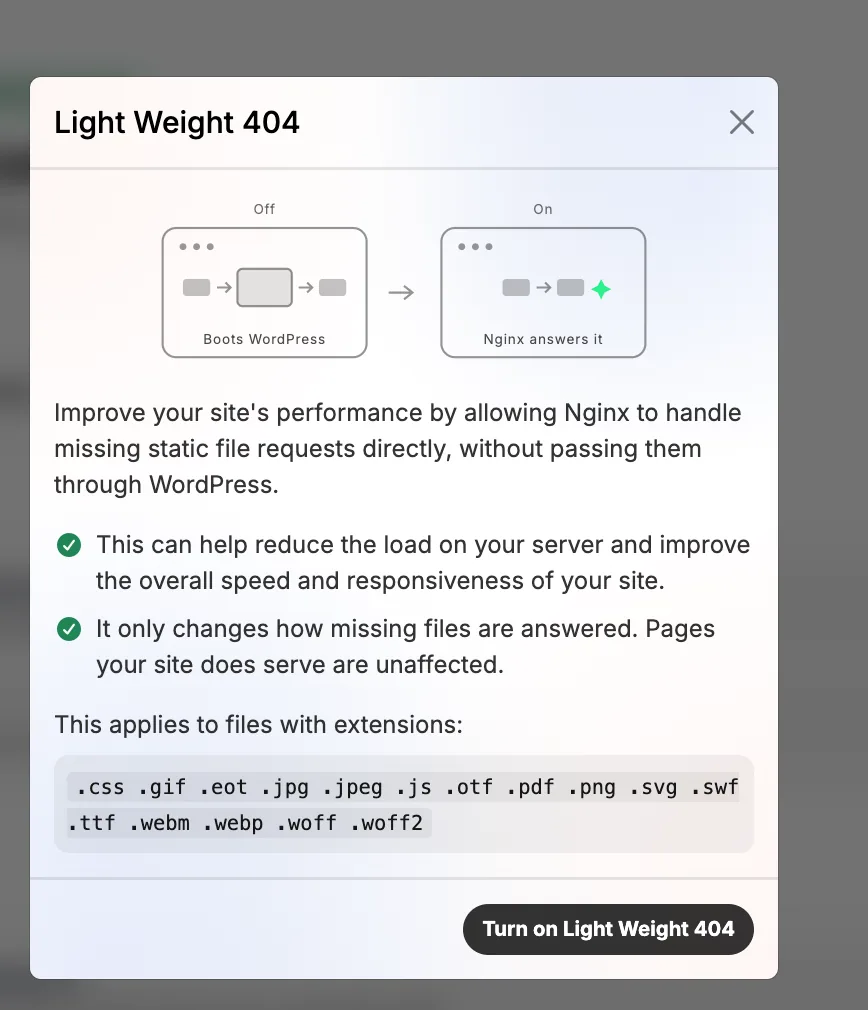
On top of that sit four cache layers you control from one screen: Edge Cache (full pages and files from 28 locations), page and object cache, OPcache, plus two newer tools: Cache Preload, which re-warms pages after you purge the cache so the first visitor doesn't wait, and Light Weight 404, which lets Nginx answer missing images and files without loading WordPress. Bots probing for files that don't exist are a real drain on small servers, so I like this one.
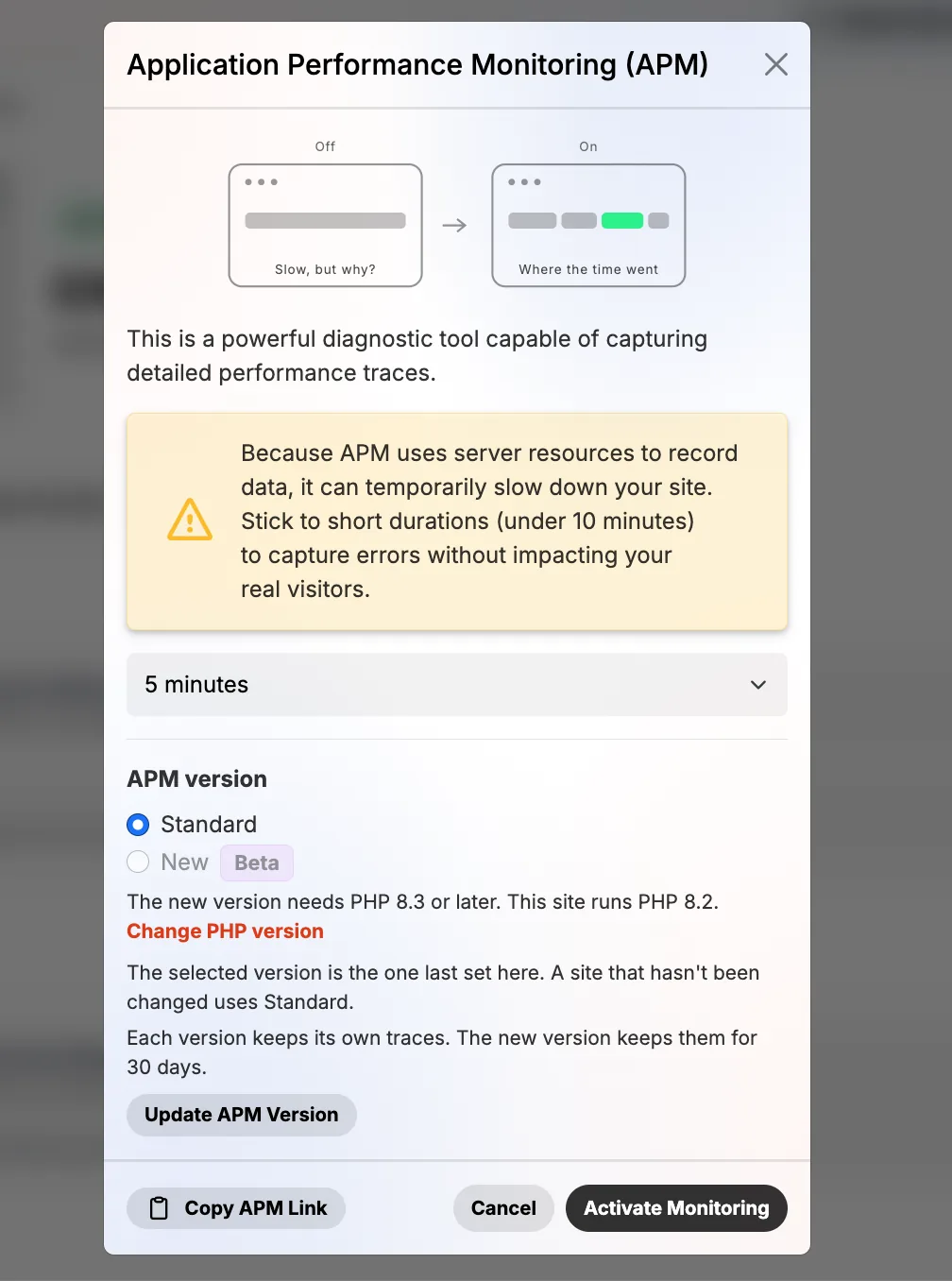
When something is slow, the APM (application performance monitoring) records traces for a few minutes so you can see which plugin or query is to blame, then switches itself off.
I don't publish speed test numbers from a single site: they depend far more on your theme and plugins than on the host.
Security: what I saw it block on my own sites
Two things in my logs convinced me Pressable's security is more than a feature list. First, the PHP logs on one site show Pressable's password protection blocking logins with a password found in public data breaches, again and again. Second, the webserver logs show automated requests to xmlrpc.php, a classic WordPress attack target, answered with HTTP 429 (rate limited).
Beyond the automatic protection, you get controls most hosts reserve for enterprise plans:
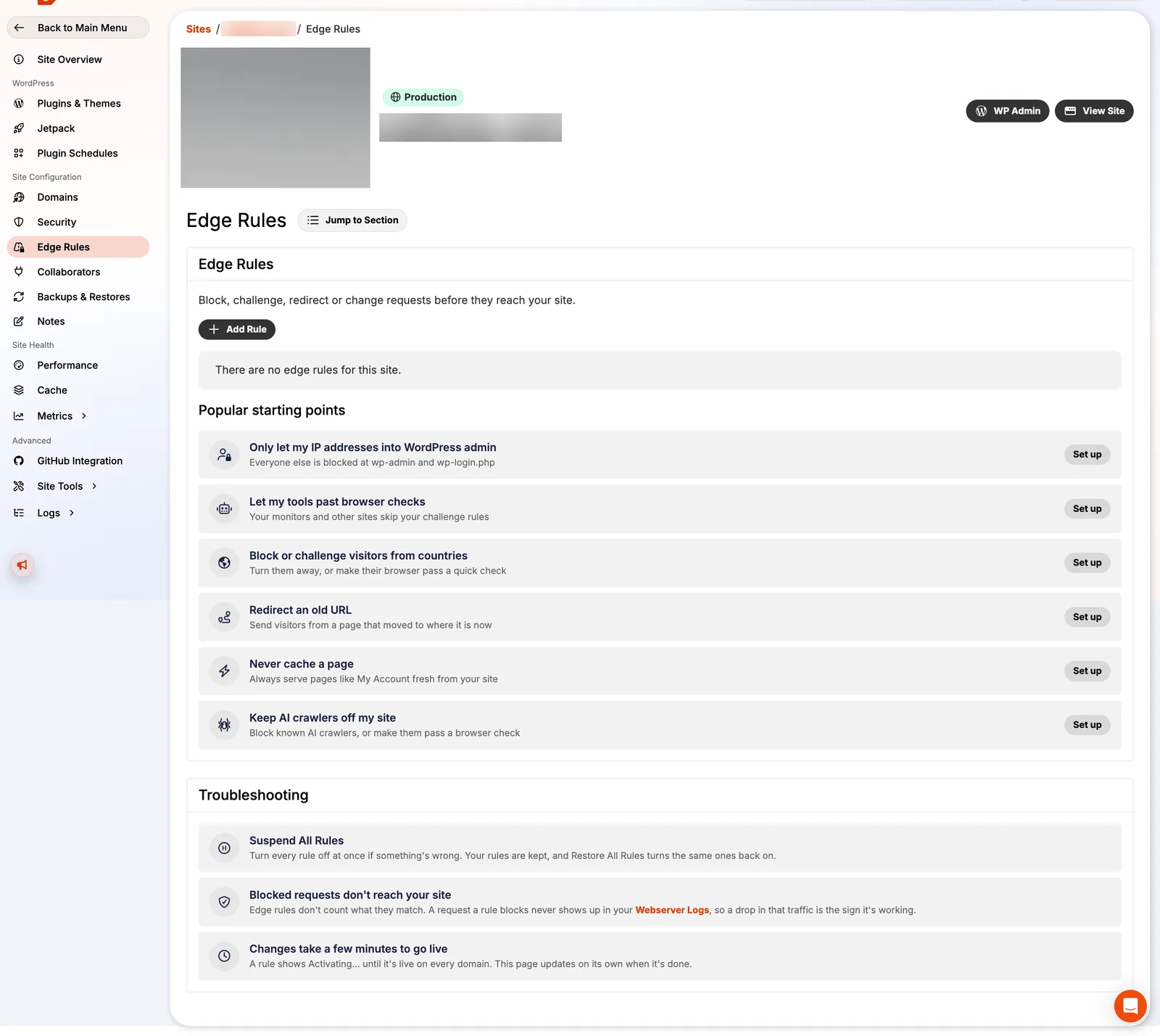
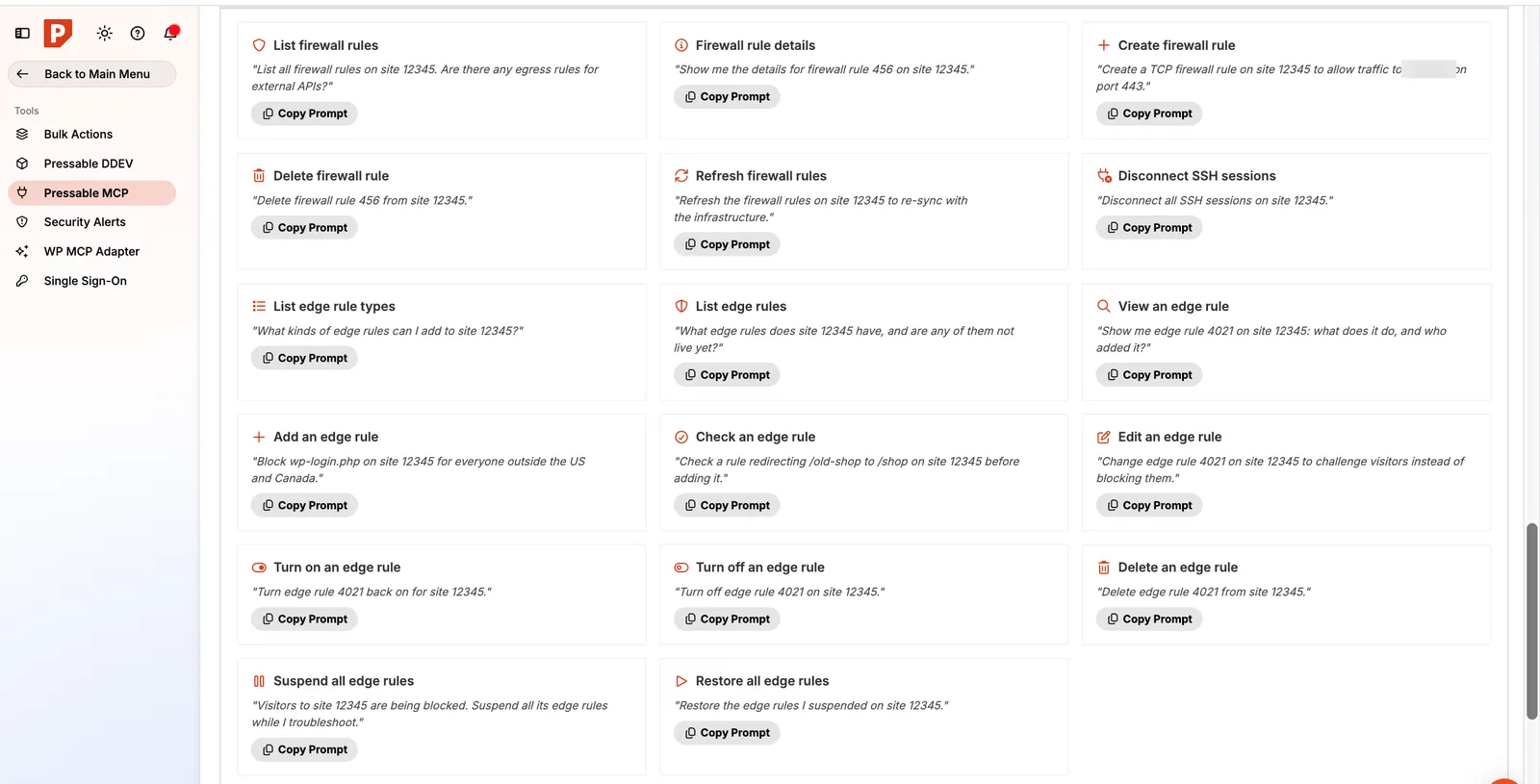
- Edge Rules: block or challenge visitors by country, let only your IP into wp-admin, keep AI crawlers off, redirect URLs or never cache a page, all applied at the edge before traffic reaches WordPress.
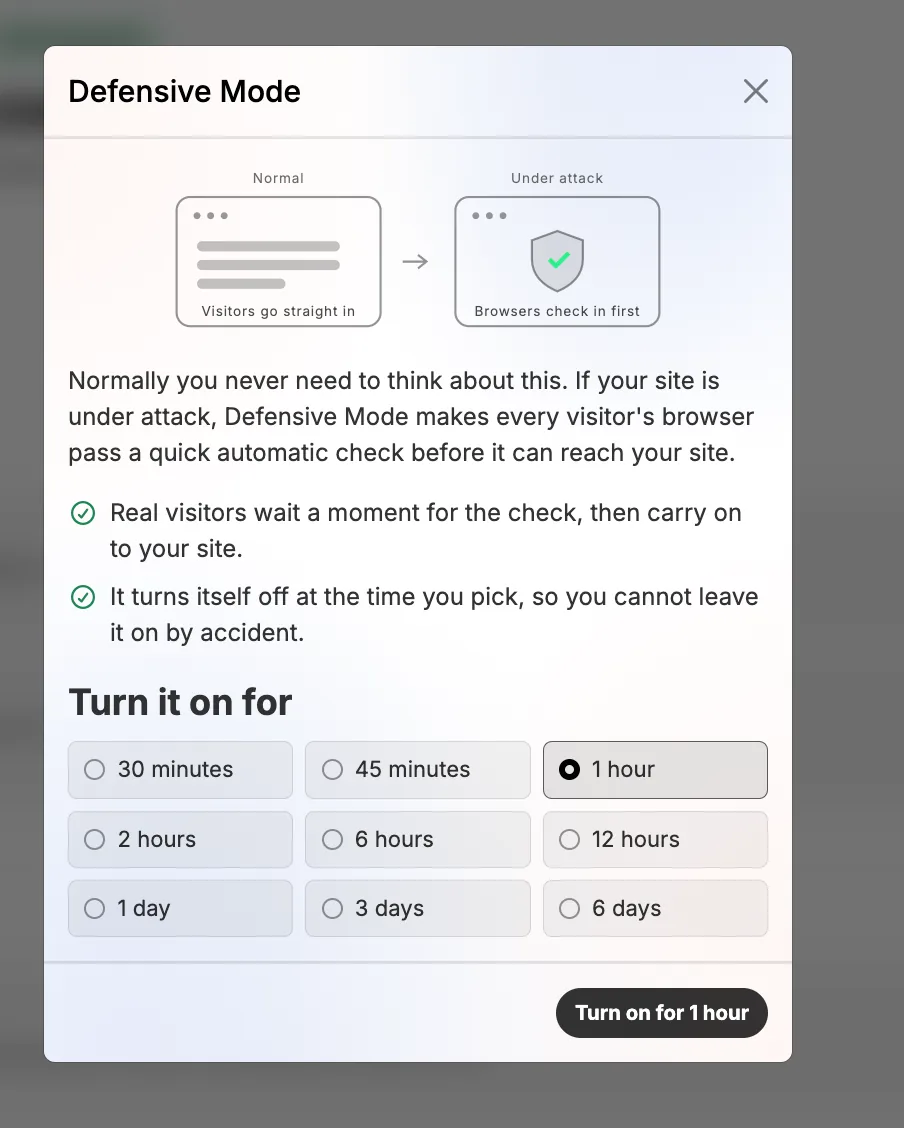
- Defensive Mode: during an attack, every visitor passes a quick browser check, for 30 minutes up to 6 days, then it turns itself off.
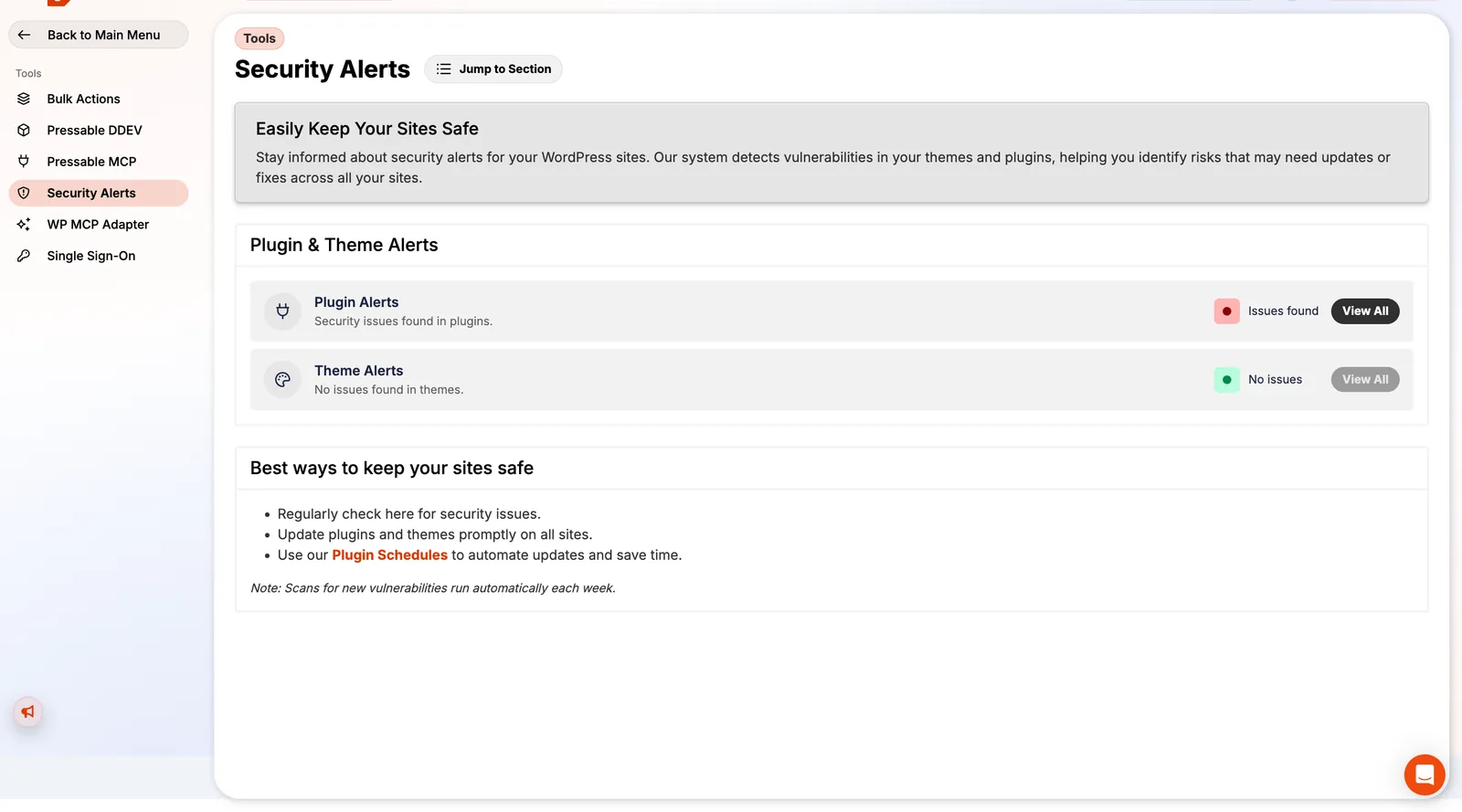
- Security Alerts: a daily scan flags plugins and themes with known vulnerabilities across every site. On my account it flagged issues in two popular plugins.
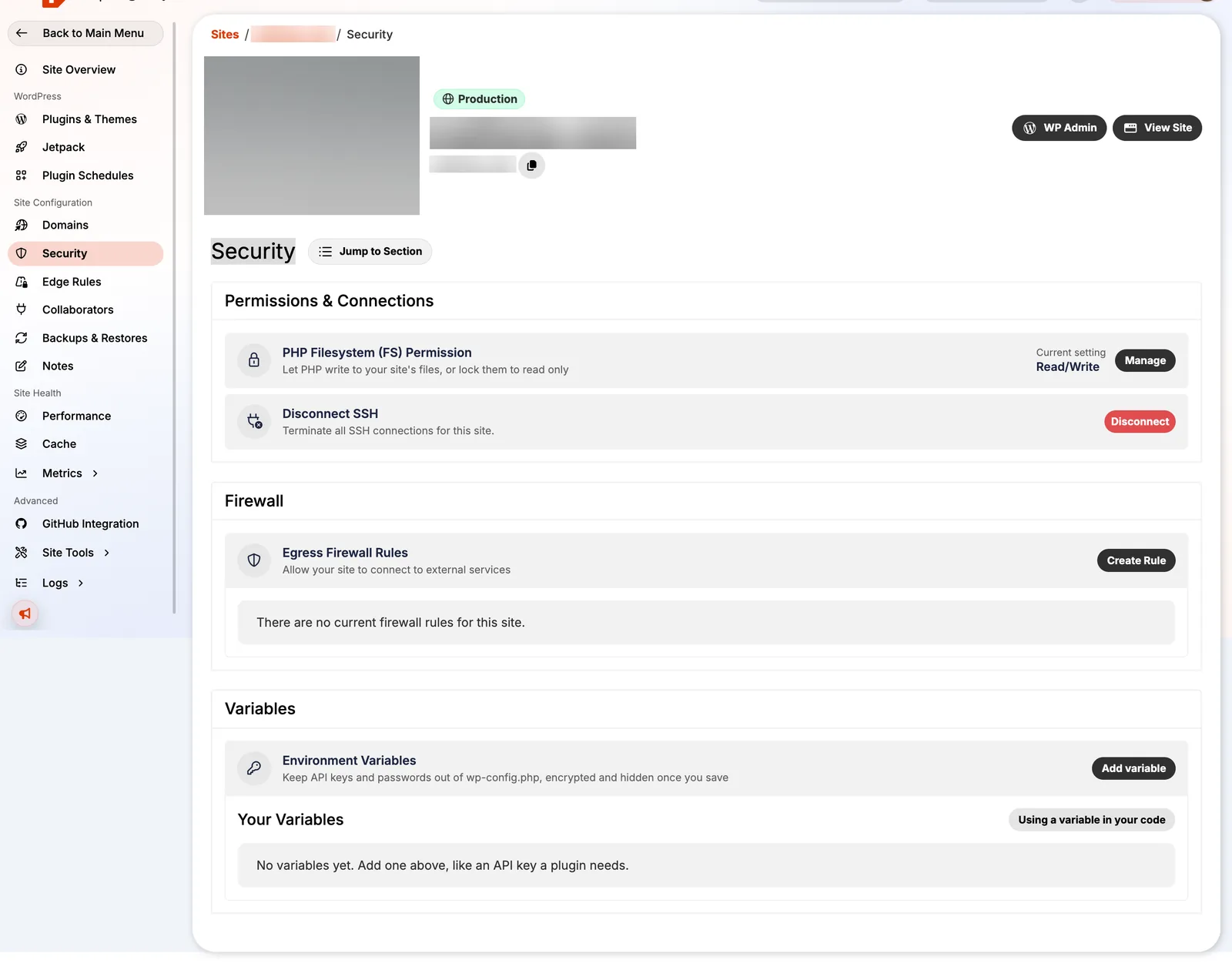
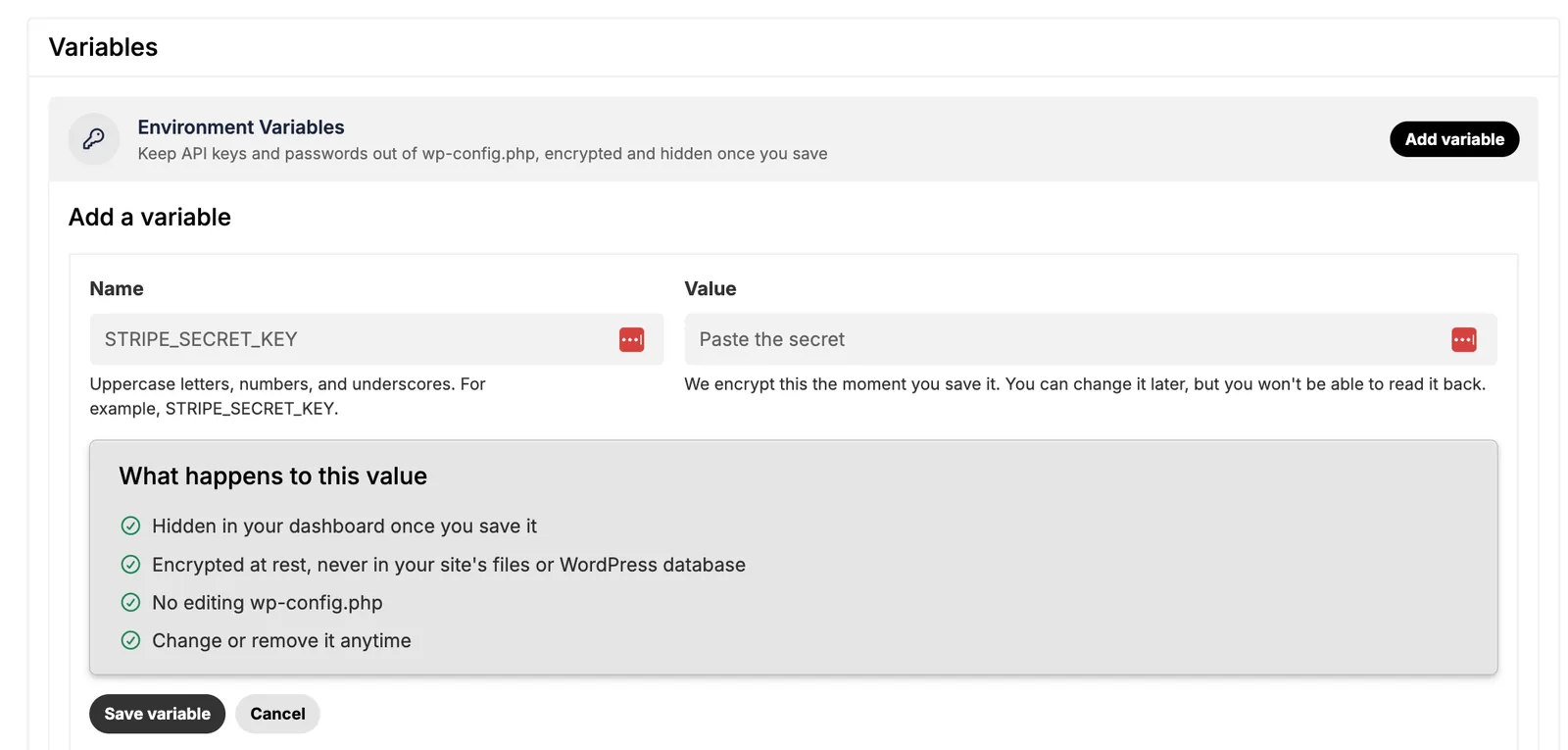
- Read-only filesystem for cleaning up a hacked site, an egress firewall to control which outside services your site can connect to, encrypted environment variables to keep API keys out of
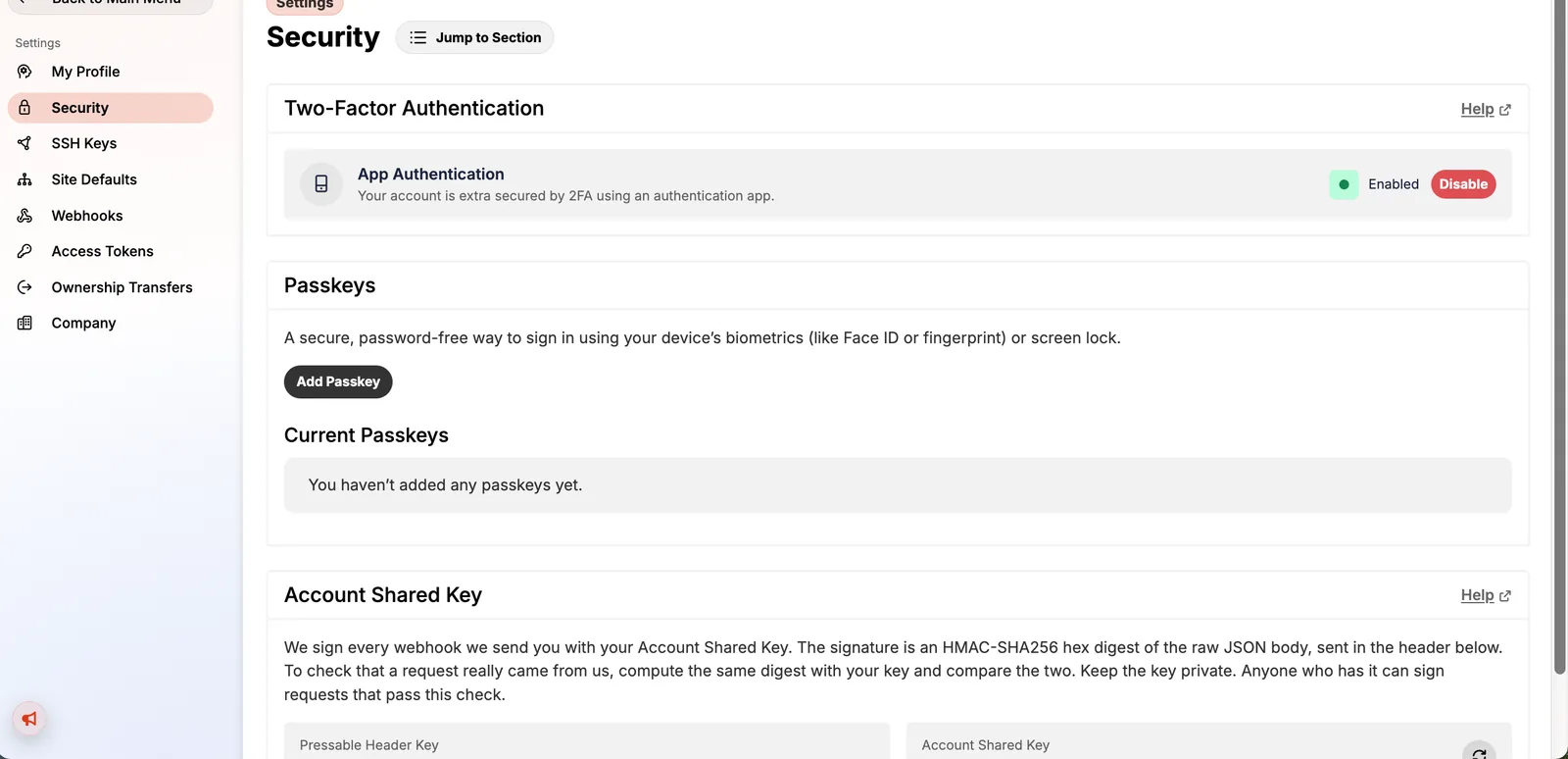
wp-config.php, and a button to kill all SSH sessions. - Account protection with 2FA, passkeys and SAML single sign-on (with SCIM) for teams.
Backups and recovery
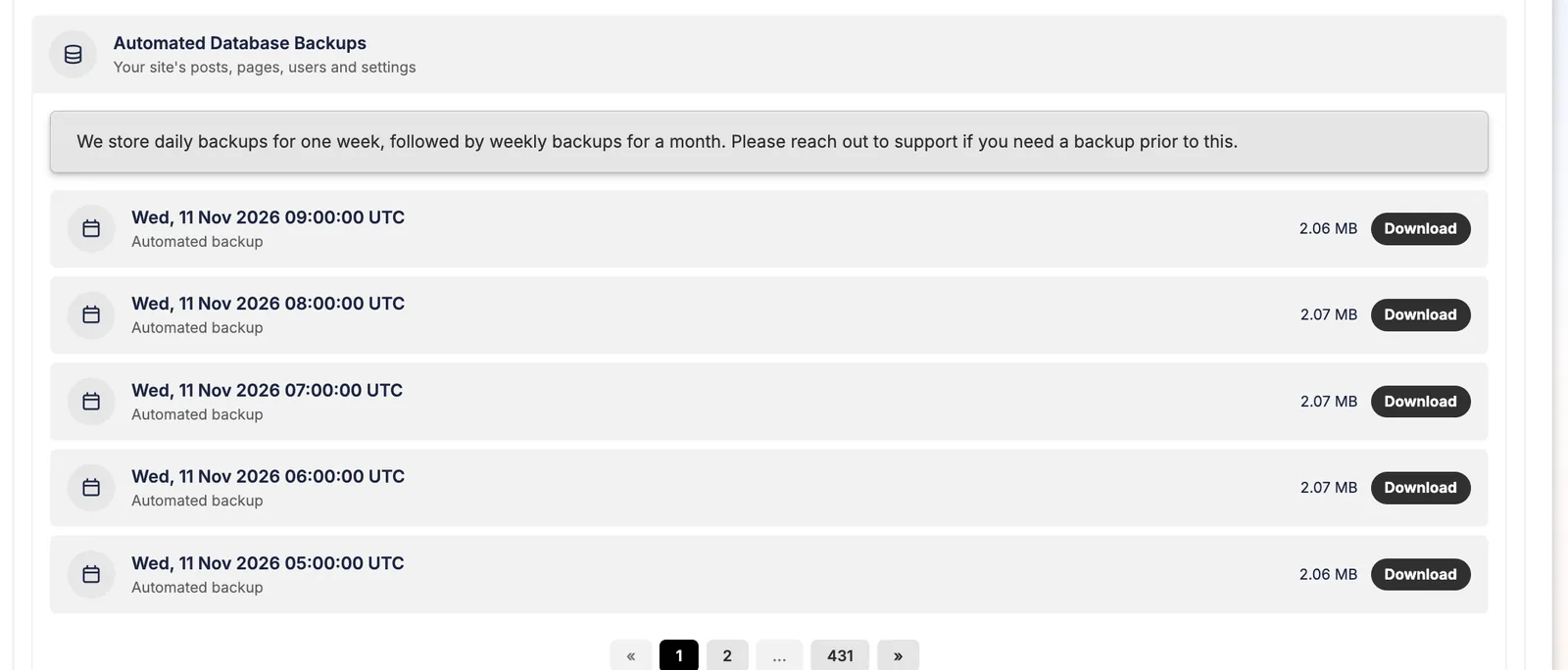
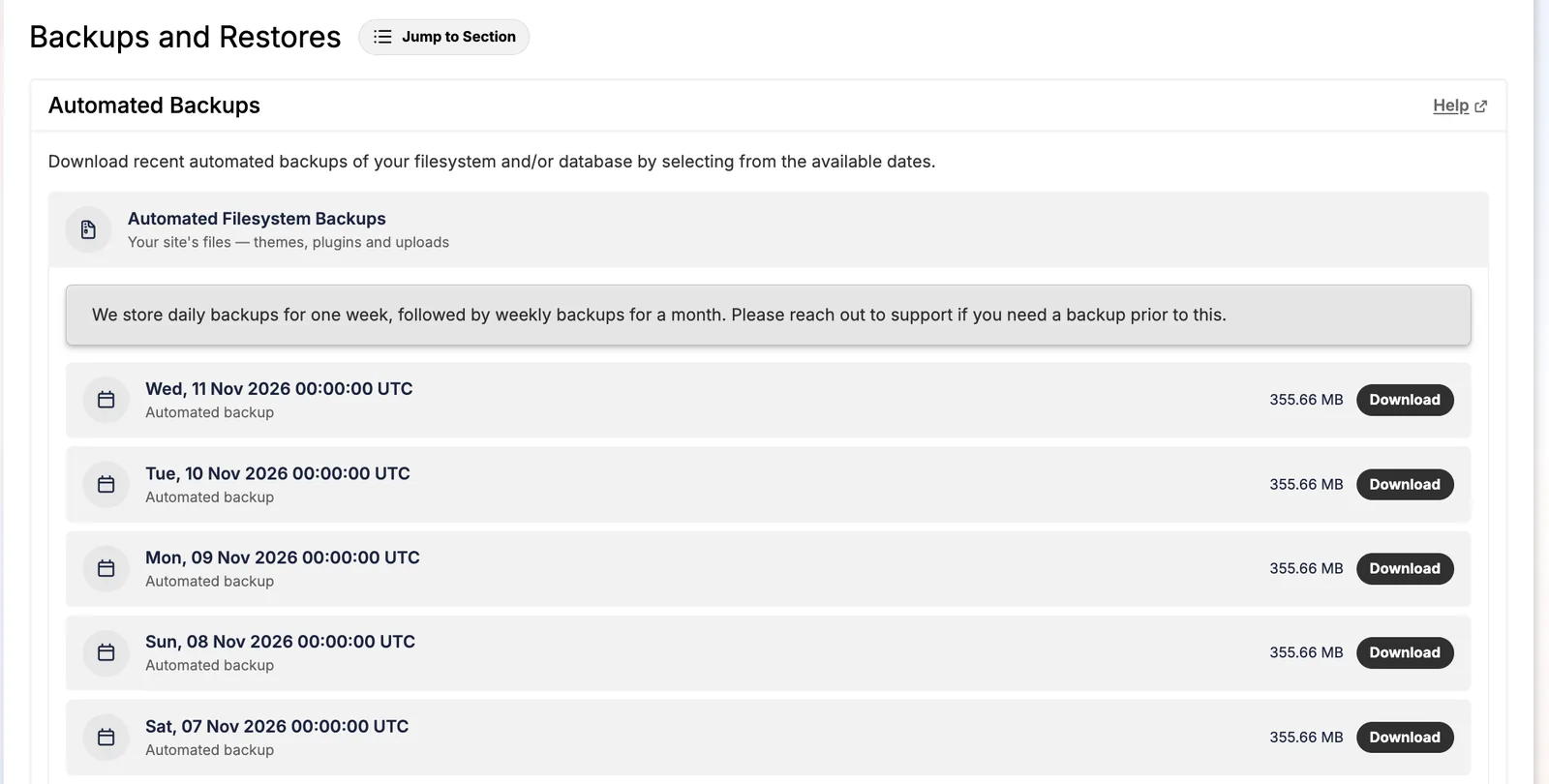
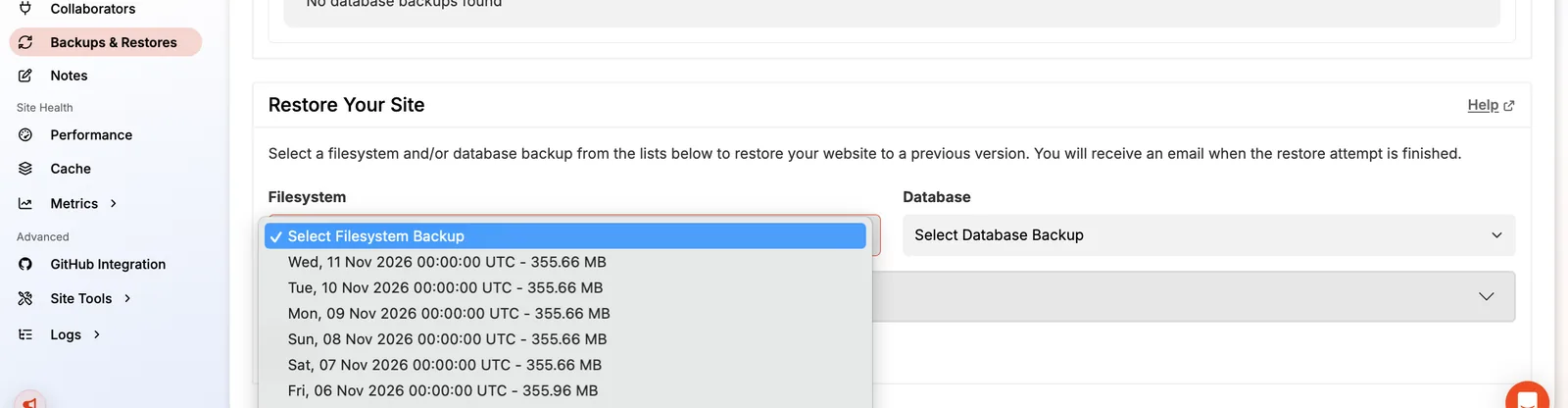
This is where Pressable is hard to beat. My account shows hourly database backups (431 pages of restore points on one site) and daily file backups kept for a week, then weekly ones for a month. You can also take an on-demand backup before risky changes, download any backup, and restore files, database or both in one step.
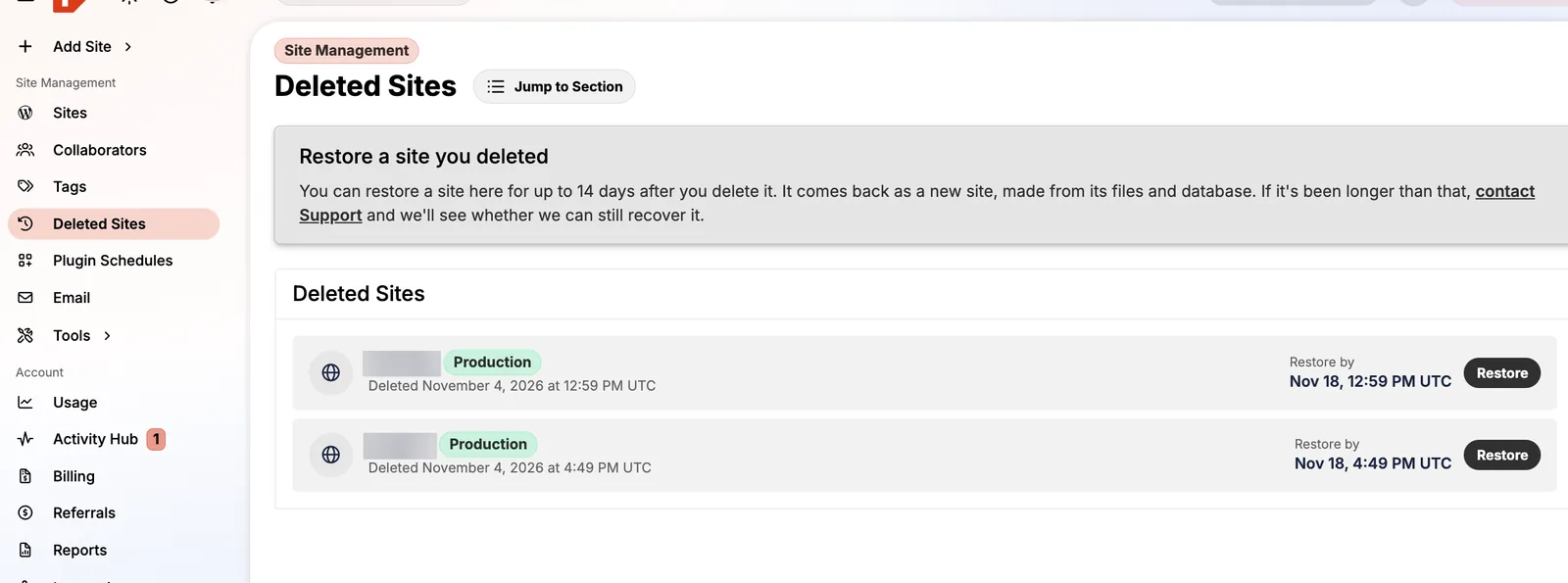
Deleted a site by mistake? It stays restorable for 14 days under Deleted Sites. The one big catch: closing your account deletes everything, backups included, so export before you cancel.
Developer and agency tools
Pressable is built for people who manage many sites. The parts I used most, and the ones agencies will care about:
- Environments that don't count against your plan. Staging, sandbox and DupliKit template sites have their own allowance (11 each on my plan). Clone a live site to staging, test, then switch environments.
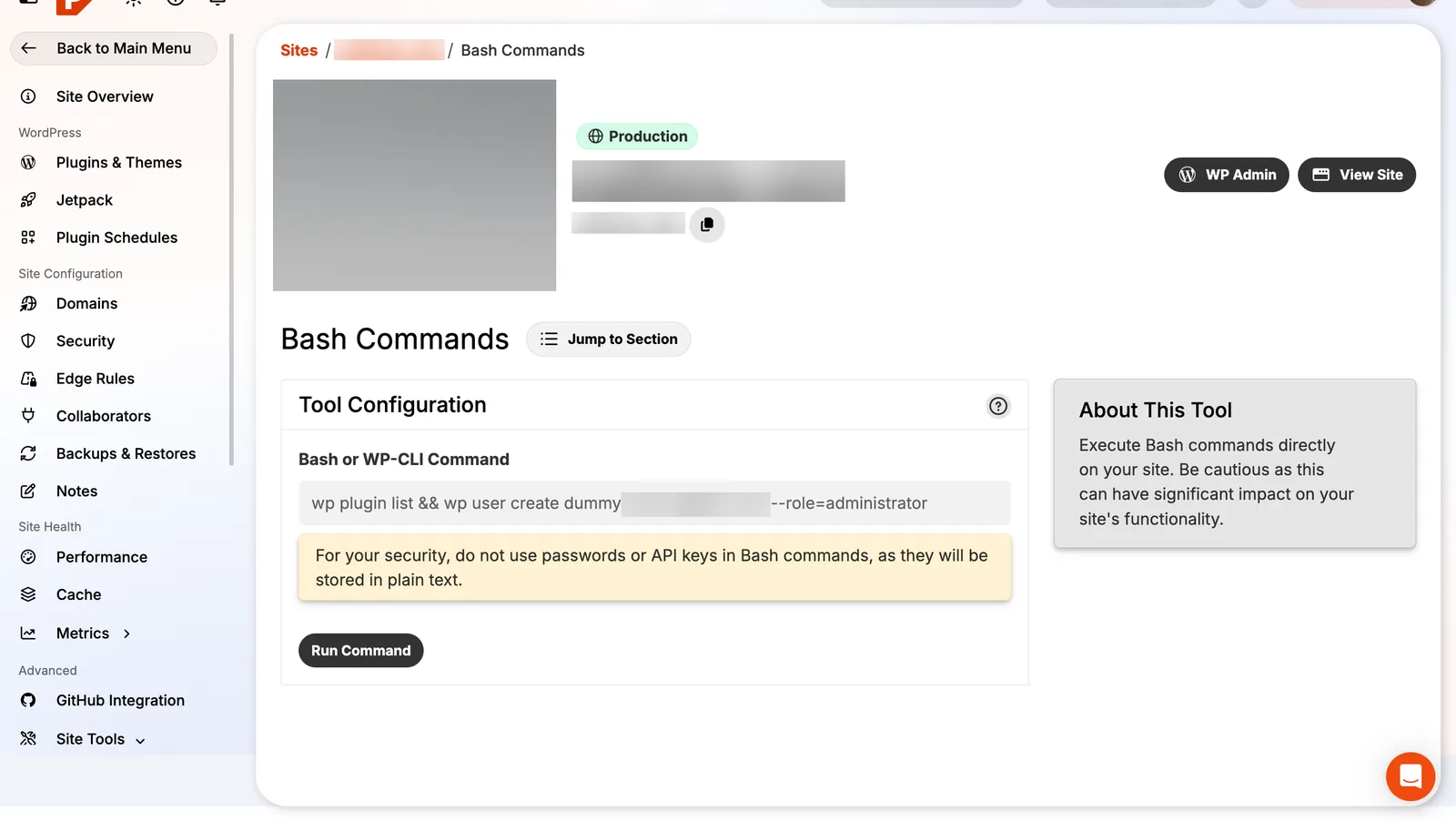
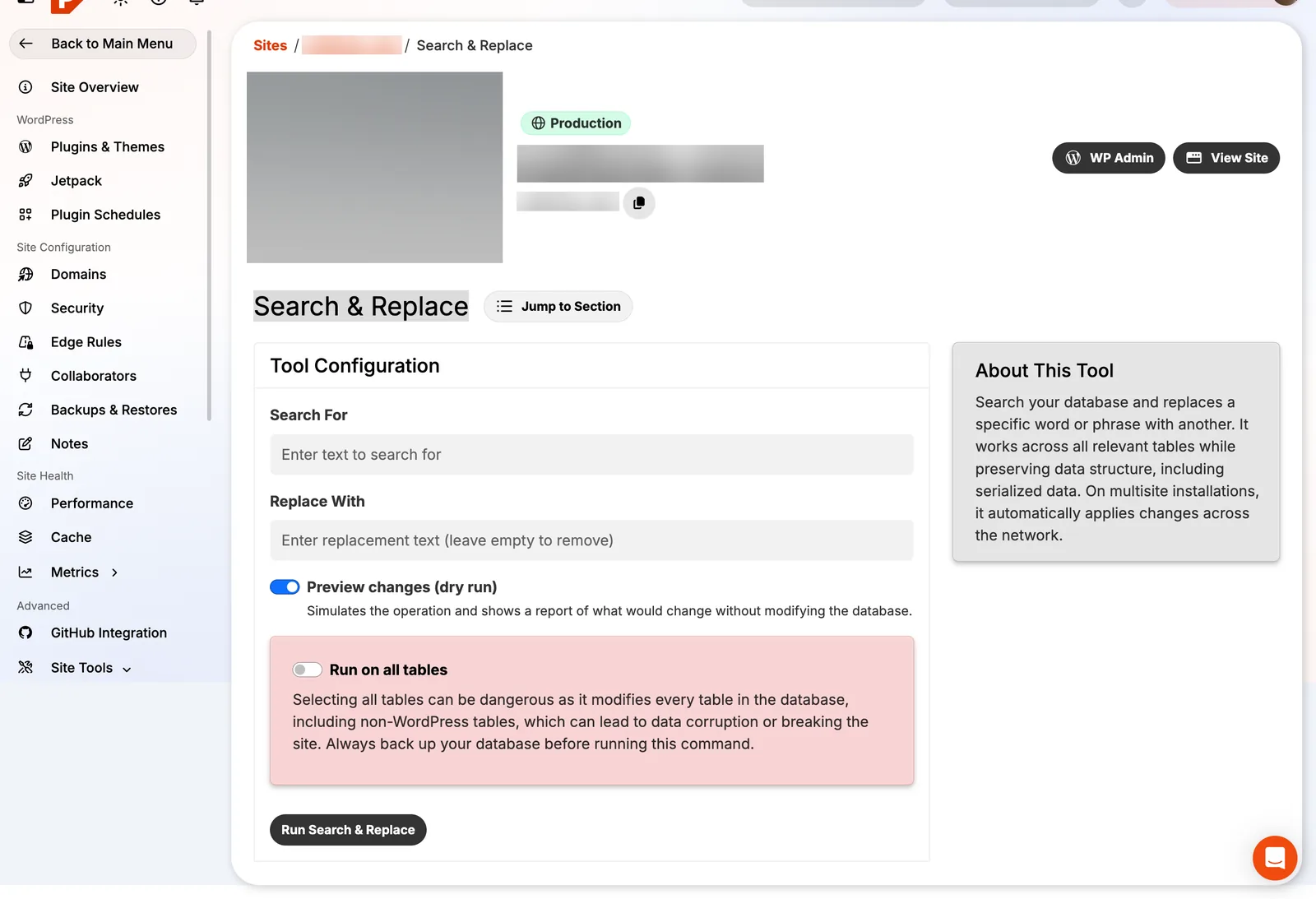
- Command line without a terminal. Run WP-CLI and Bash commands from the dashboard, plus full SSH/SFTP, a database search & replace with a dry-run preview, server cron jobs, and a data transfer tool that copies one site over another.
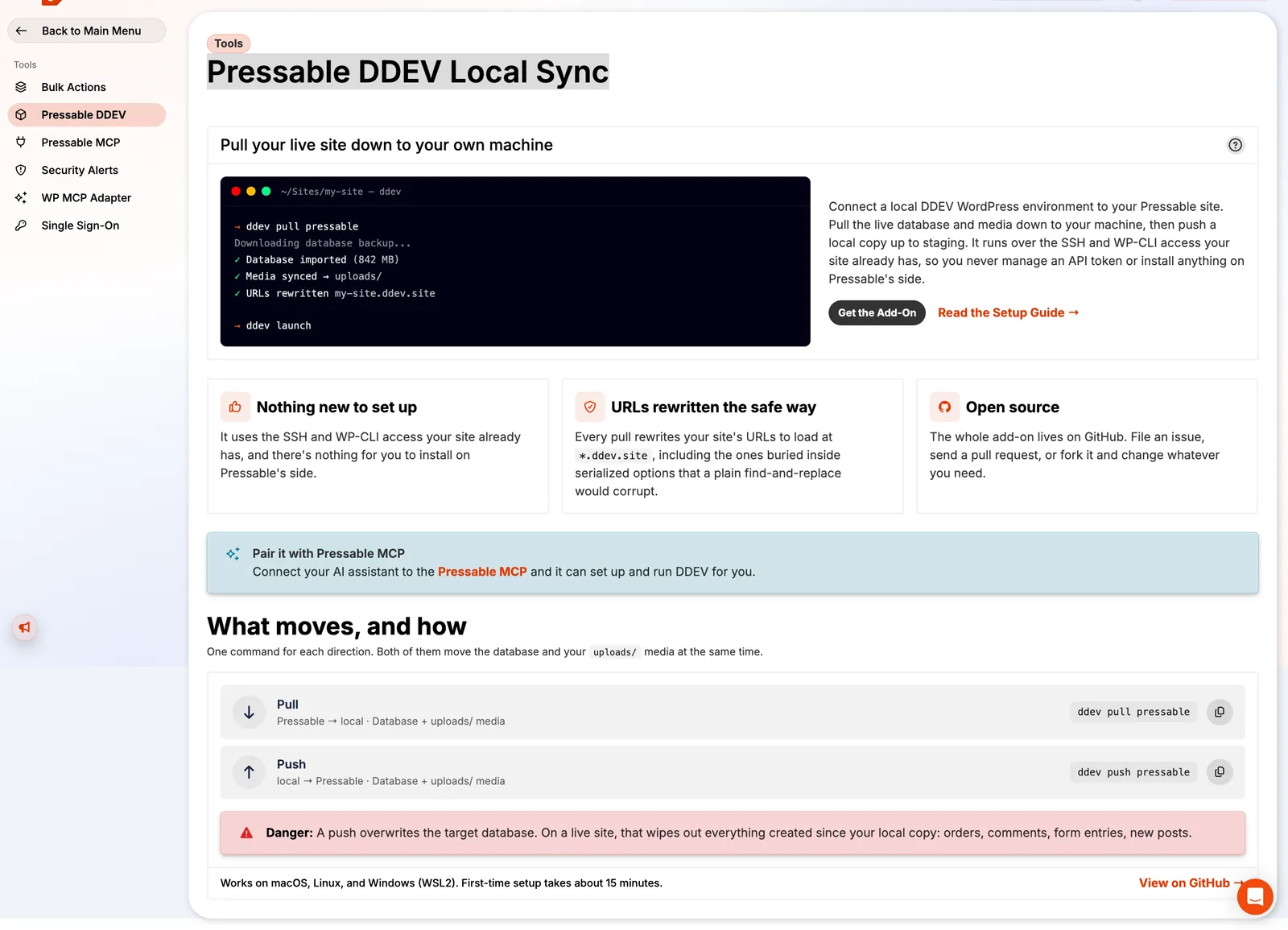
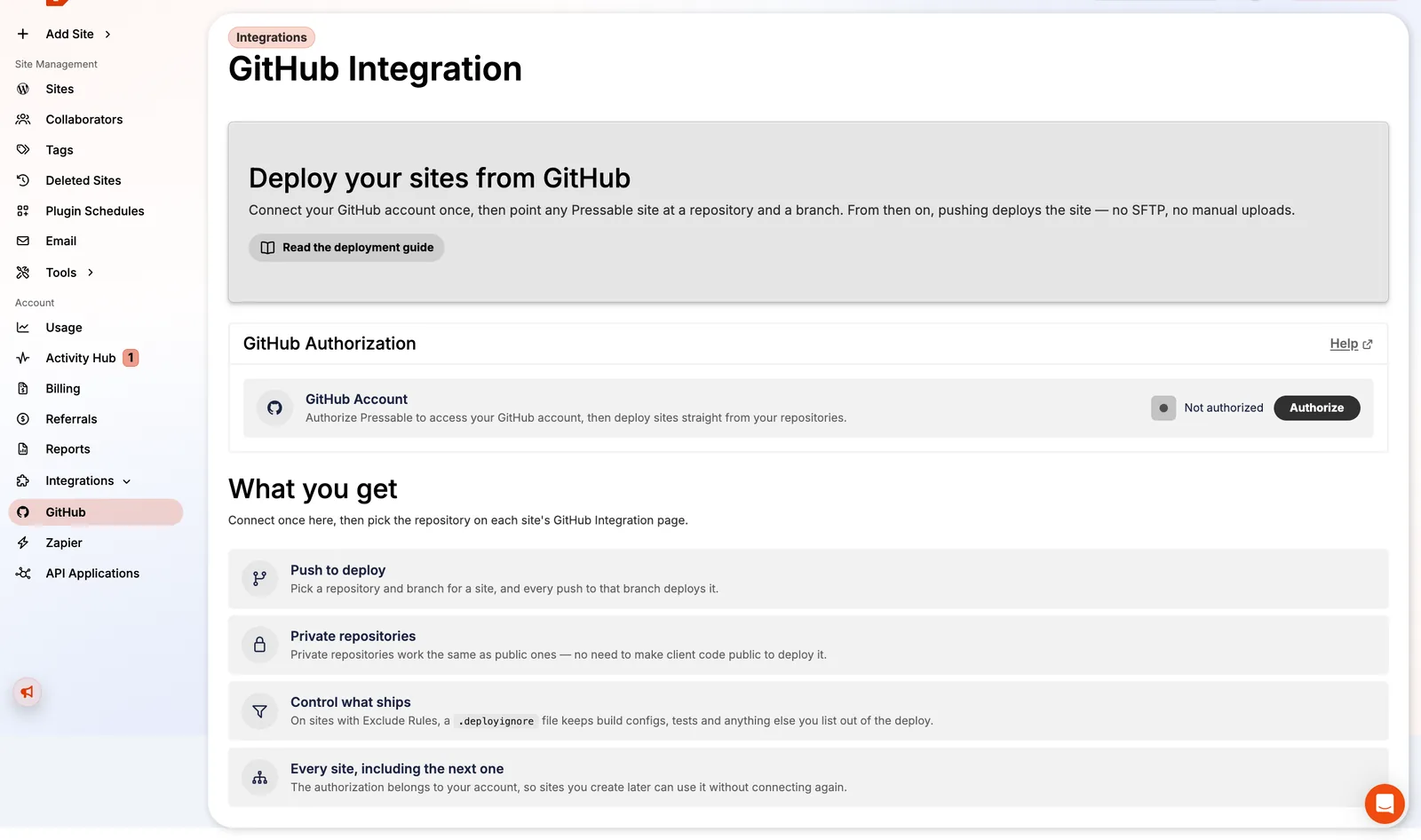
- Modern workflows. Deploy from a GitHub branch, or pull a live site into a local DDEV environment with one command (
ddev pull pressable) and push it back. - Team and client management. Collaborators with per-site access, tags, bulk actions across sites, reports (site list, usage, collaborators, DNS, performance), site ownership transfers to a client's own account, webhooks, an API and Zapier.
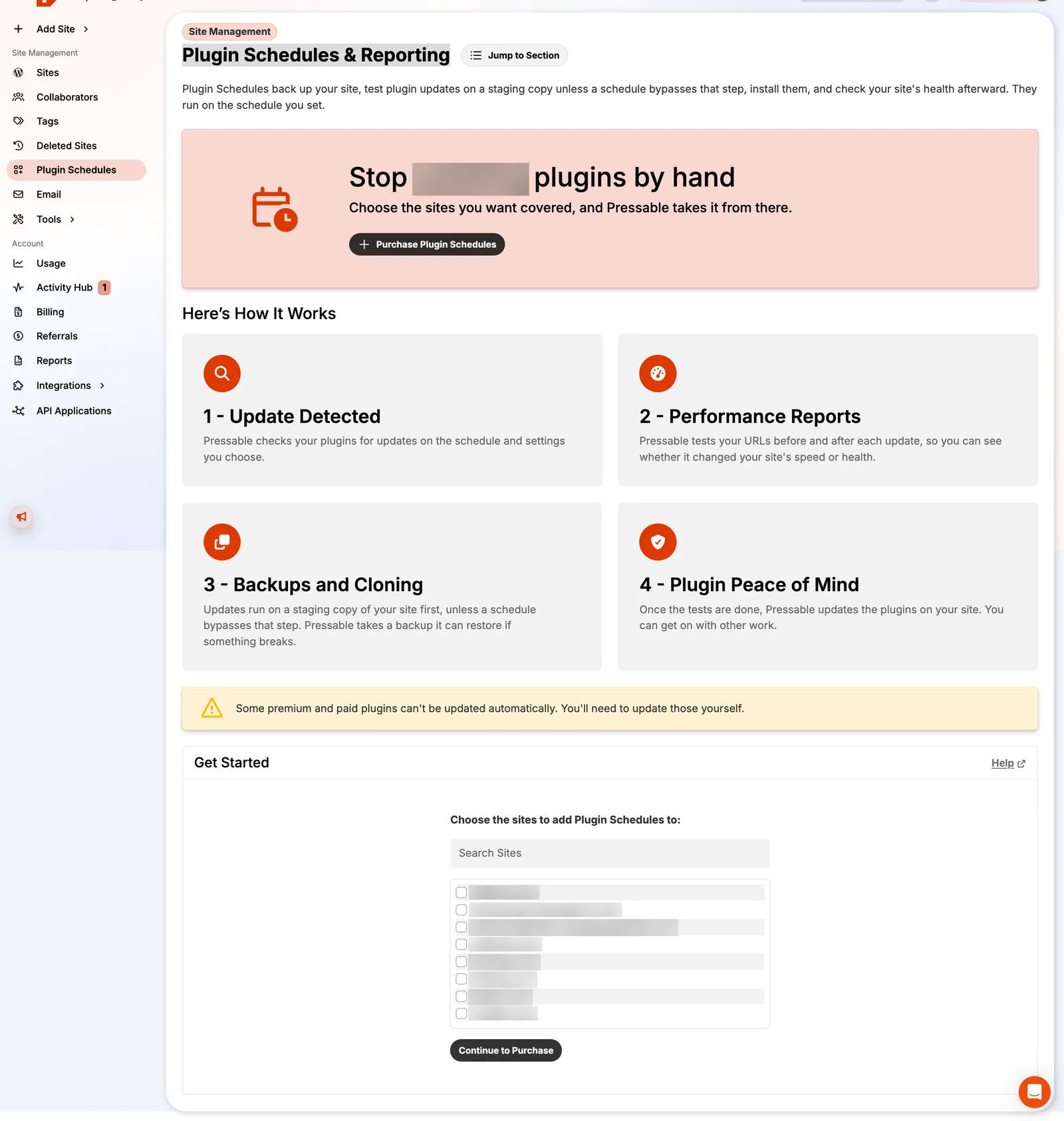
- Plugin Schedules. Pressable tests plugin updates on a staging copy, runs performance checks and rolls back if something breaks. It costs $3/site/month after 30 free days.
AI: Pressable MCP and the WordPress MCP Adapter
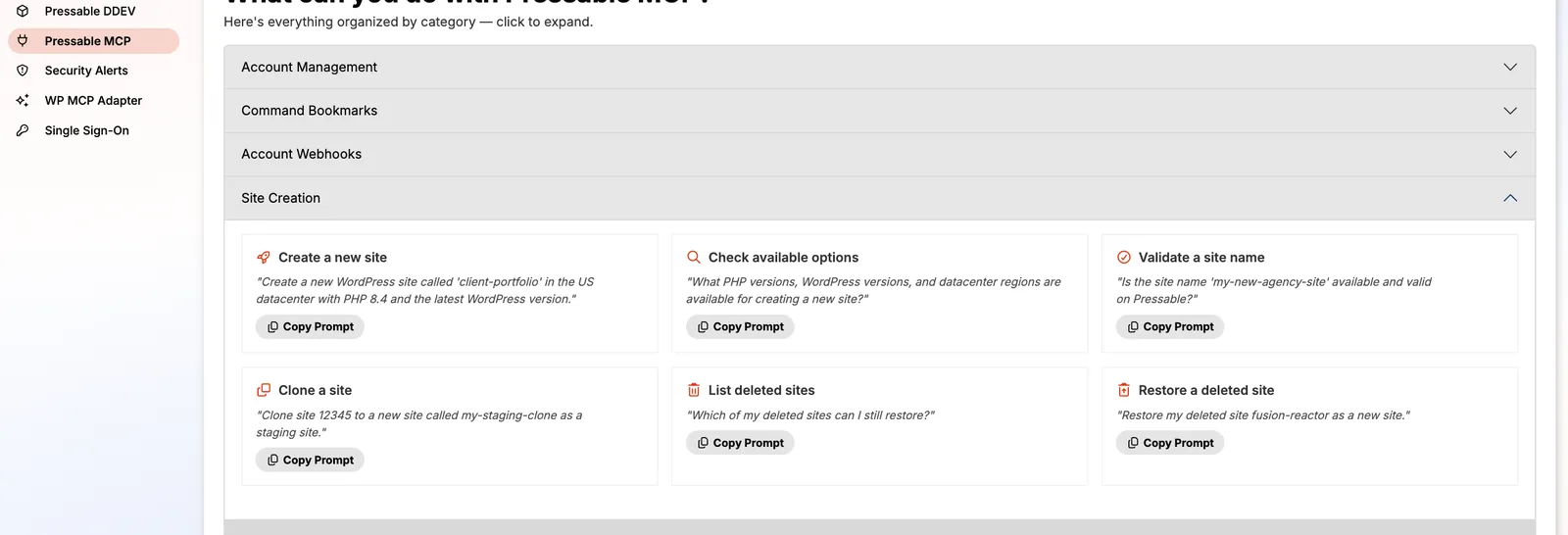
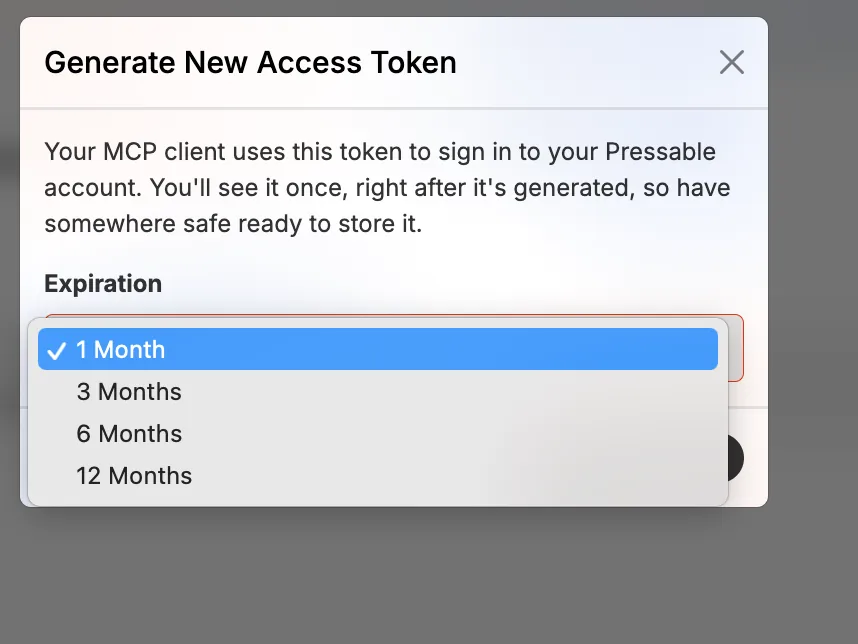
This is the most forward-looking part of Pressable, and few hosts have anything like it yet. Pressable MCP is a Model Context Protocol server: create an access token (valid 1-12 months), connect an AI assistant such as Claude, and you can manage your hosting in plain English. The dashboard lists ready-made prompts, like "Create a new WordPress site called client-portfolio in the US data center with PHP 8.4", "Block wp-login.php for everyone outside the US and Canada" or "Show me themes with security vulnerabilities".
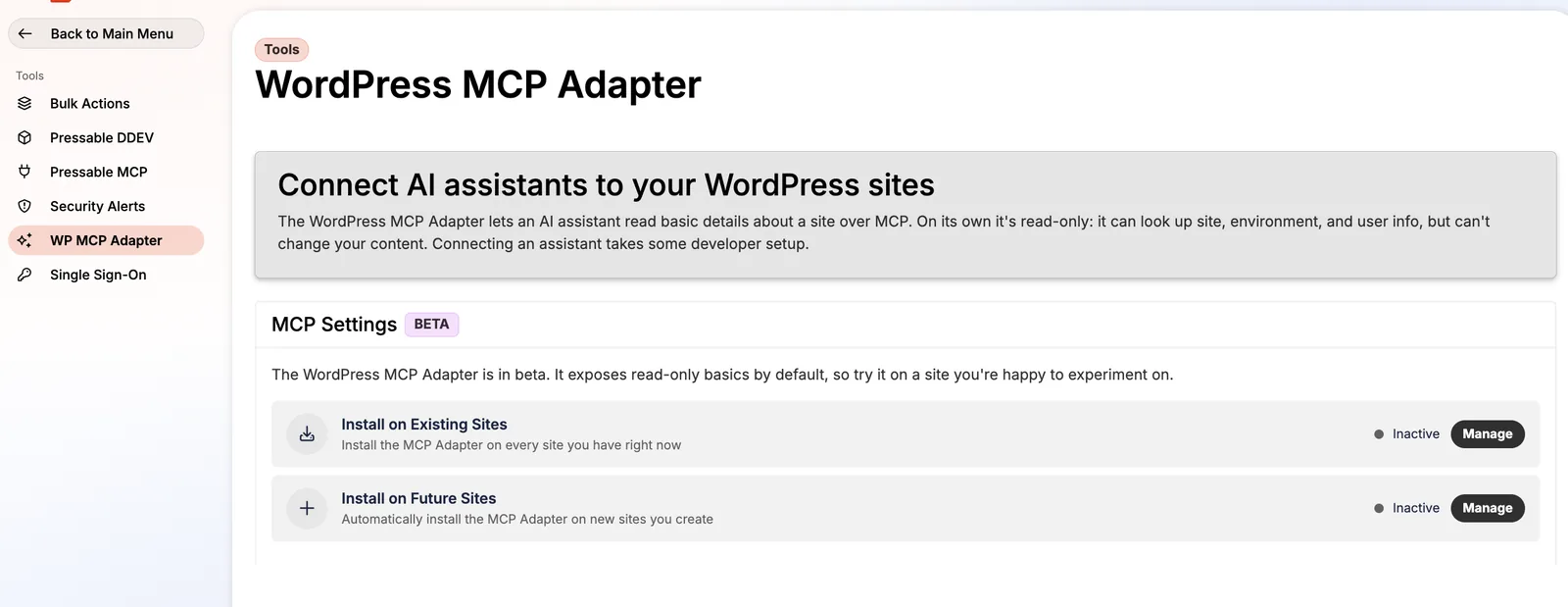
Separately, the WordPress MCP Adapter (beta) installs a plugin that gives assistants read-only access to site, environment and user info inside WordPress, and you can switch it on for every new site automatically. Pressable's terms make one thing clear: anything a connected AI does, including deleting sites, is your responsibility, so give tokens short expiry dates.
Email hosting costs extra
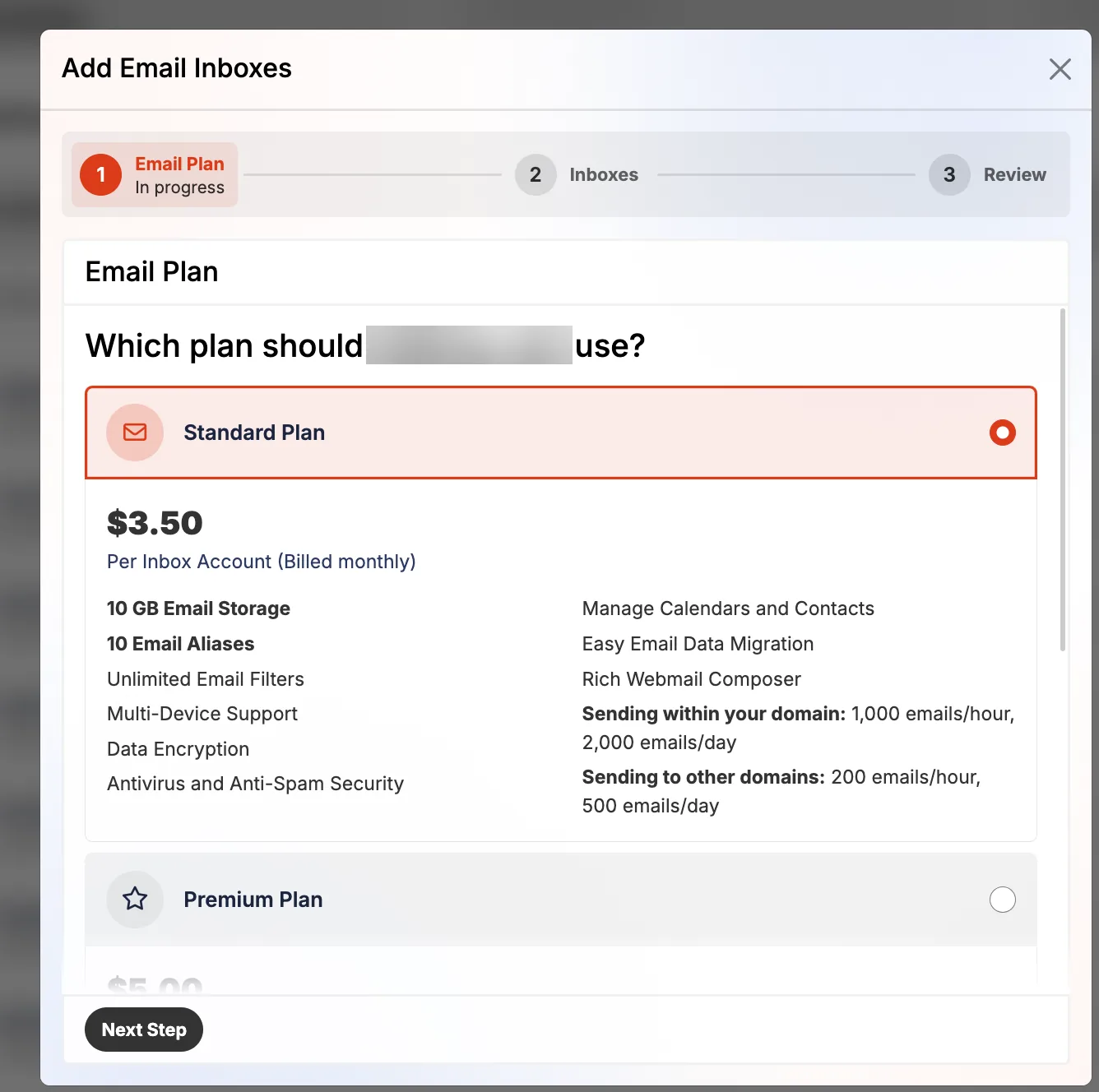
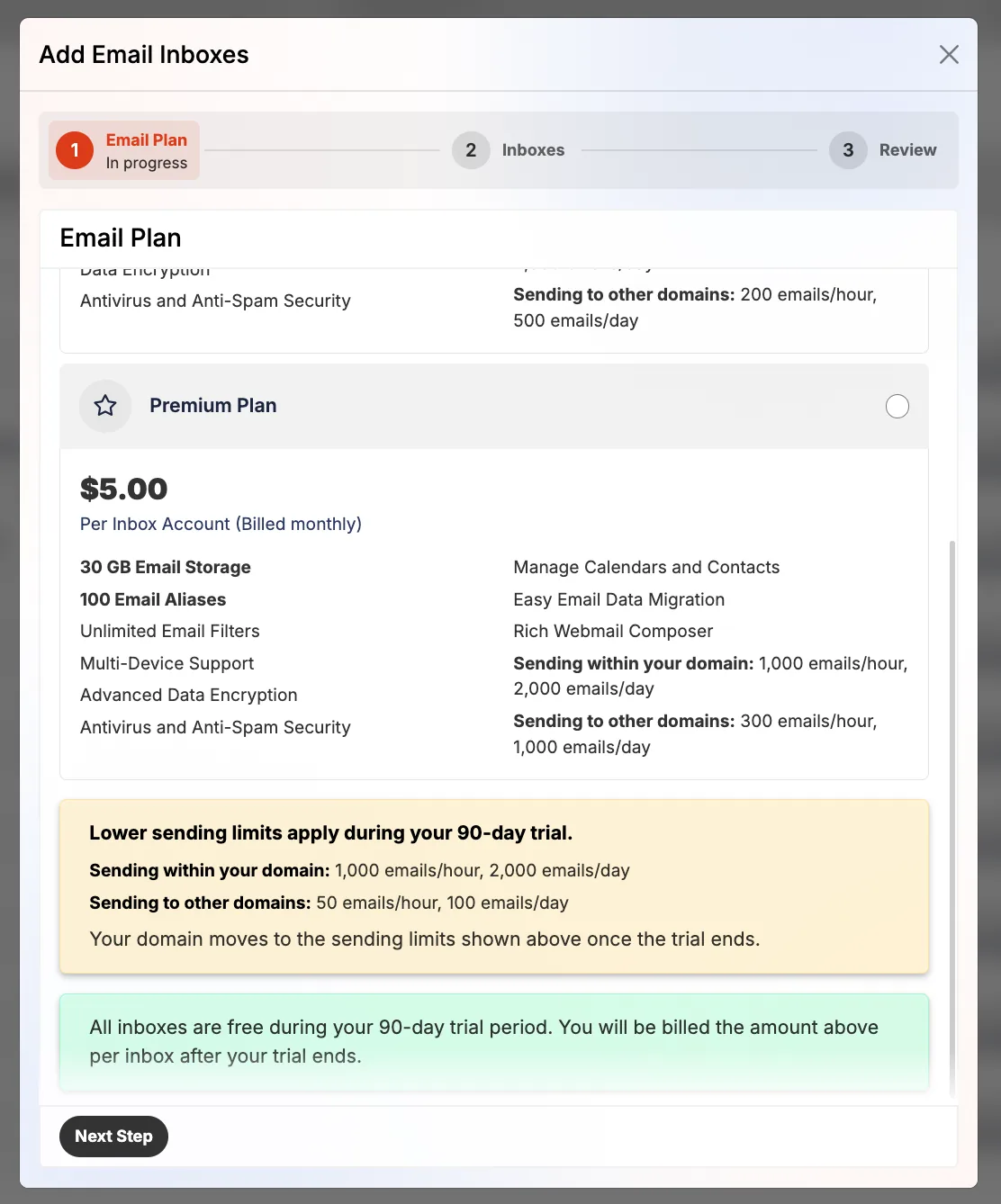
Pressable doesn't include email. Its Professional Email (powered by Titan) is billed per inbox: Standard $3.50/month (10GB, 10 aliases) or Premium $5/month (30GB, 100 aliases). Inboxes are free for 90 days, with lower sending limits during the trial. For a 3-person team that's $10.50-15/month on top of hosting, so many agencies use Google Workspace or Zoho instead.
Support
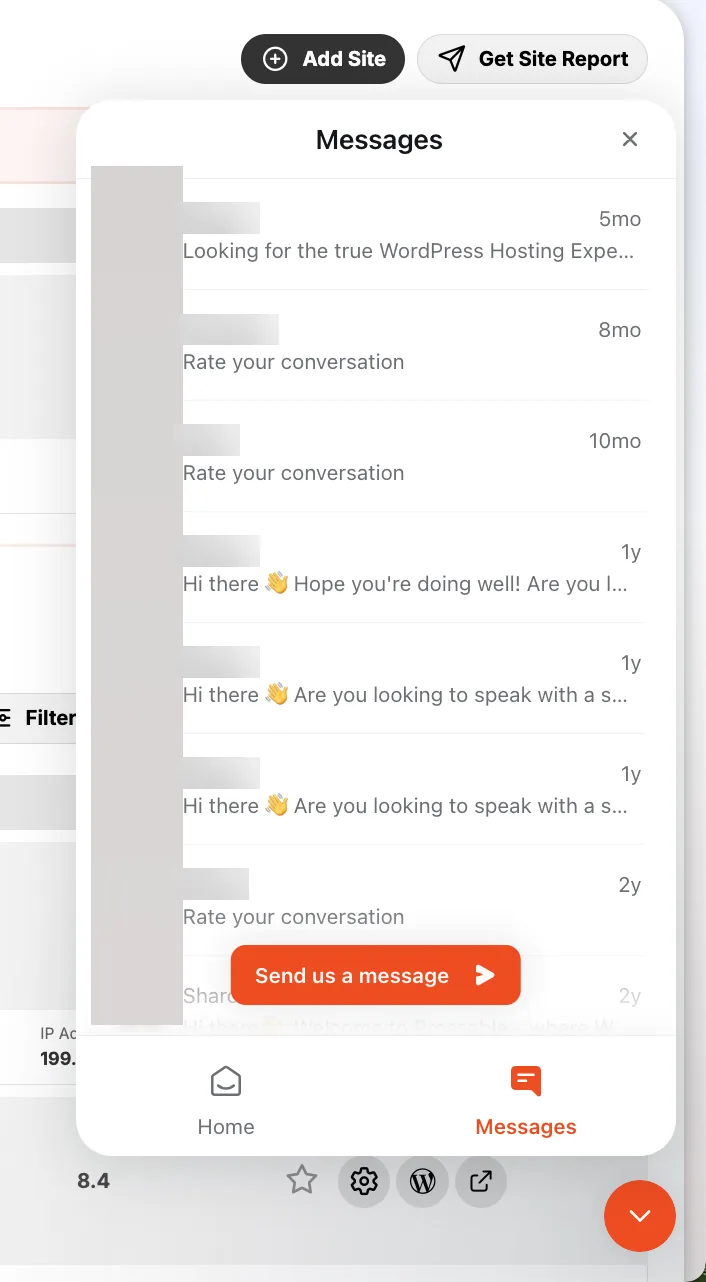
Support is 24/7 by chat and ticket from a widget inside the dashboard; Pressable advertises an average first response of about 4 minutes. My own message history in that widget goes back at least two years. There's a phone number, but it's for sales. If you need to call someone at 3 a.m. about a technical problem, this isn't that host.
Pressable data centers
Every site runs on a primary server with a geo-redundant secondary in another region and automatic failover. Facilities are Tier III/IV with SOC 2 and ISO/IEC 27001 certifications, according to Pressable's data center page. Source ↗
NORTH AMERICA
- Los Angeles, USA
- Dallas, USA
- Ashburn (Virginia), USA
EUROPE
- Amsterdam, Netherlands
EDGE CACHE
- 28 points of presence on six continents
Visitors in North Africa and the Middle East are closest to Amsterdam; choose it at site creation or under Site Defaults.
Pressable refund policy, explained
What you can and can't get your money back for, and the conditions most reviews skip. Full refund policy breakdown →
THE FINE PRINT
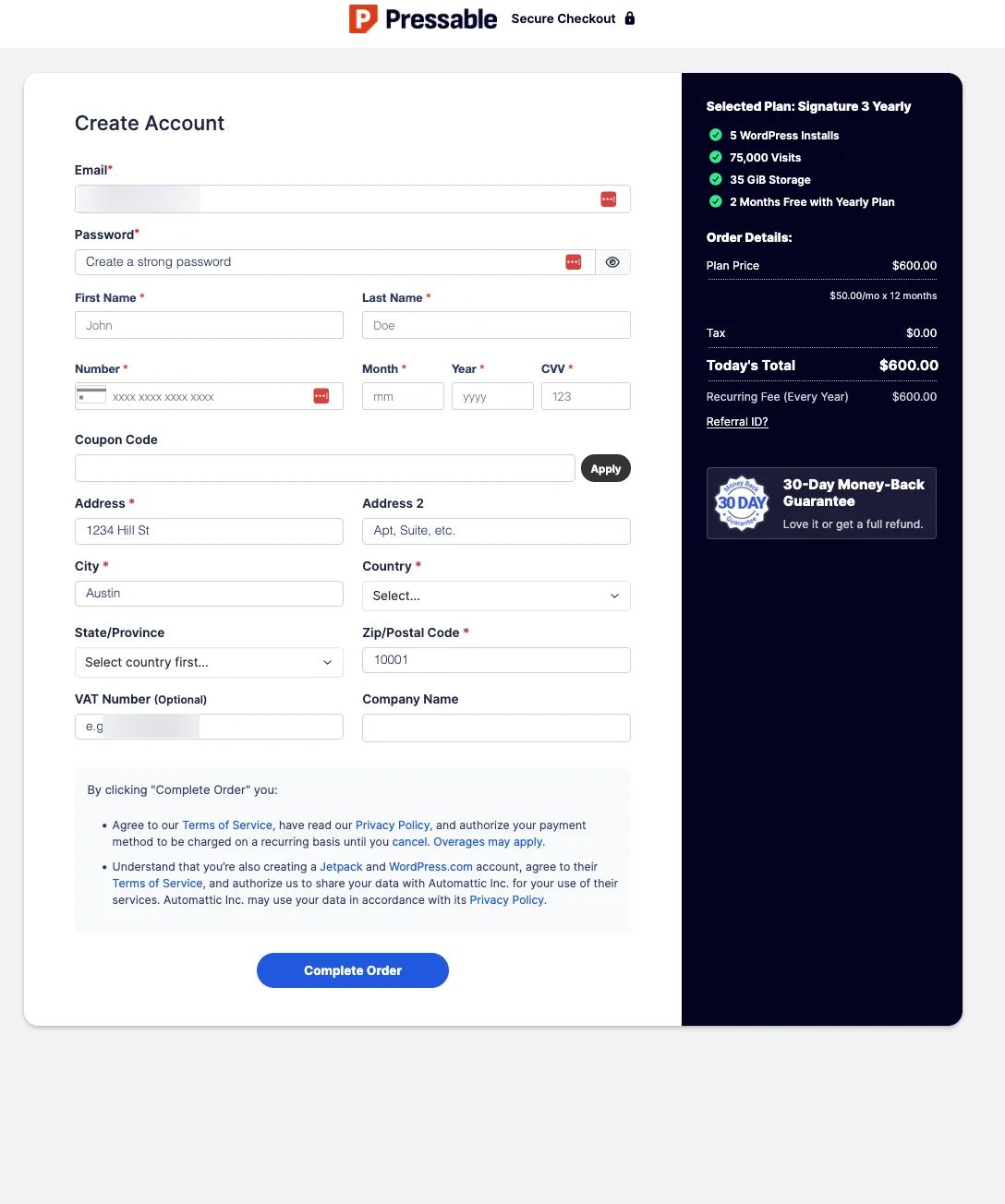
Pressable's 30-day money-back guarantee is simple, but the exit has two traps: cancelling deletes your sites and every backup immediately or at the end of the term, and a free trial makes you ineligible for the refund.
REFUNDABLE
- Any managed hosting plan, monthly or yearly, within 30 days of signup.
- Request it by emailing [email protected].
NOT REFUNDABLE
- Accounts that started on a free trial and were later billed.
- Renewals after the first 30 days; all other payments are final.
- Overage charges for extra visits or storage.
- Premium and contract accounts (handled by sales).
What a refund safety net costs on Pressable
The cheapest price on each plan vs. the cheapest price you can still get your money back on.
| Plan | Cheapest price | Cheapest refundable price | Cost of the safety net |
|---|---|---|---|
| Signature 1 | $20.83 yearly | $20.83 yearly | free |
| Signature 2 | $37.50 yearly | $37.50 yearly | free |
| Signature 3 | $50.00 yearly | $50.00 yearly | free |
| Signature 4 | $75.00 yearly | $75.00 yearly | free |
OUR ADVICE BEFORE YOU BUY
- Download a full backup of every site (files and database) before you cancel. Cancelling deletes sites and backups, and Pressable says they are not recoverable.
- Cancel at least 24 hours before your renewal date, and choose 'Cancel Later' to keep your sites online until the end of the period you paid for.
- Skip the free trial if you want the 30-day refund: the two can't be combined.
- Watch the 80% usage banner. Visits over your plan are charged automatically, and on a monthly plan the next tier up may be cheaper than the overage.
Summarized from Pressable's Terms of Service and cancellation guide, last revised April 2026, checked by us November 2026. Policies change. Read the current version on Pressable's refund policy page ↗ before you buy. This is a summary, not legal advice.
BEFORE YOU CANCEL: MY CHECKLIST
- For every site, click Create Filesystem Backup and Create Database Backup, then download both.
- Check the Deleted Sites list: anything there disappears with the account.
- Point DNS to your new host and test before cancelling, so there's no downtime.
- Pay any open invoice first; overdue accounts are cancelled automatically and sites are removed.
- Cancel at least 24 hours before renewal and pick Cancel Later.
- Closing Pressable doesn't close the WordPress.com account it created; do that separately if you want.
Why I'm leaving Pressable after 9 years (and why you might not)
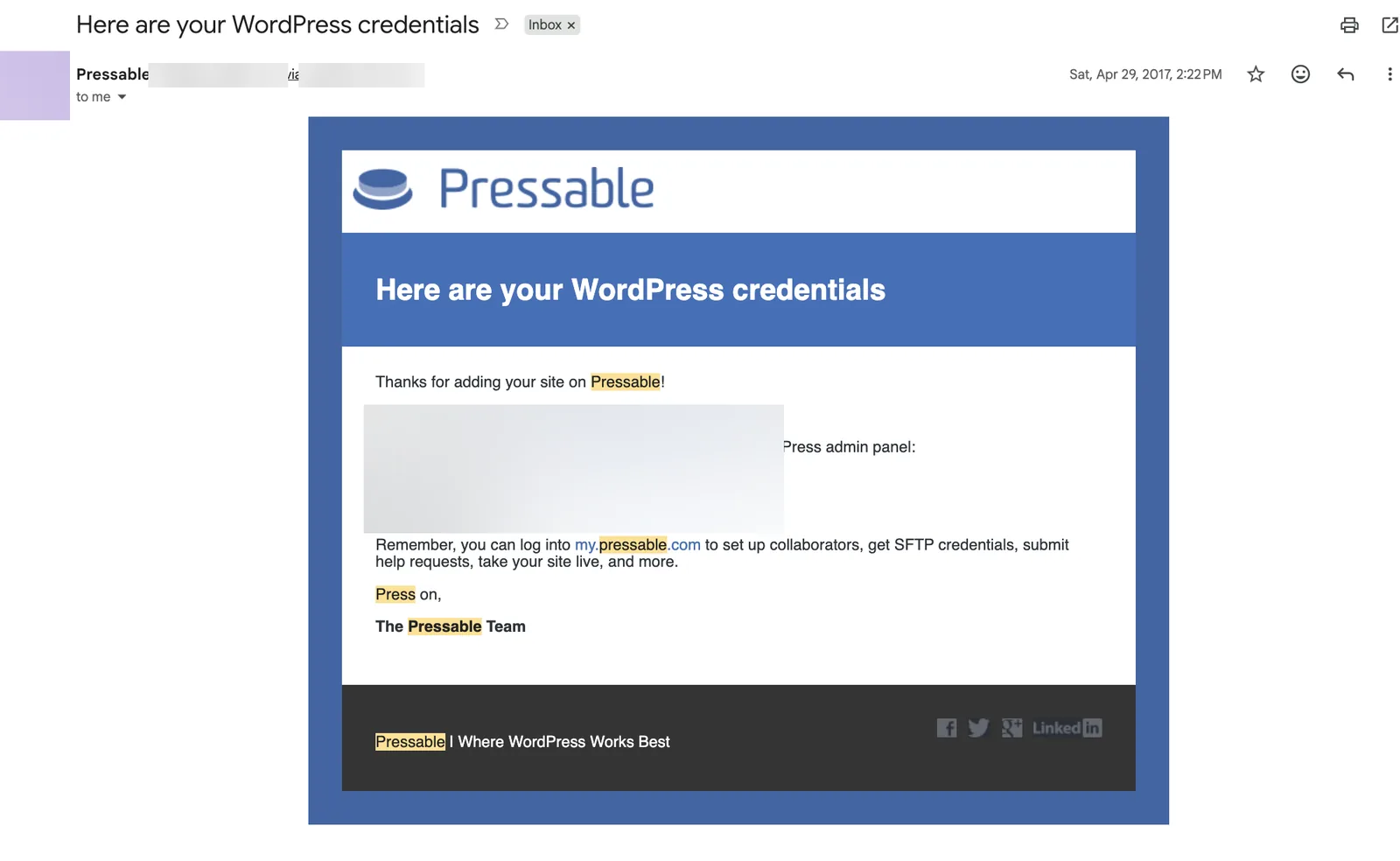
I signed up in April 2017, when Pressable was still a small premium host that few people had heard of, about a year after Automattic took a majority stake in it. My welcome email (below) still had the old Pressable logo. For years I paid yearly, which is the cheapest way to use Pressable, and later switched to monthly billing when paying a full year upfront no longer fit my budget. Monthly costs 20% more for the same plan.
Over those years I've hosted somewhere between 40 and 50 WordPress sites on Pressable. That's the nature of the web: old sites get removed and new ones get added. My plan changed with them, from 20 sites for years to 10 sites today.
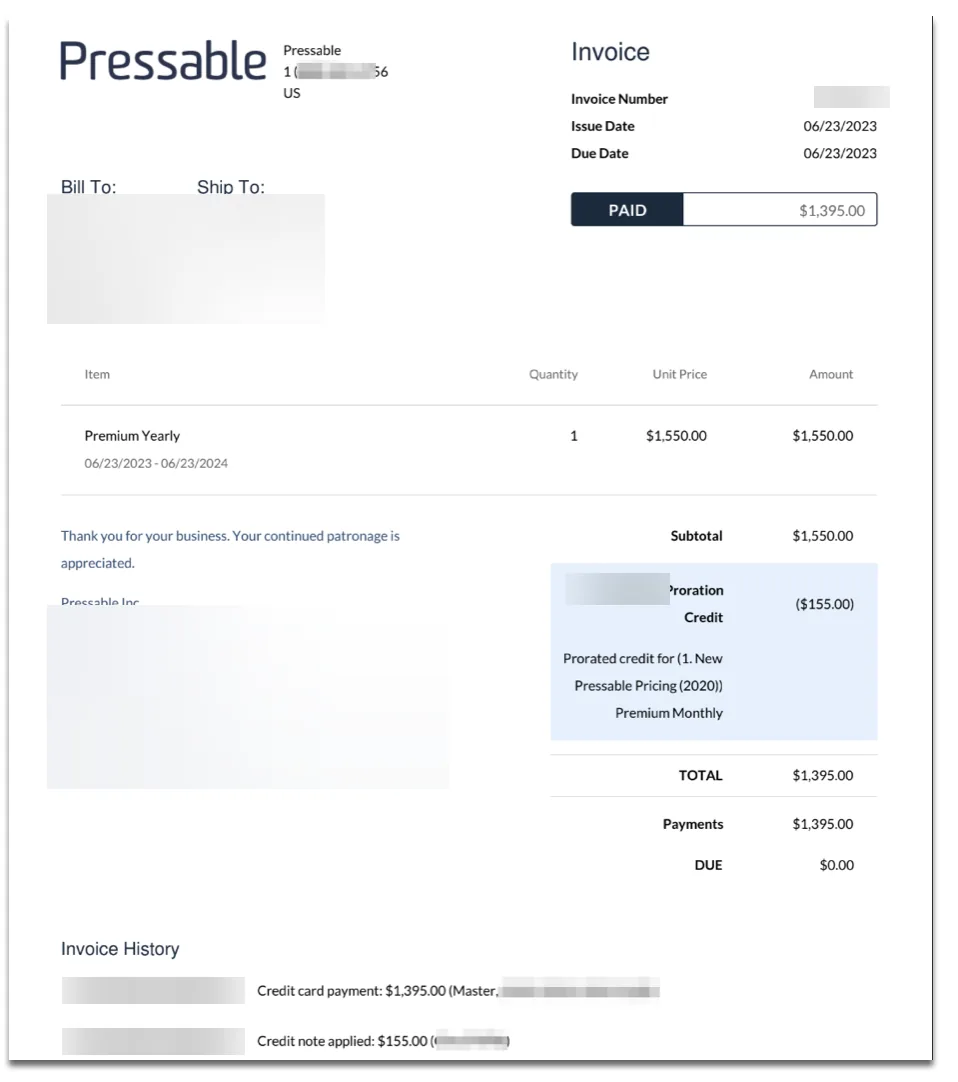
Plan names and prices have changed along the way. My June 2023 invoice shows my 20-site plan, then called Premium Yearly, at $1,550 a year (the same price today's 20-install Signature 5 costs on yearly billing), under what Pressable labeled its "New Pressable Pricing (2020)". I moved to it from Premium Monthly that day, and Pressable automatically credited the unused part of my monthly plan ($155), so I paid $1,395. Today's plans are called Signature, and Premium now means the dedicated plans from $350/mo.
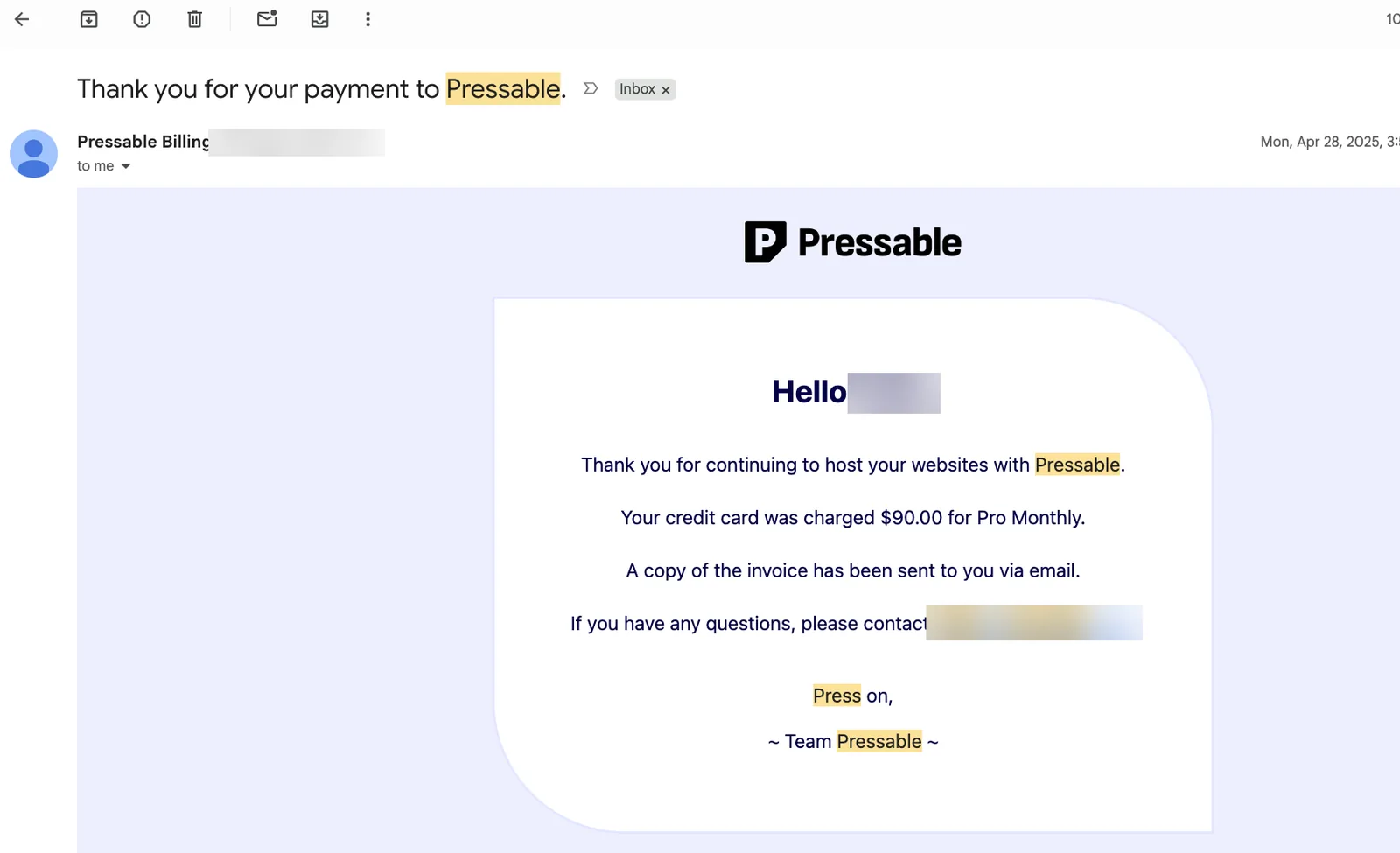
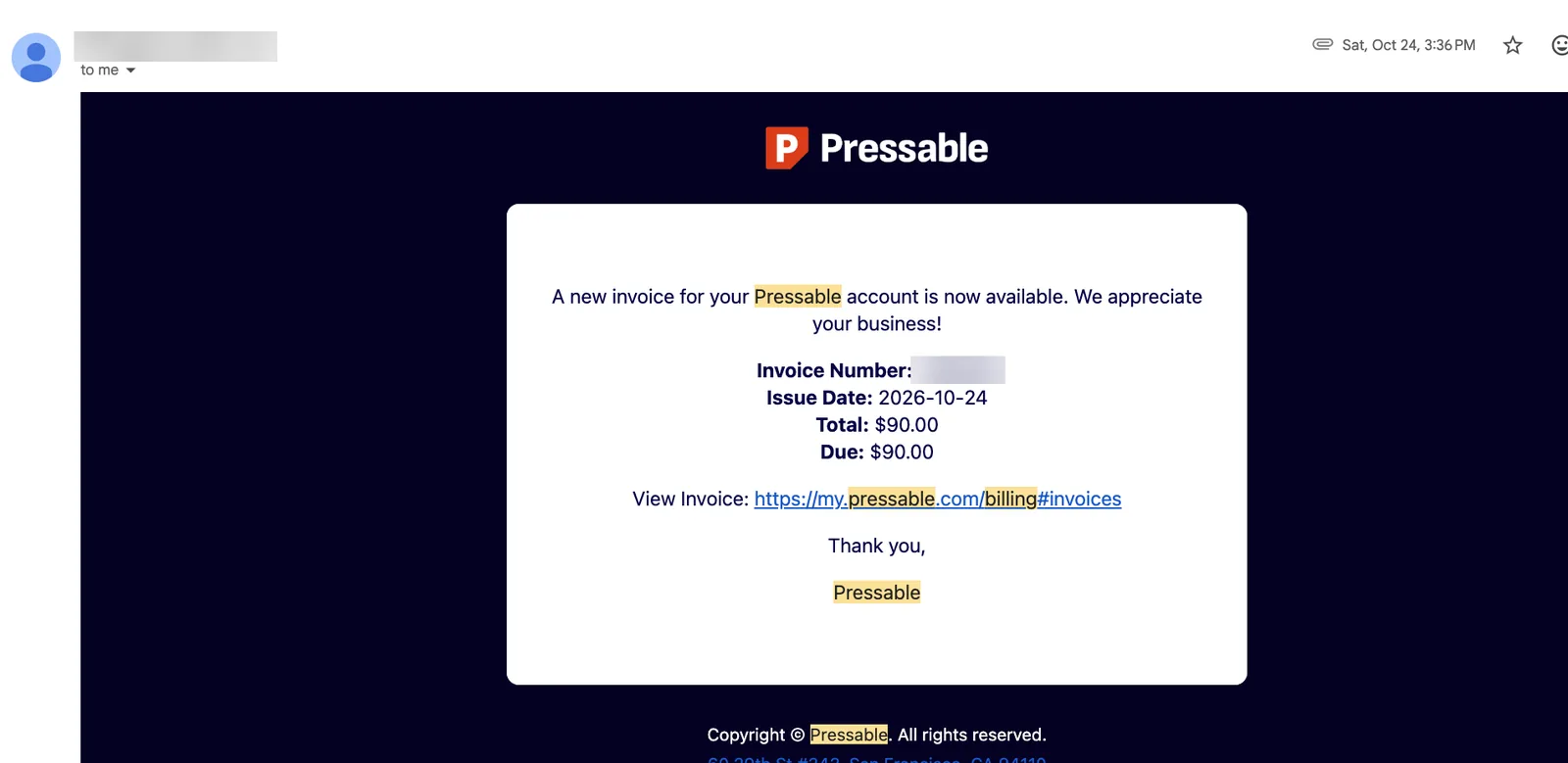
The names kept changing; my price didn't. In April 2025 I was charged $90 for "Pro Monthly", a 10-site plan. In October 2026 the invoice was still $90, for the same plan now called Signature 4. Even the logo changed three times in my inbox, from the old blue 2017 logo to a black P and now a red one.
Nothing broke. I'm leaving because my needs changed. Most of my sites are now small, low-traffic sites and tools that don't change daily. For them, WordPress itself has become the cost: plugin updates, security alerts, a database to back up hourly, and $90 a month to run it all.
I'm rebuilding those sites as static or Node.js sites on Render and Cloudflare, where small sites cost little or nothing to host. SiteHostingFinder itself runs that way.
My one wish for Pressable: a smaller, cheaper plan for simple low-traffic sites. As hosting costs have gone up, the entry price has become hard to justify for a hobby blog or a brochure site. Today Pressable makes the most sense for e-commerce and larger sites, and that's who I'd point to it.
If your sites are WordPress and they earn money, the math is different. A WooCommerce store, a busy blog or a portfolio of client sites benefits from exactly what I'm giving up: hourly backups, staging, security at the edge and someone else patching the servers. For that, I'd still pick Pressable.
Who should use Pressable?
| Your situation | Pressable? | Why |
|---|---|---|
| Agency or freelancer with 5-100 client sites | Good fit | Collaborators, ownership transfers, bulk actions, SSO, staging per site and per-install pricing that drops to about $5.60 at 100 sites. |
| WooCommerce store earning real revenue | Good fit | 5 PHP workers per site for uncached cart and checkout pages, hourly database backups so you never lose orders. |
| Several content sites with 30k-400k visits a month | Good fit | Edge cache handles traffic spikes; overages are predictable at $1.20 per 1,000 visits. |
| Developer who works in Git and local environments | Good fit | GitHub deploys, DDEV local sync, WP-CLI, SSH, environment variables, API and MCP. |
| One new blog under 10k visits a month | Look elsewhere | $20.83-25/mo is 3-8x what a good shared host costs for the same site. |
| Brochure site that rarely changes | Look elsewhere | A static site on Cloudflare Pages or Render costs nothing and is faster. That's where my small sites are going. |
| Site that needs email on the domain included | Depends | Email is $3.50-5 per inbox per month extra (90-day free trial). |
| Audience mainly in Asia, Australia or Africa | Depends | Origins are in the US and Amsterdam only, though the edge cache serves cached pages from 28 locations worldwide. |
| Node.js, Python, Laravel or a static site generator | Look elsewhere | Pressable hosts WordPress only. |
Pressable alternatives
Plans from other hosts in our database with at least the capacity of Signature 1 (1 site, 30k visits), sorted by 3-year cost. Most are cheaper because they're shared hosting, without Pressable's per-site PHP workers, hourly backups or edge rules.
How to tell if a site is hosted on Pressable
Pressable sites run on Automattic's network (AS2635), usually on IP addresses starting with 199.16.172 or 199.16.173, and new sites get a temporary *.mystagingwebsite.com address. Our hosting checker recognizes them, unless a CDN like Cloudflare hides the origin.
Pressable guides
All guides →Step-by-step guides built from the same account, for when you're already a customer or about to leave.
Pressable FAQ
Is Pressable good?
Yes, for the sites it's built for. After more than 9 years as a customer, I'd rate it 8.4/10: excellent backups, security, caching and developer tools, held back by price for single small sites and by being WordPress-only.
Who owns Pressable?
Automattic, the company behind WordPress.com, WooCommerce and Jetpack. Pressable runs on WP Cloud, Automattic's own hosting platform, and every account also creates Jetpack and WordPress.com accounts.
How much does Pressable cost?
Signature plans run from $25.00/mo billed monthly ($20.83/mo billed yearly, $250/yr) for 1 WordPress install, up to $675.00/mo monthly ($6,750/yr) for 100 installs. Premium plans with dedicated resources start at $350/mo.
Does Pressable offer monthly billing?
Yes. Every Signature plan can be paid monthly with no contract. Yearly billing costs the same as 10 months, so you get 2 months free (about 17% off). There are no 2- or 3-year terms.
Does Pressable raise prices at renewal?
No. Your renewal costs the same as your first bill, on both monthly and yearly billing. Since I switched from yearly to monthly billing, my Signature 4 plan has been billed the same $90 every month.
What happens if I go over my visit limit?
Pressable keeps your site online and charges $1.20 per extra 1,000 visits (and $1.00 per extra GB of storage) automatically. You get a dashboard banner at 80% of a limit and an email once overages reach $10. If you regularly go over, an add-on costs $8 per 10,000 visits.
How does Pressable count visits?
One visit per unique visitor per day (UTC), using hashed IP and user agent with no cookies, and known bots are excluded. Ten page views by the same person in a day count as one visit.
Does Pressable include email or a free domain?
No. Pressable doesn't sell domains, and Professional Email by Titan is a paid add-on: $3.50 per inbox per month (10GB) or $5 (30GB), with a 90-day free trial.
Where are Pressable's data centers?
Los Angeles, Dallas and Ashburn (Virginia) in the US, and Amsterdam in Europe. Each site has a geo-redundant secondary server, and the edge cache serves pages from 28 locations on six continents.
Does Pressable have a free trial or money-back guarantee?
There is a 30-day money-back guarantee from signup. It can't be combined with a free trial: if you start on a trial and are later billed, the refund doesn't apply.
How do I cancel Pressable, and what happens to my sites?
Billing → My Plan → Cancel Plan, as the account owner. Choose Cancel Later to keep sites online until the period ends. Cancelling deletes your sites and backups, and Pressable says they can't be recovered, so download full backups first and cancel at least 24 hours before renewal.
Is Pressable good for WooCommerce?
Yes. Each site gets 5 dedicated PHP workers for the cart, checkout and account pages that can't be cached, hourly database backups protect orders, and WooCommerce can be pre-installed when you create a site.
Does Pressable have staging sites?
Yes, and they don't use up your plan. Each plan has its own allowance of staging, sandbox and DupliKit template sites (my 10-install plan shows 11 of each), and you can clone, push or switch environments from the dashboard.
Can I manage Pressable with an AI assistant?
Yes. Pressable MCP lets an AI assistant such as Claude create sites, read logs, manage DNS, firewall and edge rules using an access token you create, and the WordPress MCP Adapter (beta) gives assistants read-only access inside WordPress.
Is Pressable worth it for one small blog?
Usually not, and I'd like to see Pressable add a cheaper plan for exactly this case. At $20.83-25/mo for one site, a shared host at $3-10/mo or free static hosting is better value until the site earns money or passes roughly 25,000-30,000 visits a month.
Ready to try Pressable?
30-day money-back guarantee, monthly billing, and the price never goes up at renewal.