// pressable how-to guides
How to manage Pressable with an AI assistant using Pressable MCP
Pressable is one of the first hosts with its own MCP server. Connect an AI assistant and you can say "create a staging copy of site 12345" or "which of my sites have vulnerable themes?" instead of clicking through the dashboard.
KEY TAKEAWAYS
- MCP (Model Context Protocol) is an open standard that lets AI assistants use tools safely; Pressable MCP is a set of hosting tools for it.
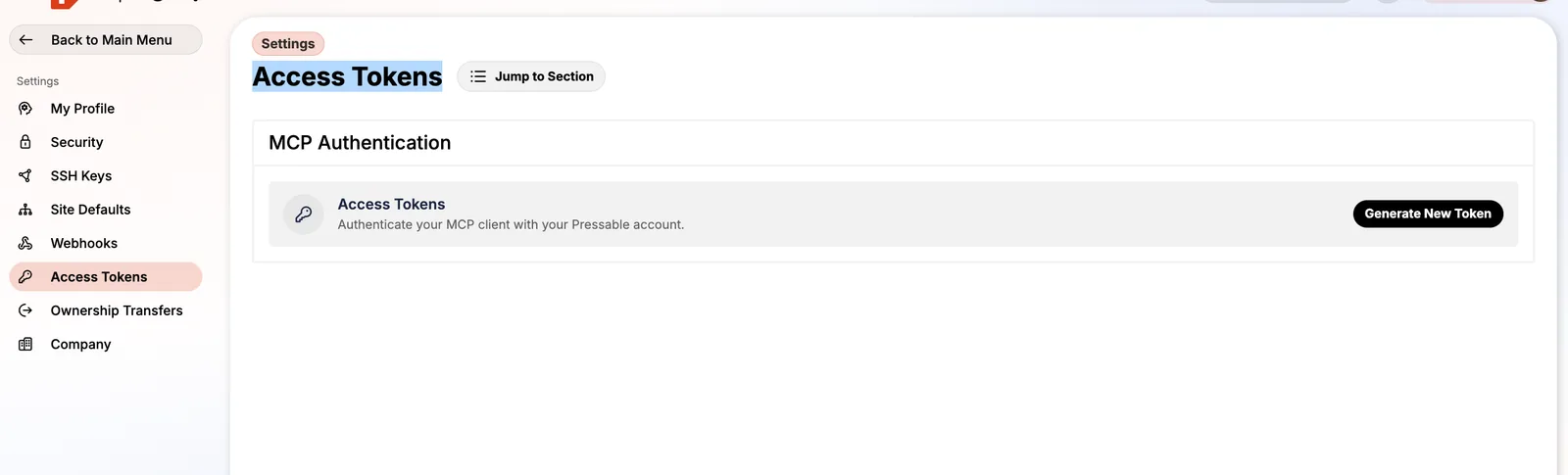
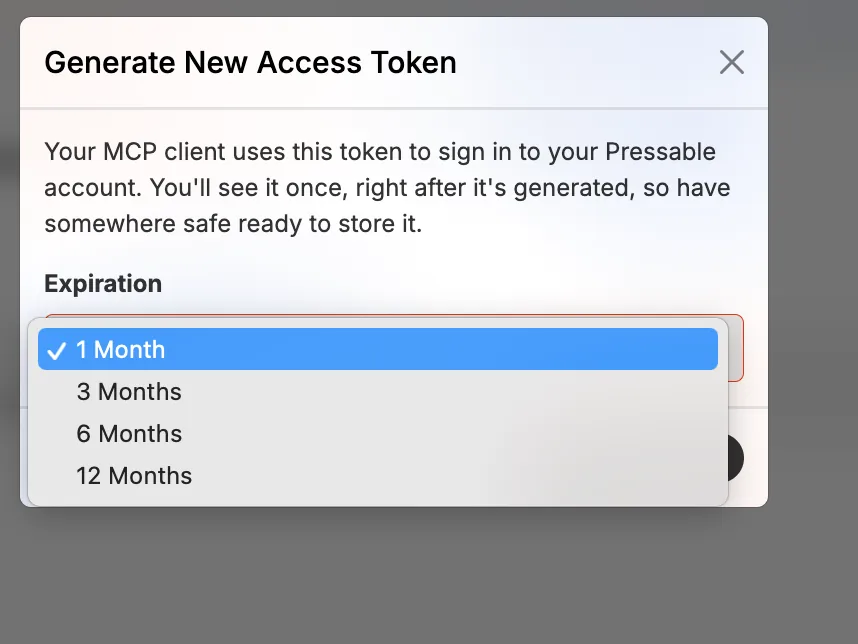
- You sign in with an access token you create under Settings → Access Tokens, valid for 1, 3, 6 or 12 months.
- The dashboard lists ready-to-copy prompts for sites, DNS, firewall, edge rules, plugins, themes, users, FTP, backups and logs.
- The separate WordPress MCP Adapter (beta) gives assistants read-only access inside WordPress itself.
- Anything a connected assistant does, including deleting a site, is your responsibility under Pressable's terms.
What you can do with it
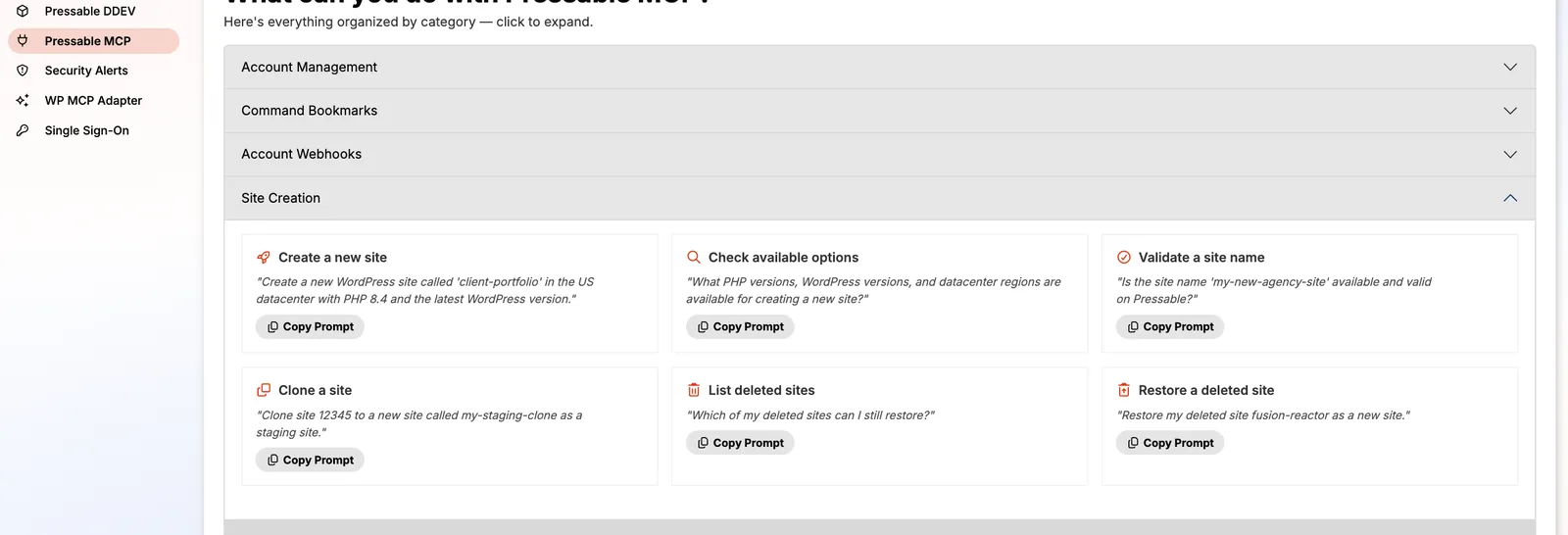
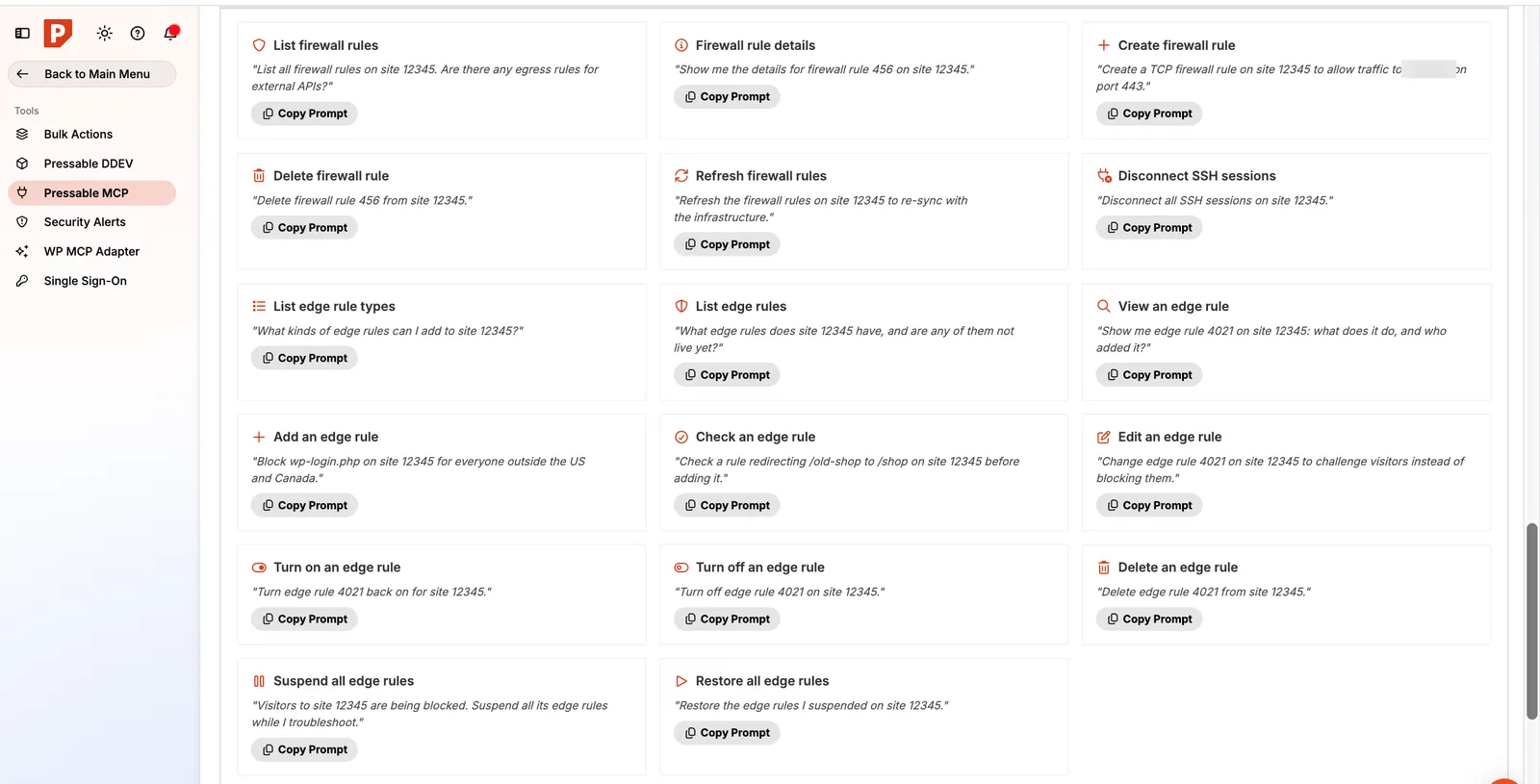
Pressable groups its MCP tools by category and shows example prompts for each, with a Copy Prompt button:
- Sites: create, clone, check available PHP/WordPress versions, validate a name, list and restore deleted sites.
- DNS: list zones and records, create or update records, check SSL, add mail provider records.
- Security: list and create firewall rules, disconnect SSH sessions, add, suspend or restore edge rules.
- WordPress: plugins, themes (including vulnerability checks), users, FTP accounts, backups, logs.
Creating a token safely
- Open Settings → Access Tokens and click Generate New Token.
- Pick the shortest expiry that works. One month is plenty for a project.
- The token is shown once. Store it in a password manager, never in a document or chat.
- Revoke it when you're done.
Prompts worth starting with
- "List all my sites and their PHP versions. Which ones are below 8.3?"
- "Show me themes and plugins with security vulnerabilities across my sites, by severity."
- "Which of my deleted sites can I still restore?"
- "Add Google Workspace mail records to zone 1."
- "Block wp-login.php on site 12345 for everyone outside the US and Canada."
Replace example IDs with your own. Start with read-only questions until you trust the setup.
The WordPress MCP Adapter (beta)
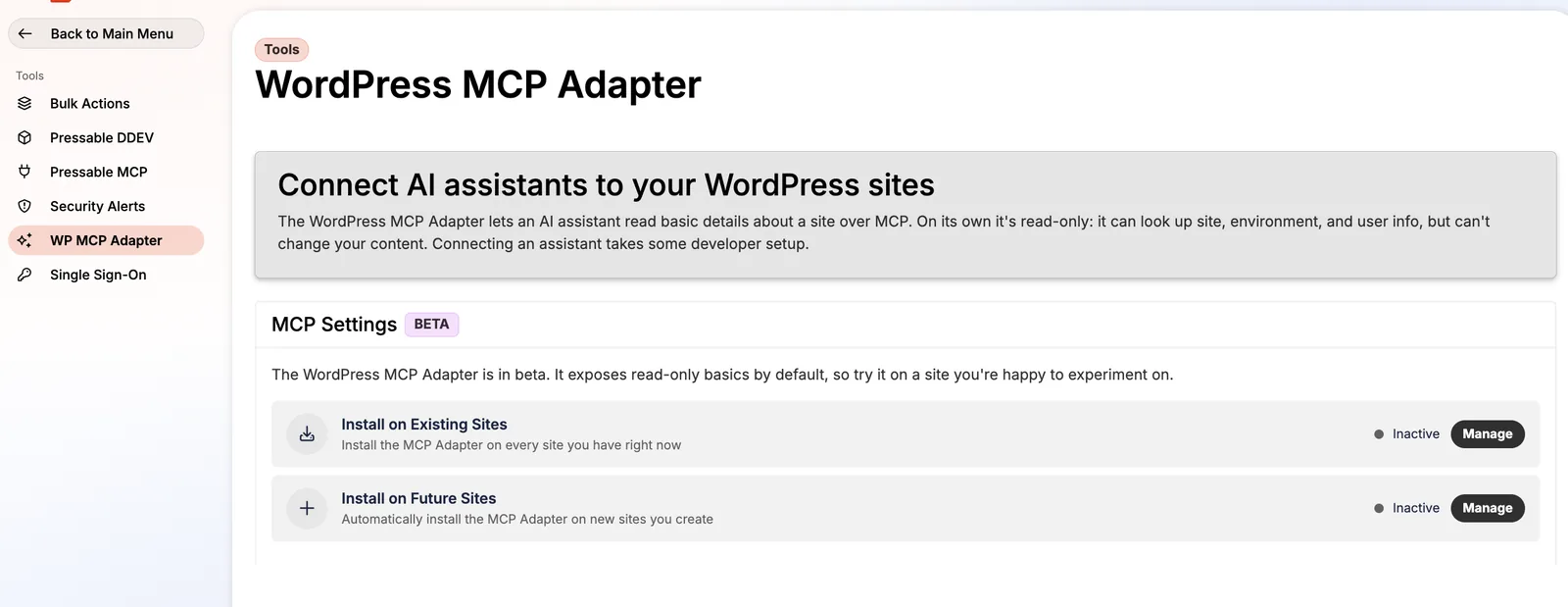
Pressable MCP manages hosting. The WordPress MCP Adapter is a plugin that lets an assistant read inside a WordPress site: site, environment and user info. On its own it's read-only. You can install it on all existing sites or on every new site automatically from Tools → WP MCP Adapter. Connecting an assistant still needs a WordPress application password and the site's MCP endpoint.
Safety rules I follow
- Short-lived tokens, one per project.
- Ask the assistant to show the plan before acting on anything destructive.
- Take an on-demand backup before bulk changes.
- Pressable's terms are explicit: actions taken through a connected AI service, including deleting sites and running WP-CLI, are your responsibility.
New to MCP? Read what MCP means for web hosting.
FAQ
Does Pressable MCP cost extra?
It isn't listed as a paid add-on; you create tokens from your account settings.
Which AI assistants work with Pressable MCP?
Any assistant that supports remote MCP servers, such as Claude.
Can the WordPress MCP Adapter change my content?
Not on its own. It exposes read-only basics; going further takes developer setup.
SOURCES
Prices and limits change. We note the date we checked each one; confirm on the provider's site before you buy.