// pressable how-to guides
Pressable Edge Rules: block countries, lock down wp-admin and keep AI crawlers off
Edge Rules run on Pressable's edge network, before a request ever reaches WordPress. That makes them faster and cheaper than a security plugin: blocked traffic never uses your PHP workers or counts as a real page load.
KEY TAKEAWAYS
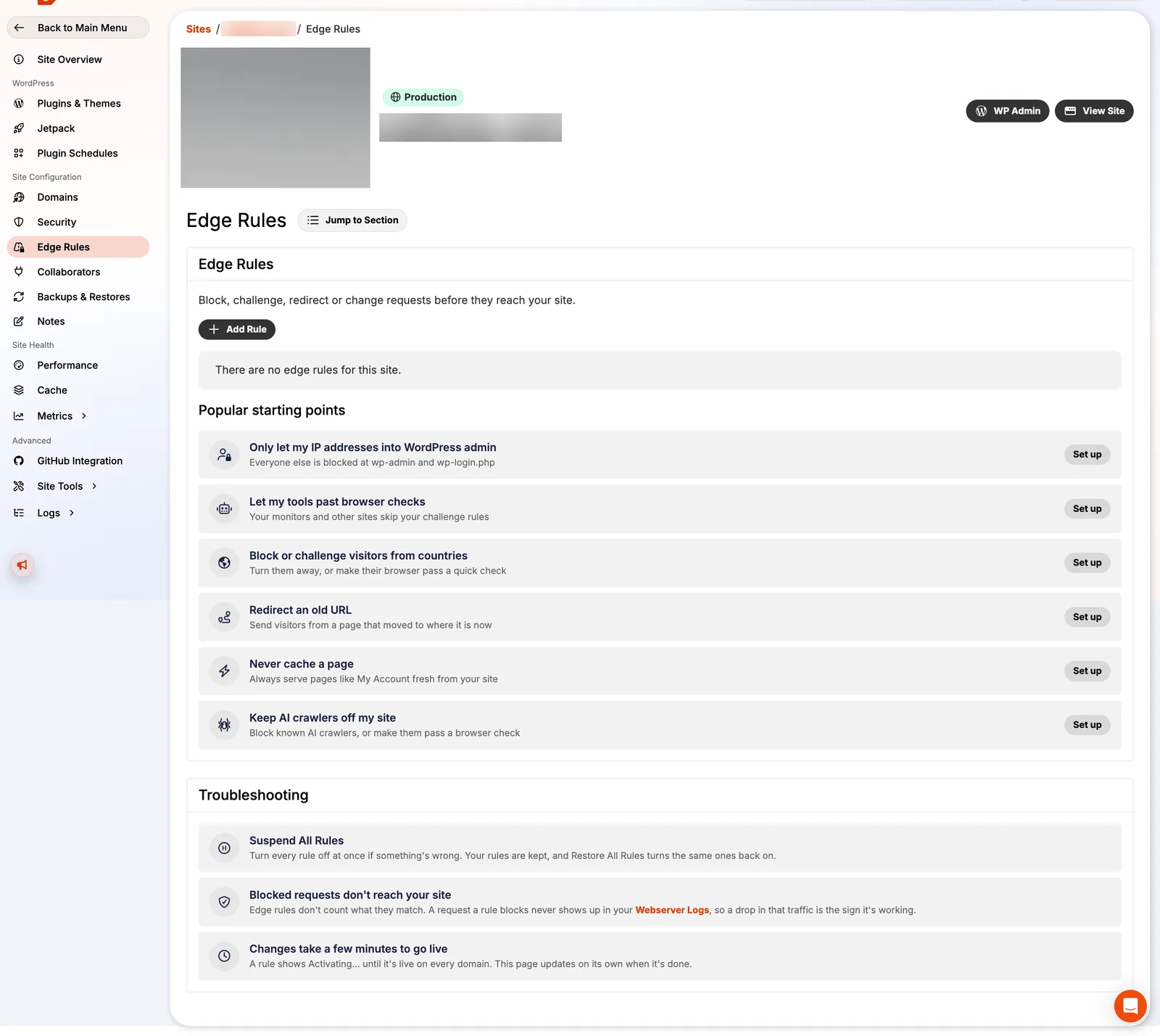
- Edge Rules live under each site → Edge Rules → Add Rule. Every rule is a 3-step wizard: choose, set up, review.
- Six ready-made starting points cover most needs; "Build your own" adds rewrites, headers, cache keys and more.
- Changes take a few minutes to go live, and you can suspend all rules at once if something goes wrong.
- Apply rules to all domains or only specific ones, including the staging domain.
The six starting points
| Starting point | Use it when | Impact |
|---|---|---|
| Only let my IP addresses into WordPress admin | You have a fixed IP or VPN and want wp-admin invisible to everyone else. | High |
| Let my tools past browser checks | Uptime monitors or your own scripts get stuck behind Defensive Mode. | High |
| Block or challenge visitors from countries | Attacks or spam come from countries you don't serve. | High |
| Redirect an old URL | You moved a page and want a 301 at the edge. | Medium |
| Never cache a page | A page must always be fresh (a custom cart or dashboard). | Medium |
| Keep AI crawlers off my site | You don't want known AI crawlers using your content or your server. | High |
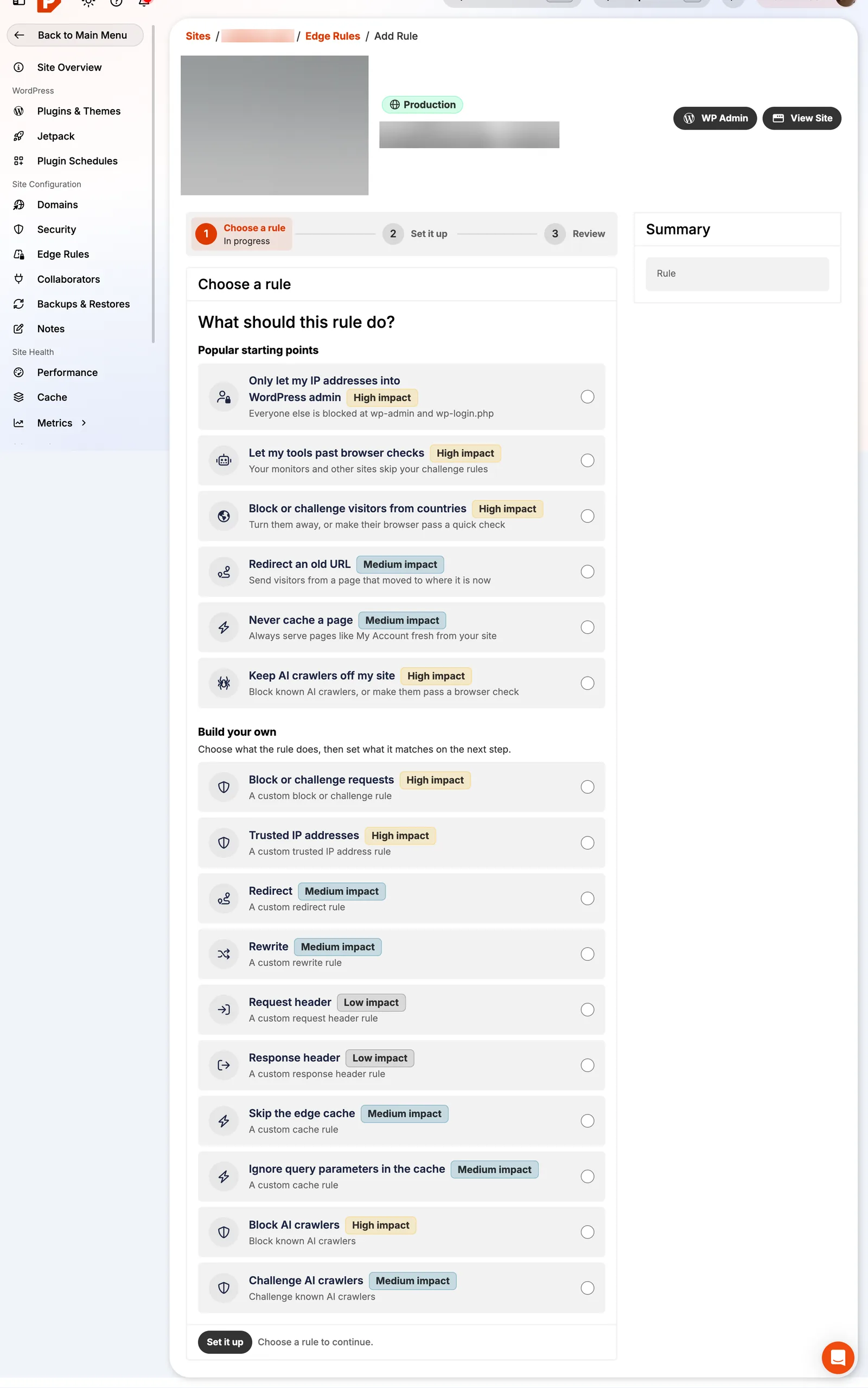
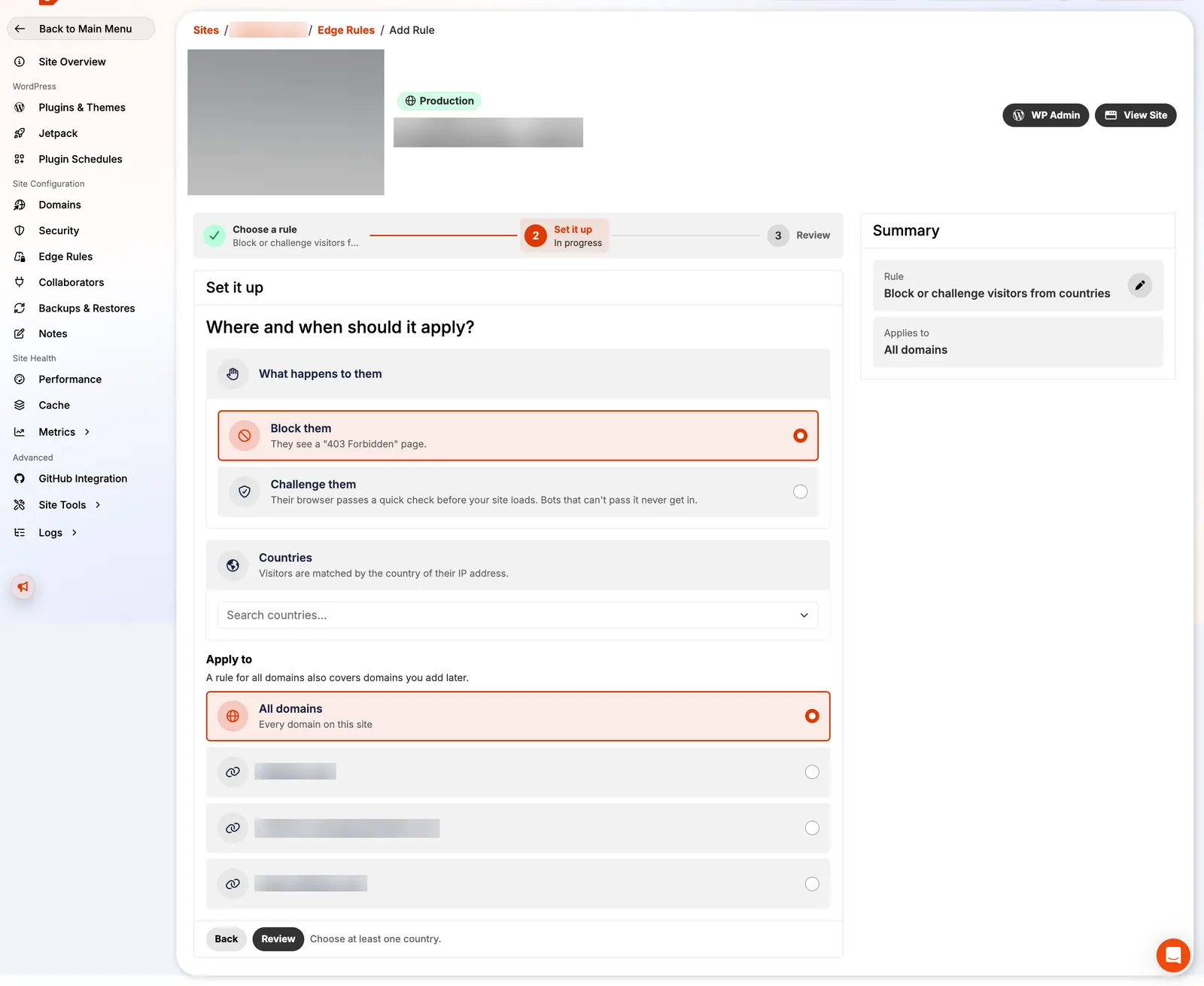
Block or challenge visitors from countries
Block returns a 403 Forbidden page. Challenge shows a quick browser check that real people pass and most bots don't. Start with Challenge: it stops automated attacks without locking out a real customer who happens to travel.
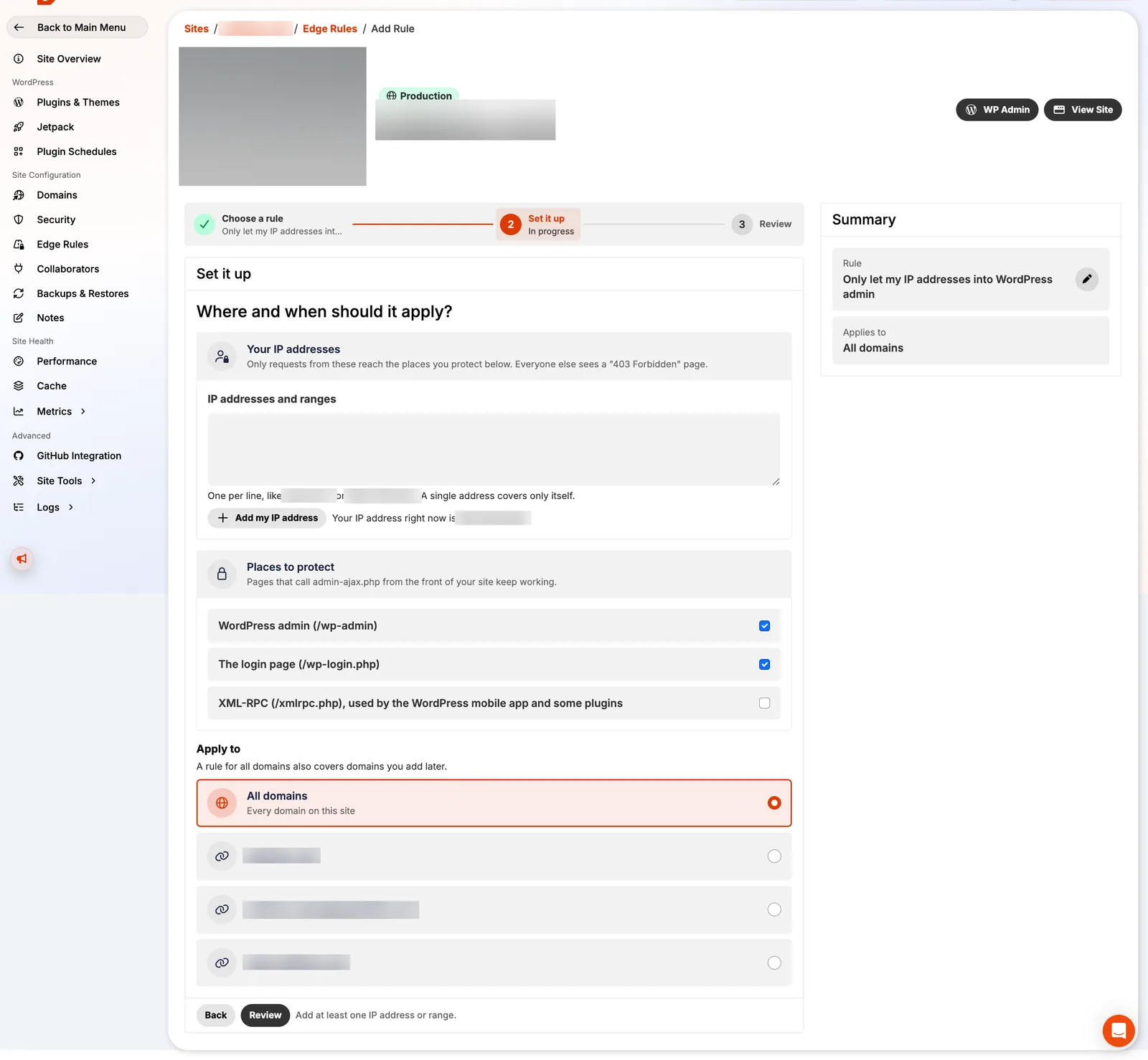
Let only your IP addresses into wp-admin
The rule protects /wp-admin and wp-login.php by default, and optionally xmlrpc.php. Pressable shows "Your IP address right now" so you can add it with one click. Pages that call admin-ajax.php from the front of the site keep working.
Only use this if your IP rarely changes. If you're on a mobile connection, use Challenge instead, or add your VPN's IP.
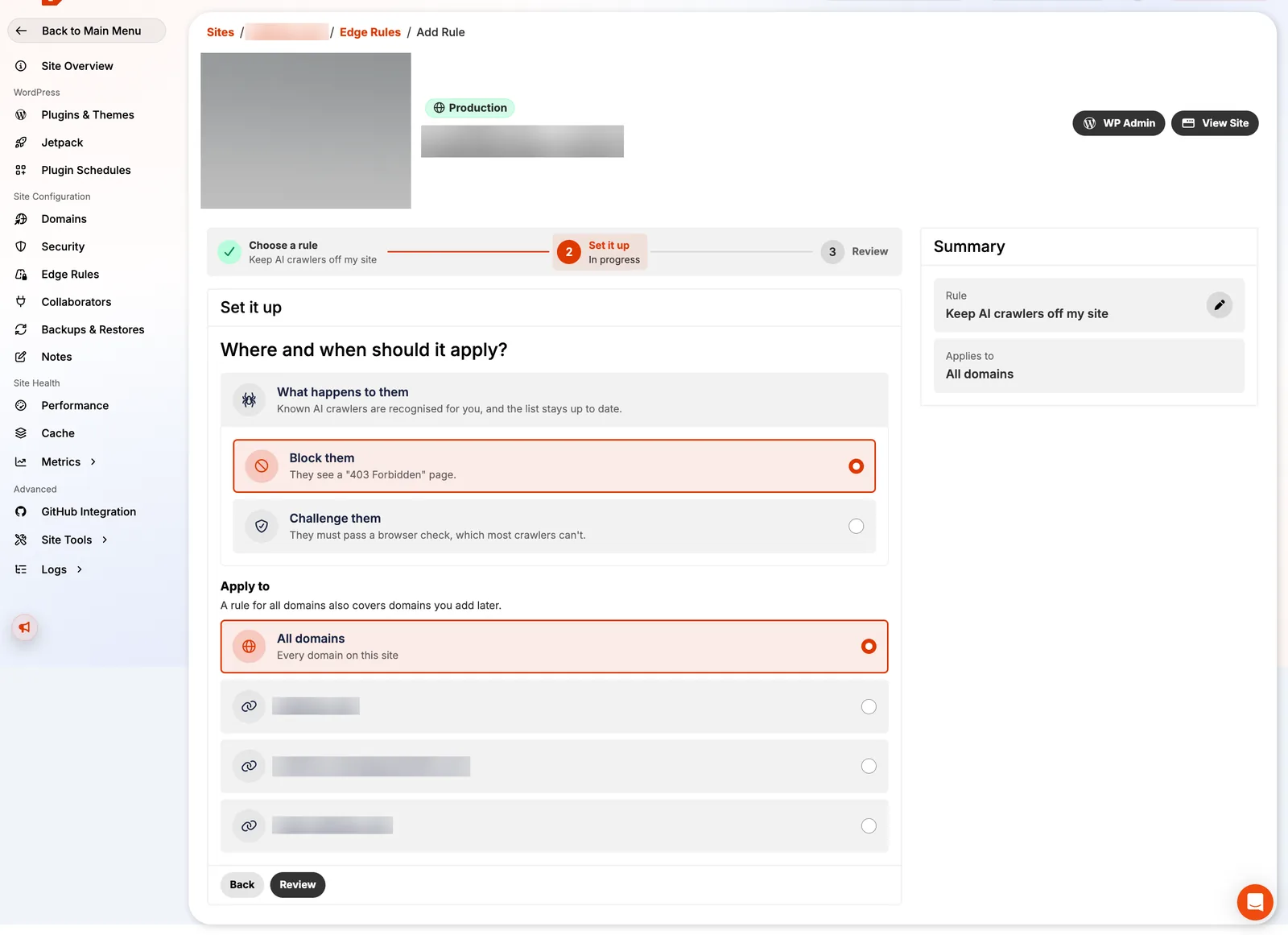
Keep AI crawlers off your site
Choose Block to return 403 to known AI crawlers, or Challenge, which most crawlers can't pass. This is stronger than robots.txt, which crawlers can ignore.
Think before you block: AI search tools may also stop citing you. On this site we do the opposite and welcome AI crawlers, because being cited is part of how a reviews site gets found.
Redirects and never-cache rules
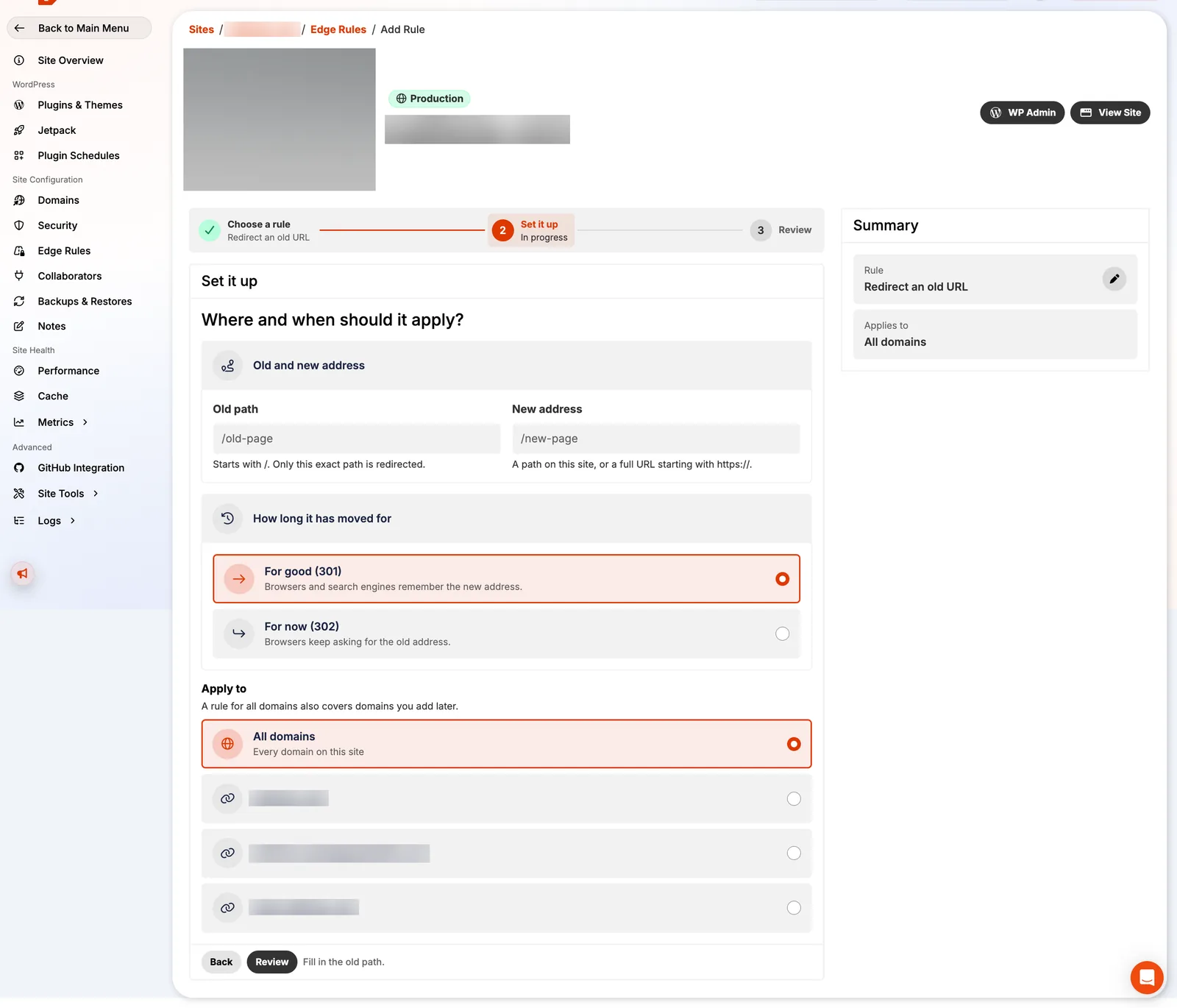
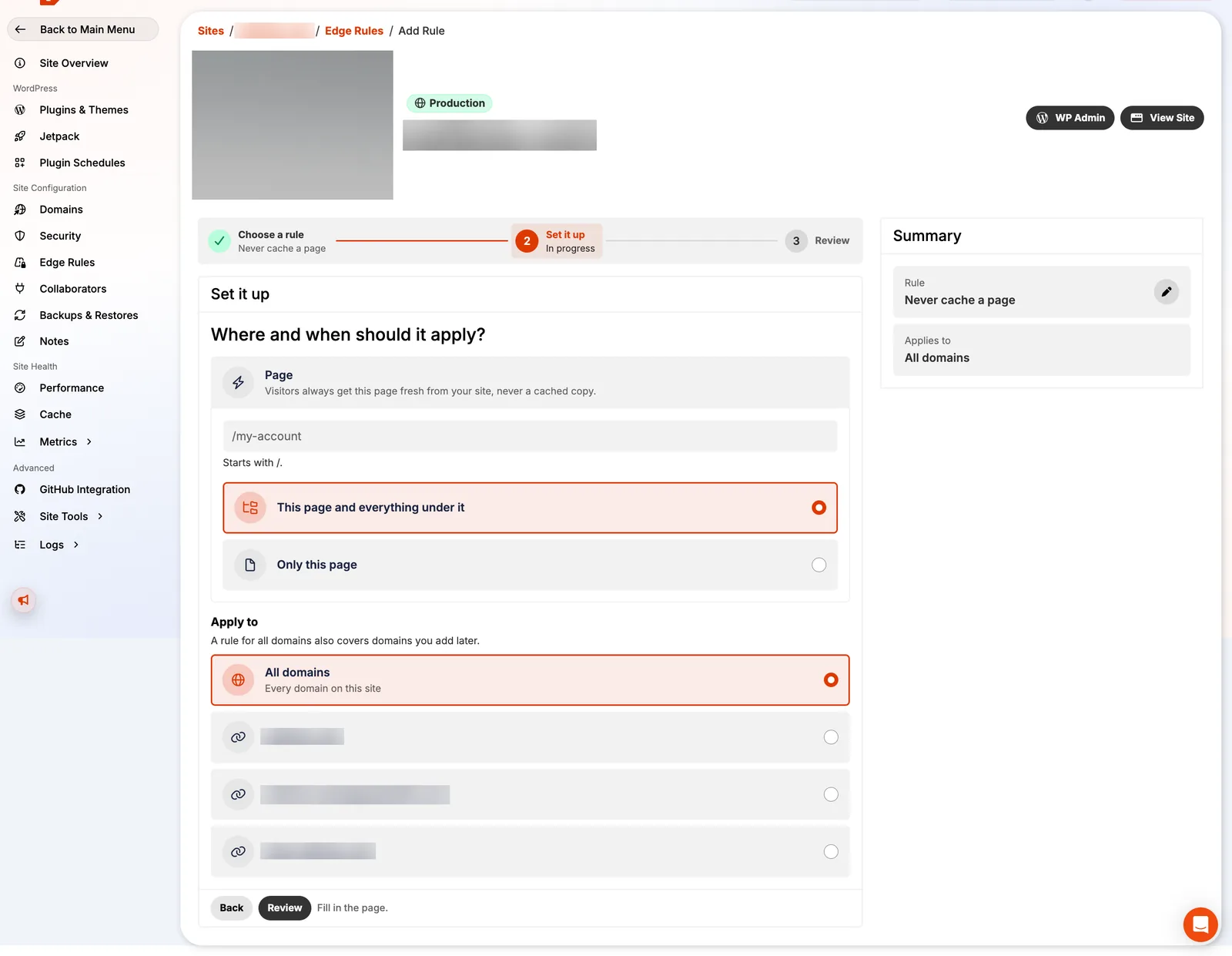
Edge redirects are faster than a redirect plugin because WordPress never loads. Use them for moved pages and old campaign URLs. "Never cache a page" is for pages that must be fresh on every load; carts, checkouts and logged-in pages are already excluded from the Edge Cache automatically.
If you lock yourself out
- Use Suspend All Rules on the Edge Rules page: rules are kept but stop applying, and Restore turns them back on.
- Blocked requests show in Webserver Logs, which tells you which rule matched.
- Changes take a few minutes; wait before testing again.
- Pressable MCP can also do this by prompt: "Visitors to site 12345 are being blocked. Suspend all its edge rules while I troubleshoot." See our MCP guide.
FAQ
Do Pressable Edge Rules cost extra?
No. They are included on Signature plans.
Is blocking AI crawlers bad for SEO?
Blocking AI crawlers doesn't affect Googlebot, but it can stop AI assistants and AI search from citing your site.
What's the difference between block and challenge?
Block returns a 403 page. Challenge asks the browser to pass a quick automatic check that real visitors pass and most bots fail.