// hosting explained
Hourly vs daily website backups: how much could you lose?
A backup protects you up to the moment it was taken. With daily backups, a crash at 6 p.m. can cost you everything since last night: orders, comments, form entries and edits.
KEY TAKEAWAYS
- Worst-case loss = time between backups. Daily: up to 24 hours. Hourly: up to 1 hour.
- Blogs that publish a few times a week are fine with daily.
- Stores, memberships and busy forms need hourly database backups.
- Always keep a copy outside your host; most terms of service exclude liability for data loss.
Worst-case data loss
Who needs what
- Daily is enough: blogs, portfolios, brochure sites.
- Hourly needed: WooCommerce, bookings, memberships, sites with frequent form entries.
- Before any big change: an on-demand backup, whatever your schedule.
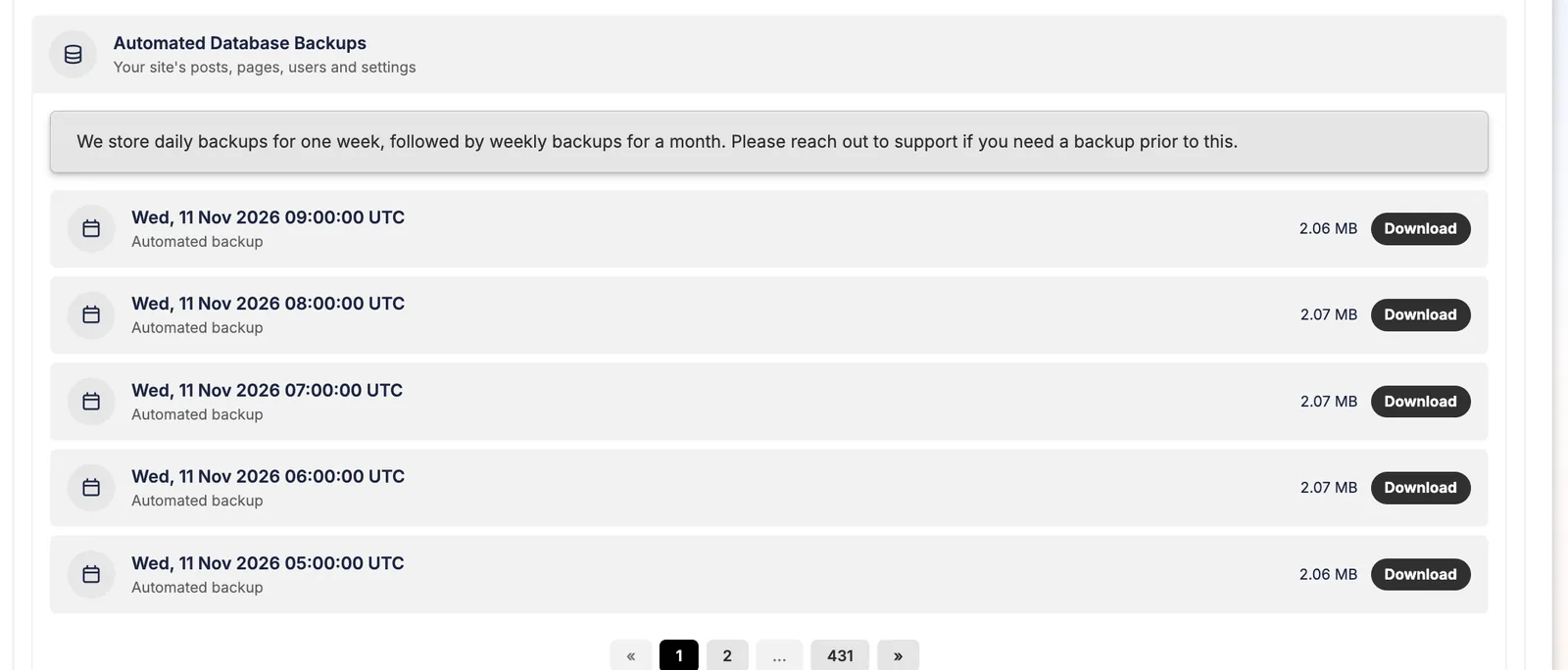
On Pressable, databases back up hourly and files daily; here's how to restore them.
Keep reading
Pressable how-to guidesRestore a site from Pressable backupsHow Pressable backups work (hourly database, daily files), how to restore files or the database, take on-deman…From 13 years of real hostingHow to cancel Pressable without losing a siteCancelling Pressable deletes your sites and backups. This step-by-step checklist from a 9-year customer shows …ComparisonsManaged WordPress features comparedOne table comparing managed WordPress hosts on entry price, renewals, visits, storage, overage rates, backup f…reviewPressable review: 9 years as a customer