// pressable how-to guides
Pressable Plugin Schedules: is $3 per site for tested plugin updates worth it?
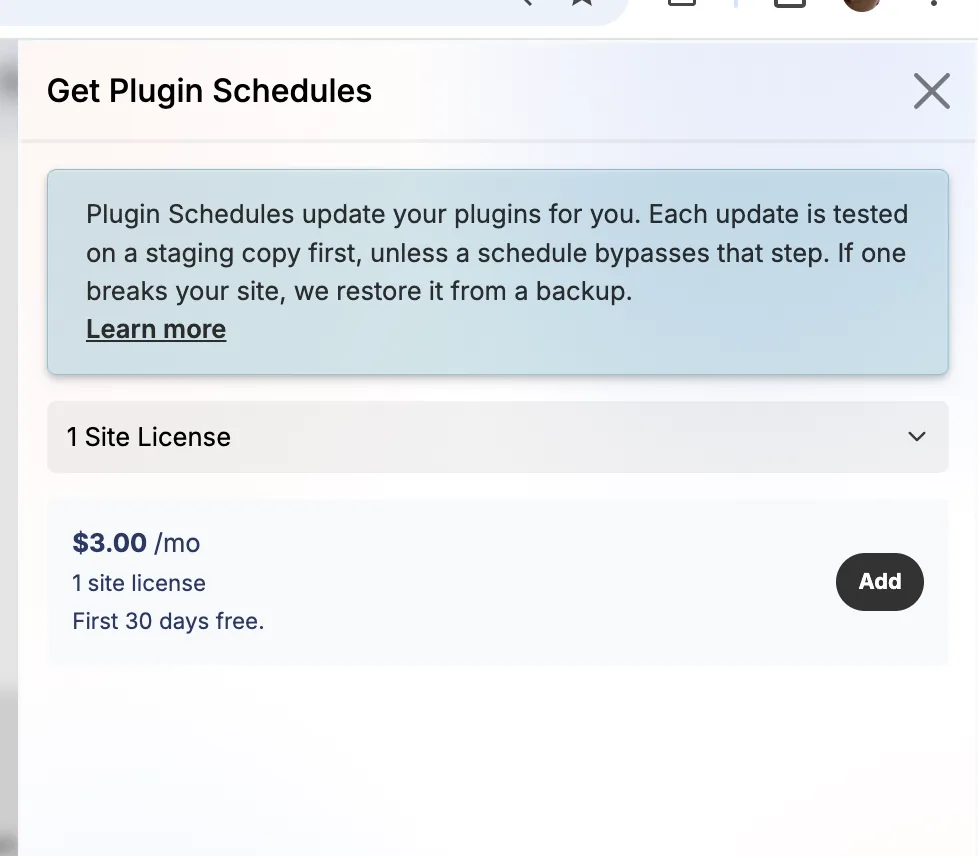
Plugin updates are the most common way a WordPress site breaks. Plugin Schedules automates them with a safety net, for $3 per site per month after 30 free days.
KEY TAKEAWAYS
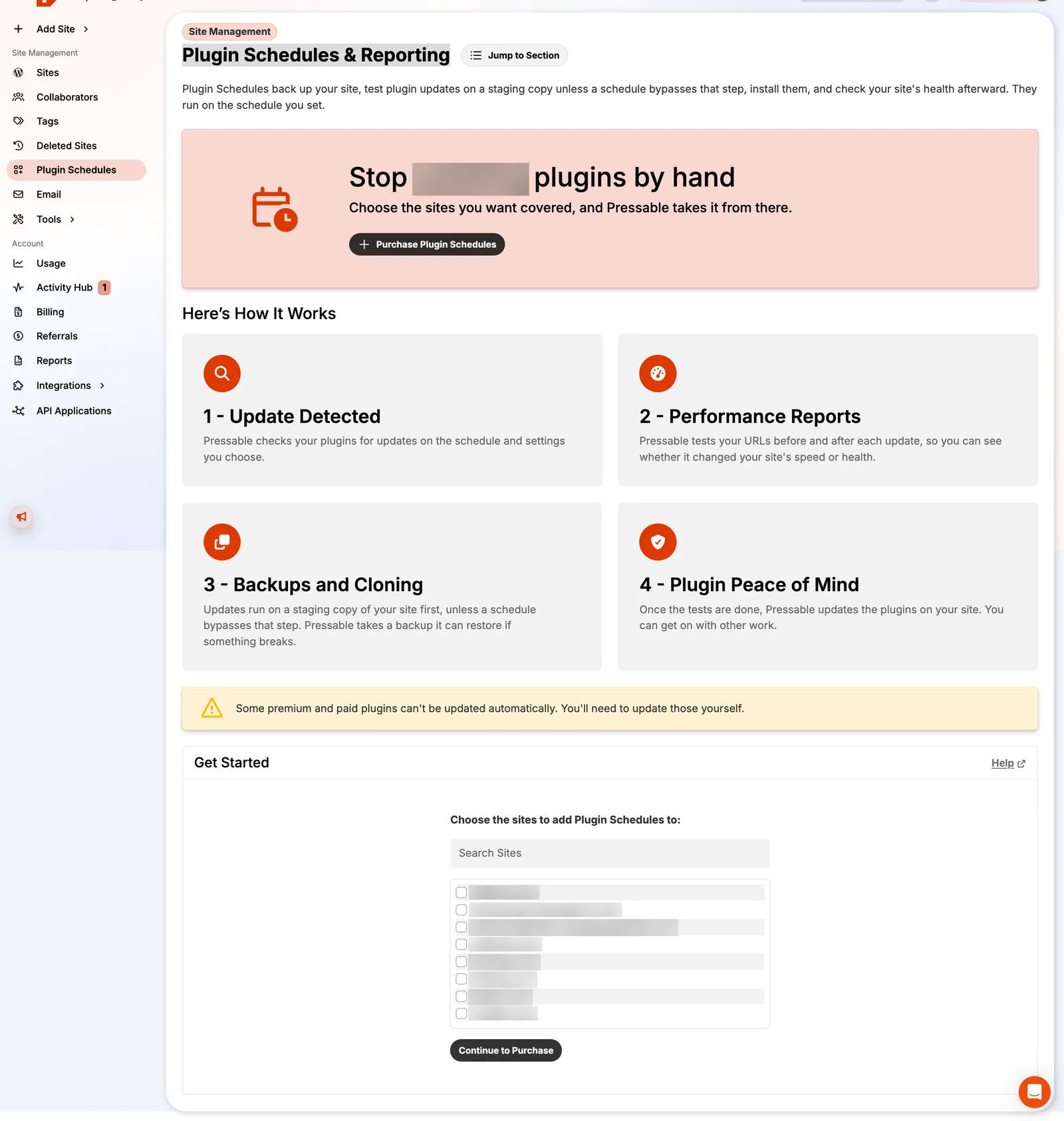
- Detects updates on your schedule, tests them on a staging copy, runs performance reports, then updates live.
- If an update breaks the site, Pressable restores from backup.
- Some premium and paid plugins can't be updated automatically.
- Worth it for client sites and stores; skippable for a personal blog you check weekly.
How it works
- Update detected on the schedule you set.
- Performance reports before and after each update.
- Backups and cloning: updates run on a staging copy first, unless a schedule bypasses that step.
- Peace of mind: when tests pass, live plugins update; if something breaks, Pressable restores from backup.
Is it worth it?
For 10 sites it's $30 a month. If one broken plugin update costs you an hour of client time or a morning of lost sales, it pays for itself quickly. For a hobby site, Pressable's security alerts plus a monthly manual update on staging is enough.
FAQ
How much does Pressable Plugin Schedules cost?
$3 per site per month, after a 30-day free trial.
Keep reading
Pressable how-to guidesStaging vs sandbox vs DupliKit on PressablePressable has four site types. Learn when to use production, staging, sandbox and DupliKit sites, how they cou…Pressable how-to guidesRestore a site from Pressable backupsHow Pressable backups work (hourly database, daily files), how to restore files or the database, take on-deman…Pressable how-to guidesPressable for agencies: bulk actions, transfers & ZapierThe Pressable features agencies use to manage many WordPress sites: bulk actions, collaborators, tags, site ow…reviewPressable review: 9 years as a customerreviewPressable dashboard tour (57 screenshots)