// hosting explained
Who hosts my website? How to find your own hosting account
It happens after a freelancer builds the site, a card expires, or years go by. Here's how to work out where your site, domain and email actually live, and how to get back in.
KEY TAKEAWAYS
- Run your domain through the hosting checker to find the server's network.
- Run a WHOIS lookup to find your domain registrar.
- Search your inbox for that company's name, plus "invoice", "renewal" or "welcome".
- Don't let the domain expire while you sort it out: renew it first.
Step 1: check your domain
The result names the network your site runs on and, separately, your DNS and email providers.
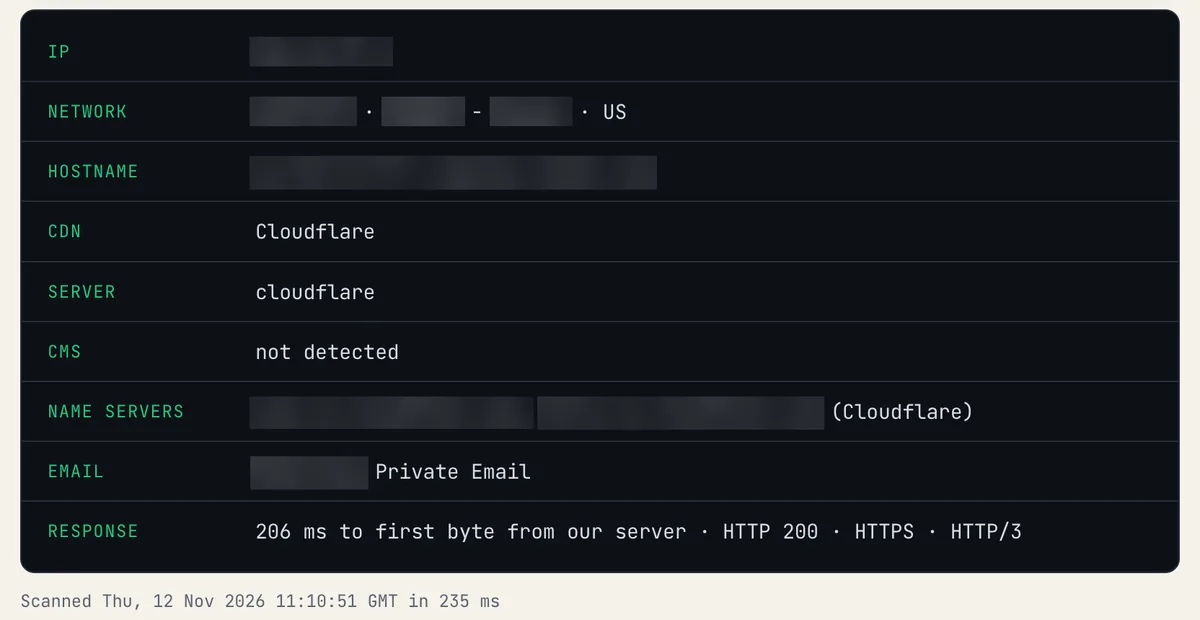
Each row is one clue. NETWORK is who owns the server's IP, NAME SERVERS is who runs your DNS and EMAIL is your mail provider: often three different companies.
Step 2: list your four providers
| Provider | How to find it |
|---|---|
| Web host | The hosting checker result |
| Domain registrar | A WHOIS lookup of your domain (the "Registrar" line) |
| DNS provider | The name servers in our DNS lookup |
| Email provider | The MX lookup |
Step 3: get back into the account
- Search your email for the provider's name and words like "welcome", "invoice", "receipt" or "renewal". My own oldest HostGator email is from 2013 and still names the account.
- Check your bank or card statements for the company name.
- Use the provider's "forgot password" or account recovery with the email you think you used.
- If someone else built the site, ask them: the account is often in their name. Ask for it to be transferred to you.
Step 4: decide whether to stay
Once you're back in, check what you're paying at renewal. Our True Cost tracker shows renewal prices for every plan we track, and the switch checklist covers a safe move.
Keep reading
toolWho hosts this website?Hosting explainedHow to find out who hosts a websiteFind out who hosts any website: use our free checker, or do it by hand with nslookup, an IP owner lookup and r…toolDNS lookupFree toolsHosting switch checklist generatorPick where you're moving from and to, and get a step-by-step checklist for switching web hosts without downtim…