DNS lookup
See every DNS record of a domain in one place, and what they mean: who runs its DNS, where the site and email are hosted, and what's missing.
Try: wikipedia.org · github.com · sitehostingfinder.com
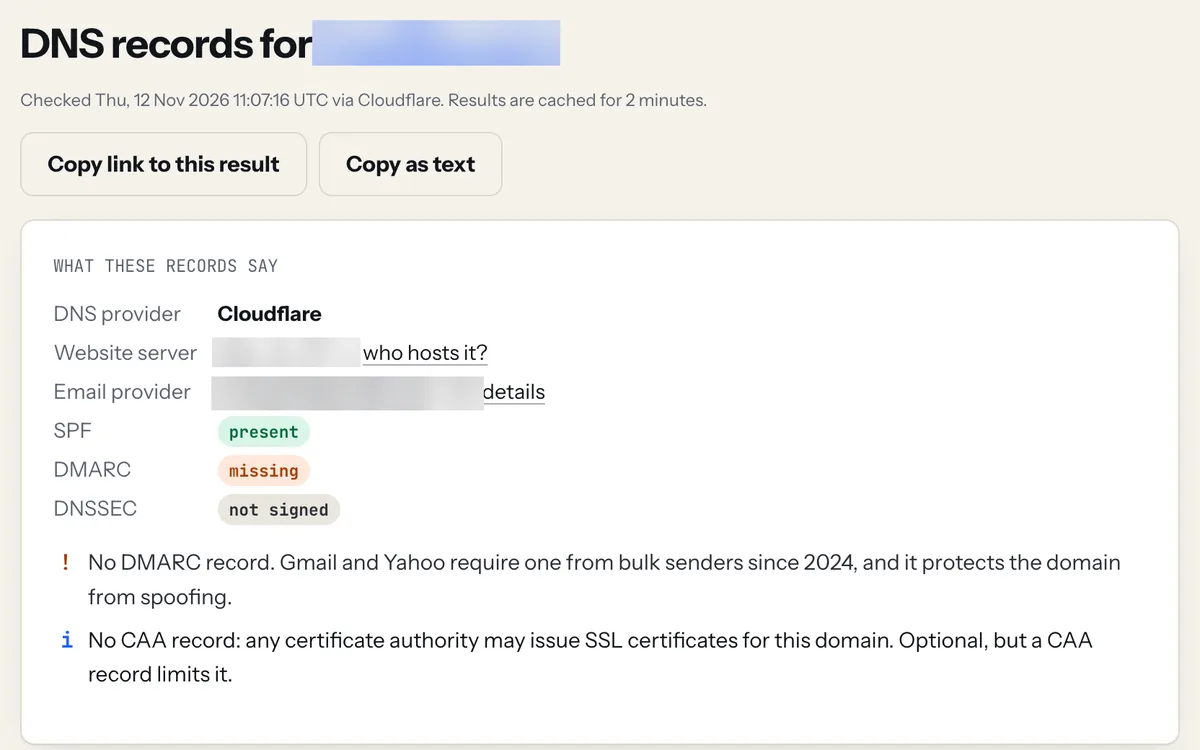
The DNS lookup summary reads the records for you: who runs the DNS, where the site and email live, and what's missing (here, DMARC).
What each DNS record does
| Record | What it's for |
|---|---|
| A | The IPv4 address of the server that hosts the site. Changing hosts means changing this. |
| AAAA | The IPv6 address of the server, if it has one. |
| CNAME | An alias: "www.example.com is the same as example.myhost.com". Common for www and for platforms like Shopify. |
| MX | Mail servers that receive email for the domain, in priority order (lowest number first). |
| NS | Name servers: the company that answers DNS for the domain. Records must be edited there. |
| TXT | Free-text records: SPF, ownership checks for Google or other services, DKIM keys. |
| CAA | Which certificate authorities may issue SSL certificates for the domain. |
| SOA | Start of authority: the primary name server, admin contact and timing values for the zone. |
How this lookup works
We ask public DNS resolvers (Cloudflare first, Google as a fallback) over encrypted DNS-over-HTTPS, the same answer your visitors' browsers get. TTL is how many seconds resolvers may cache a record before asking again, which is why DNS changes can take time to show everywhere. If you just changed a record, use the propagation checker to compare several resolvers at once.
The summary at the top is our reading of the records: the DNS provider comes from the name servers, the email provider from the MX records, and the warnings flag common mistakes such as two SPF records or a missing DMARC policy.
FAQ
How do I look up the DNS records of a domain?
Type the domain into the box above and choose "ALL" to see every record type at once, or pick one type. On a computer you can also run nslookup -type=any example.com or dig example.com ANY, but many servers no longer answer ANY queries, which is why this tool asks for each type separately.
Why do I see different results from my own computer?
Your computer and router cache DNS answers for the TTL period, and your internet provider's resolver has its own cache. After a change, old answers can linger for minutes to hours. Flushing your local DNS cache or waiting out the TTL fixes it.
What is a TTL and what should it be?
TTL (time to live) is how long, in seconds, resolvers may cache a record. 3600 (one hour) is a common default. Before moving hosts, lower it to 300 a day ahead so the switch spreads quickly, then raise it again afterwards.
Is this the same as nslookup?
It does the same job as nslookup and dig, from a browser: no command line needed, and it shows every record type plus an explanation of what the records mean.
Do you store the domains I look up?
Results are cached in memory for two minutes to reduce load, then discarded. Lookup pages are not indexed by search engines.
CHANGING HOSTS?
DNS is where most migrations go wrong. Follow the hosting switch checklist, lower your TTL a day before, and use the propagation checker after the switch. Comparing new hosts? See real renewal prices.